10 Best No Code Website Builder Options for 2026
You've got a business idea, a launch date, and no interest in spending weeks learning HTML. At the same time, the first AI-generated draft looks generic, the “simple” platform has three separate paid add-ons, and the builder you chose may become difficult to migrate later. That's the no-code decision in 2026.
The market has split into two broad groups. AI-first builders turn prompts into usable starting points for validation and fast launches. Professional visual development environments give designers and agencies tighter control over layout, responsive behavior, CMS structures, and production workflows.
The category itself has deep roots. GeoCities launched free web hosting in 1995 and reportedly reached 19 million unique monthly visitors by 1999, while SGI's WebMagic launched on January 26, 1995 as a drag-and-drop visual editor. These milestones show that no-code publishing started with visual editing and hosted systems, long before today's AI interfaces. (History of no-code website building)
This list matches each no code website builder to a practical maturity level, from one-page validation to enterprise marketing operations. It also treats verification as part of selection. A polished site can hide a hosted proprietary system, WordPress, or an AI-generated modern JavaScript stack, and that difference affects ownership, integrations, maintenance, and migration.
Table of Contents
- 1. Webflow
- 2. Wix
- 3. Squarespace
- 4. Framer
- 5. Durable
- 6. 10Web
- 7. Lovable
- 8. Shopify
- 9. Carrd
- 10. Tilda
- Top 10 No-Code Website Builders Comparison
- Verifying Your Choice Before Building
1. Webflow
Webflow is the strongest fit when the website itself is a serious design and content system rather than a quick brochure. Its visual Designer gives teams fine-grained control over layout, spacing, responsive behavior, classes, components, and CSS-level styling without requiring them to write code. That makes it especially useful for agencies and startups that need a distinctive marketing site and expect repeated iteration.
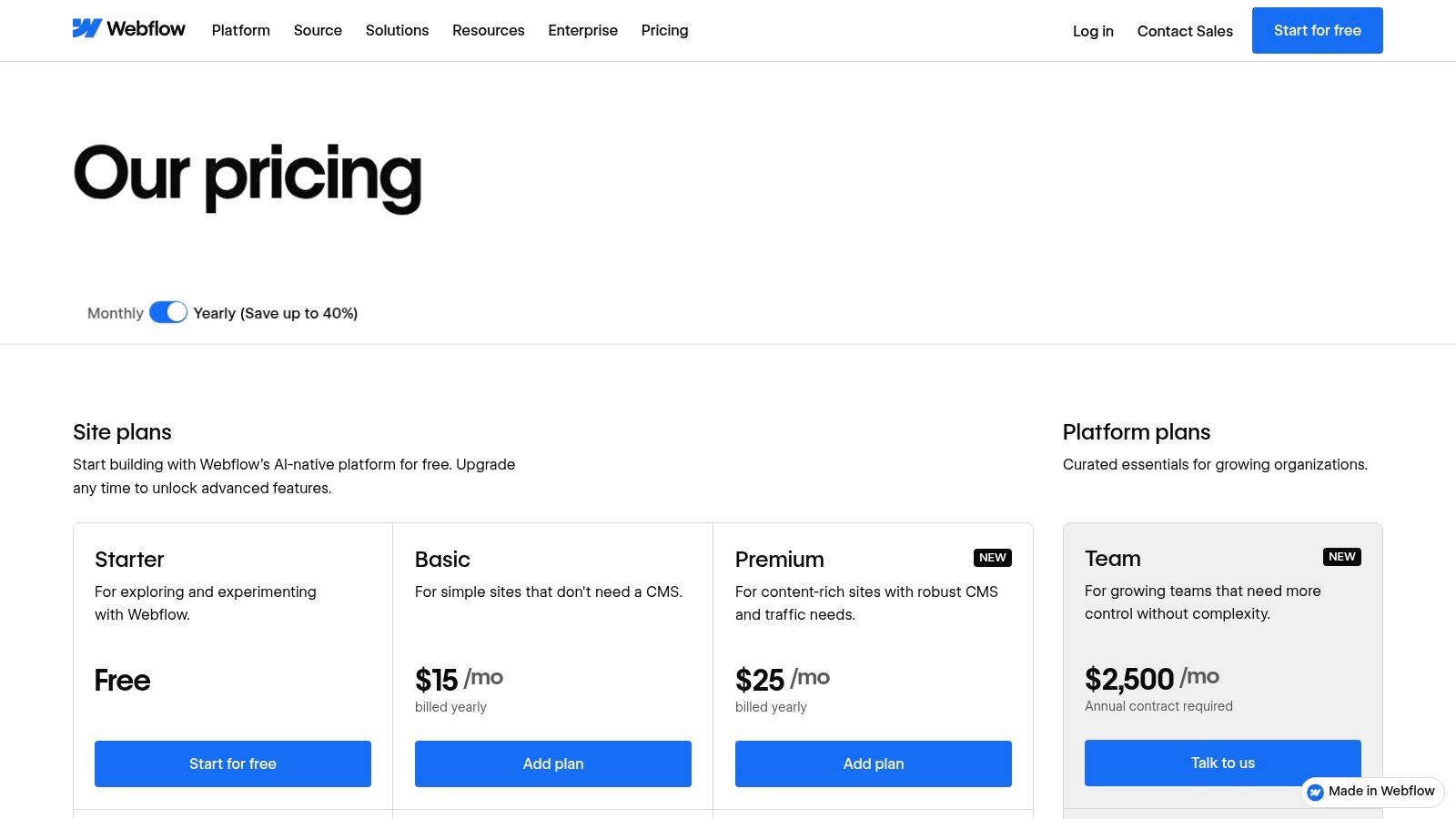
The built-in CMS uses collections for structured content such as blog posts, case studies, authors, or locations. Webflow's recent platform updates have increased CMS and collection limits, which helps teams manage broader content libraries inside the same environment. Hosting, CDN delivery, forms, SEO controls, publishing workflows, and team Workspaces reduce the number of separate services needed to operate the site. Paid tiers also include AI credits and collaborative features, although teams should verify the current plan details on the Webflow pricing page.
Where Webflow earns its complexity
Webflow's control is also its main cost. Beginners can create a visually attractive page, then lose time debugging class inheritance, breakpoints, symbols, CMS references, or interactions. The platform's workspace and site-plan model can also make procurement harder because the team must understand which capabilities belong to the design workspace and which belong to hosting.
Exporting static assets is possible, but a CMS-heavy website is difficult to move without rebuilding dynamic functionality elsewhere. That's a critical ownership question for agencies presenting a client with a long-term platform choice.
Practical rule: Choose Webflow when someone on the team will own the design system and CMS structure. Don't choose it simply because the marketing site needs to launch quickly.
For a closer look at the platform's workflow and trade-offs, use this Webflow review for 2026. Webflow is best for agencies, design-led startups, and enterprise marketing teams that value control more than a short learning curve.
2. Wix
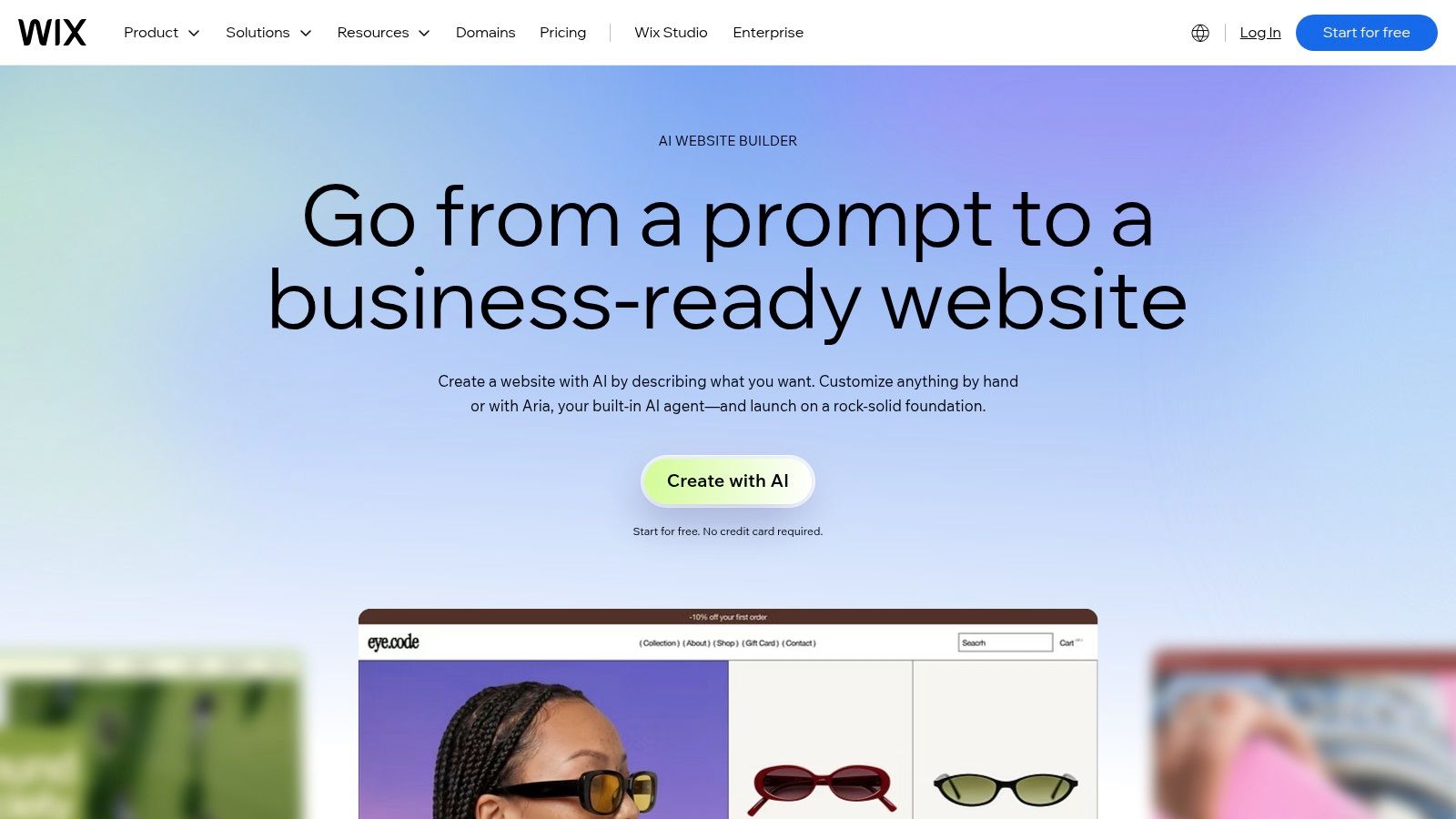
Wix is a practical choice for a small business that wants to move from a blank screen to a publishable website with minimal setup. Its AI Website Builder can generate layouts, copy, and imagery from prompts, then let the owner continue in an editor for manual changes. That combination works well for service businesses that need pages for offerings, contact details, locations, testimonials, and lead capture without assembling a technical stack.
The platform bundles domains, SSL, analytics, marketing features, forms, and a broad app marketplace. Users can add booking, ecommerce, email marketing, chat, and other business functions without setting up each service independently. Wix's AI Website Builder is therefore strongest when convenience matters more than exact control over every element.
What to test before scaling
Wix's flexibility can become confusing because its beginner-oriented editor and more advanced Wix Studio workflows serve different users. A small team may also add several marketplace apps before checking whether each one introduces a separate subscription, duplicated analytics, or another interface for managing customer data.
Design freedom is broad, but it isn't as granular or system-oriented as Webflow or Framer. That matters if a brand needs carefully governed components across many pages. Wix is better when a small team wants an integrated operational dashboard and accepts some platform-specific conventions.
- Choose Wix for: fast business sites, local services, consultants, and light stores.
- Watch closely: app costs, duplicate customer records, editor choice, and mobile layouts.
- Connect deliberately: Cody's Wix integrations can help connect Wix with other applications, but map the data flow before adding automation.
Wix is the right answer for a business that wants to publish independently and add functionality as needed. It's less suitable when a design team needs a strict component system or expects to move the site to another host.
3. Squarespace
Squarespace remains a strong all-in-one option for owners who want polished defaults instead of unlimited design freedom. Its templates, sections, and Fluid Engine editor give non-technical users a controlled visual environment. The result is usually coherent without requiring the owner to understand layout systems, CSS inheritance, or responsive breakpoints in depth.
The platform combines the website with a CMS, commerce tools, scheduling, email campaigns, payments, forms, analytics, and related business functions. Its AI Blueprint flow creates a personalized starting point, but users can still edit the structure and content manually. That balance makes Squarespace useful for consultants, creative professionals, service businesses, and small brands that want one vendor for core operations. Review the current offering on the Squarespace website builder page.
The trade-off is intentional restraint
Squarespace doesn't offer the same level of granular control as Webflow or Framer. Its design system protects users from breaking layouts, but that protection can frustrate a designer trying to position an element in an unconventional way or create a highly specific interaction.
The first-party approach also reduces integration sprawl. You can manage more of the site from one account, but specialist tools may still outperform the built-in versions for advanced ecommerce, scheduling, email, or membership workflows. Check those requirements before assuming an all-in-one platform will cover every operational need.
Squarespace works best when consistency and maintenance matter more than endless customization.
For a standard service website, portfolio, editorial site, or modest store, that's often a sensible exchange. It's less convincing for a complex content model, a highly interactive product site, or a business that needs a large ecosystem of specialized extensions.
4. Framer
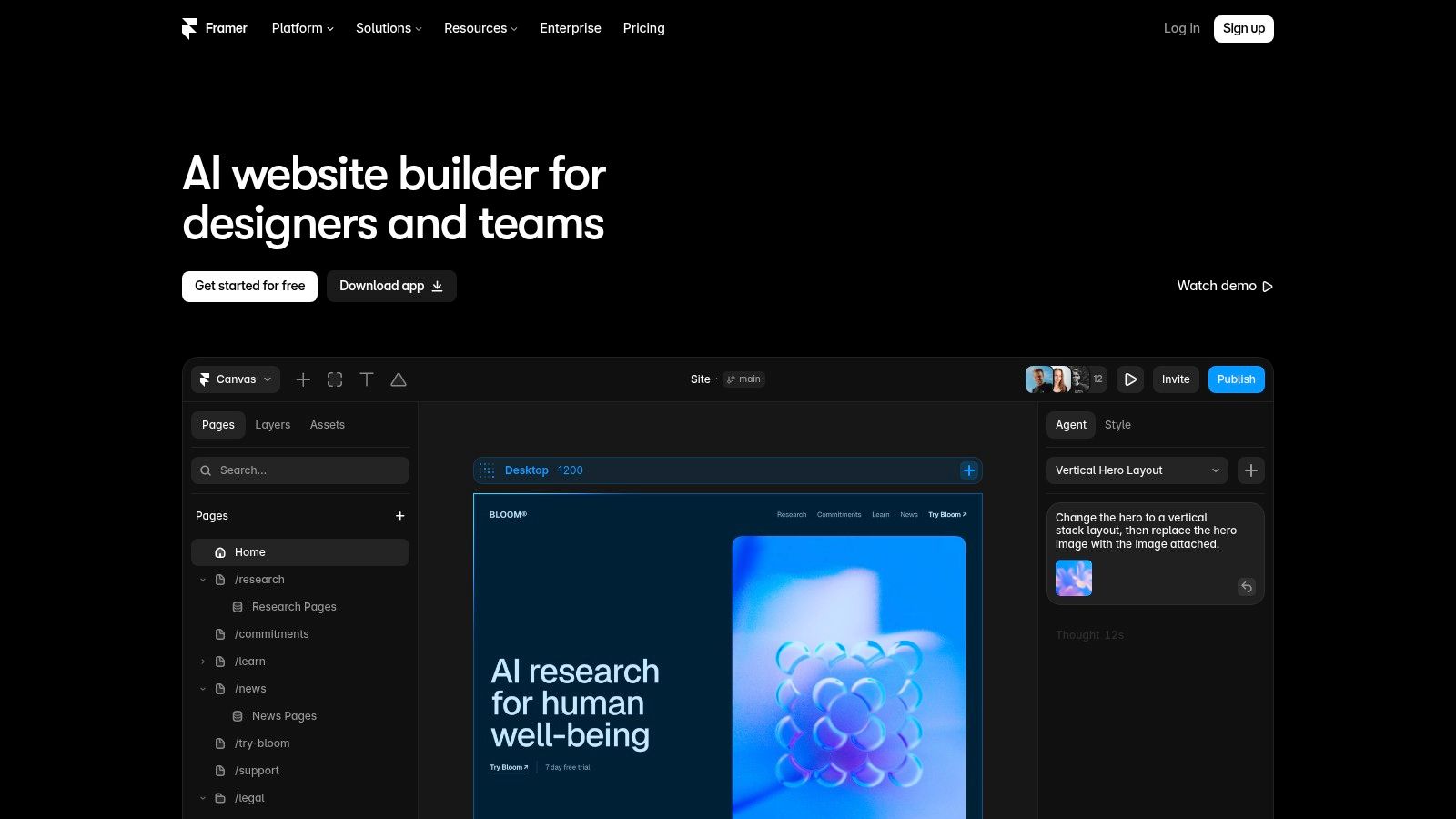
A product team with a polished prototype and a launch deadline can move from design file to published marketing site in Framer without rebuilding the visual system in a template editor. Its responsive layout primitives and components suit people who already understand hierarchy, spacing, typography, and responsive behavior. AI can scaffold pages and propose content changes, but it does not replace those design decisions.
That makes Framer a strong fit for startup homepages, product launches, campaign pages, documentation entry points, and other sites where presentation and iteration speed carry more weight than unusual backend behavior. The platform combines CMS features, on-page editing, localization options, and hosted delivery. Its current AI capabilities are described on the Framer AI page.
Match the platform to the system behind the page
Start by checking the technical requirements, not only the visual output. Framer works well for a design-led marketing site, but teams building complex relational content, unusual permissions, or extensive backend workflows may need workarounds and external services. Those dependencies can make maintenance harder as the project grows.
Hosted delivery simplifies deployment and performance management. However, custom headers, rewrites, advanced integrations, editor seats, and collaboration requirements can add operational complexity and cost. Model those needs before adopting Framer across a larger team.
- Best match: startup and product marketing sites.
- Strongest advantage: quick movement from visual concept to live page.
- Main concern: content and application requirements beyond its design-led scope.
Framer fits a site whose job is to explain, persuade, and convert. Choose another foundation when the website must operate as a large, custom content application.
5. Durable
A solo consultant can go from “I need a site” to a published draft in one sitting with Durable. Its prompt-to-website workflow creates editable sections quickly, while hosted publishing and domain options reduce setup work. That makes it a practical choice for freelancers, early-stage service businesses, and MVP pages where a credible starting point matters more than a highly distinctive design system.
Durable also bundles a simple CRM, invoicing, logo creation, chat, and other business utilities. Keeping these functions in one platform can reduce the number of tools a new business must configure. Review the current plan structure on Durable's pricing page.
Choose it for validation, then verify the stack
Durable suits an early validation stage. It can turn a service idea into a usable page before the owner has a settled content process or strong technical skills. That speed has a trade-off: teams that later require complex content relationships, advanced integrations, distinctive design controls, or a broad extension ecosystem may outgrow it.
Check the generated site before publishing. Replace generic service copy, verify every claim, sharpen calls to action, compress images, and establish meaningful internal links. AI can suggest a page structure, but it will not understand a regulated offer, local customer expectations, or a differentiated position without detailed input.
Technical verification should happen before the site becomes business-critical. Confirm how content, images, domains, redirects, analytics, forms, and other assets can be exported or transferred. A convenient first stack can create switching work if those dependencies remain unclear.
Best match: a simple service site, test offer, or early MVP.
Main limitation: limited control for large editorial operations, complex stores, or mature agency workflows.
Durable saves attention during validation. Reassess the platform before adding substantial content or operational dependencies.
6. 10Web
10Web combines AI-assisted website creation with managed WordPress hosting. That makes it a useful middle ground for teams that want WordPress themes and plugins but don't want to begin with a manual installation, migration, and performance setup. The platform can generate or rebuild a site, assist with content and design, and run the result on a managed hosting stack.
WordPress compatibility is the central reason to consider it. A team can retain access to the broader WordPress ecosystem while receiving hosted conveniences and performance tooling. Automated migration is also valuable when an existing site needs a faster rebuild rather than a completely new information architecture. The platform's official resources are collected in the 10Web useful links.
WordPress flexibility still carries WordPress responsibility
10Web isn't a fully closed no-code environment. Plugins can conflict, themes can introduce unexpected behavior, and advanced customization still benefits from WordPress knowledge. Managed hosting reduces infrastructure work, but it doesn't eliminate decisions about plugin quality, content governance, redirects, backups, permissions, or security review.
The platform also deserves separate evaluation when rebuilding an existing site. Compare the generated pages with the original URL map, metadata, schema, forms, analytics, and conversion paths. A visually improved migration can still damage organic visibility if the content structure changes without redirect planning.
For a direct comparison of the two workflows, see 10Web versus Webflow.
10Web is best for WordPress-oriented teams seeking AI acceleration. It isn't the simplest option for a business that wants one tightly controlled editor with no plugin maintenance.
7. Lovable
A founder with a landing page idea can describe the offer in plain language and get a working draft without assembling every section manually. Lovable supports that AI-first workflow, producing hosted sites or landing pages that can be revised through follow-up prompts. Common additions include payment flows, email capture, and maps, which makes it useful for testing positioning while customer feedback is still changing the brief.
The trade-off is control. Prompting speeds up iteration, but it does not replace decisions about the application stack, data model, or maintainability. Review the generated code and services before committing to the platform. Confirm where the frontend, backend, database, authentication, hosting, and third-party integrations live, and check whether your team can export or replace those parts later. The Lovable website builder is best understood as an AI-first validation tool, not an automatic substitute for technical ownership.
Use a real test path before launch. Submit forms, inspect payment success and failure states, resize the page across devices, check metadata and analytics events, and trigger error conditions. Also verify accessibility, content accuracy, and integration behavior beyond the initial demonstration.
Lovable fits founders and small teams validating an early product or acquisition message. It becomes a weaker choice for complex publishing, strict enterprise permissions, multiple environments, or a site that needs long-term governance. Document version control, ownership, deployment steps, and migration options while the project is still small.
Teams comparing prompt-based products can use this guide to Lovable alternatives to compare fit by project scope. Choose Lovable when learning speed and AI-assisted iteration matter most. Choose a more controlled builder when design systems, editorial workflows, and predictable technical operations are already defined.
8. Shopify
Shopify is the clearest choice when the website's main job is selling products. Its Online Store editor and themes let merchants build storefronts without code, while checkout, payments, inventory, shipping, point of sale, and multichannel sales stay inside the same commerce platform. That operational depth matters more than pure page-design freedom once a business has products, variants, orders, returns, and customer records to manage.
The app ecosystem extends the store into subscriptions, loyalty, merchandising, reviews, email, fulfillment, and other workflows. That breadth is a genuine advantage, but each addition deserves a cost and data review. Start with Shopify's current pricing and plan details, then test the actual apps required for the business rather than assuming every capability is included.
Commerce depth changes the evaluation
A content-led business may find Shopify's non-commerce pages less comfortable than a dedicated marketing builder. Blogs, editorial navigation, complex service pages, or unconventional brand experiences can require theme customization or additional applications. The platform is optimized around catalog and transaction workflows, so that bias should be treated as a feature for retailers and a constraint for everyone else.
App fees, payment considerations, duplicated analytics, and theme limitations can also affect total ownership. Audit the checkout, product schema, faceted navigation, collection URLs, redirects, and tracking before launch.
Choose Shopify when ecommerce requirements are present from day one. Don't choose it for a simple service site just because the store might exist someday. A platform designed around selling can introduce unnecessary complexity when the business mainly needs trust, information, and lead generation.
9. Carrd
A founder testing one offer, a consultant collecting leads, or an organizer publishing an event page often needs a single focused URL, not a full website system. Carrd fits that early validation stage well. Its lightweight editor is responsive by default, quick to learn, and suited to portfolios, profiles, waitlists, campaign pages, and other projects that can work as one deliberate scroll.
Forms, embeds, and simple integrations cover common landing-page requirements. Custom domains are available on Pro plans, while the Carrd Pro documentation details the plan capabilities that affect publishing and integrations.
A useful boundary, not a smaller all-purpose platform
Carrd reduces setup overhead. With fewer menus and systems to configure, a small team can spend more time testing its message and less time maintaining the site. That advantage disappears as soon as the project needs multiple page templates, a substantial blog, ecommerce operations, advanced CRM logic, or a large navigation structure.
Implementation still matters. Give the page one primary action, support it with concise copy, compress media, inspect every mobile breakpoint, connect analytics, and test the complete form confirmation path. A short page still needs search intent, metadata, accessibility, and conversion planning.
Technical stack verification should happen before commitment. Check the domain setup, form destination, analytics events, embed requirements, and any external tools the page depends on. Confirm that the selected Pro plan covers those requirements rather than assuming a later upgrade will be simple.
Choose Carrd for one offer, one audience, and one primary action. Treat it as disposable validation when the concept may later become a broader site. Carrd is efficient because it stays within a narrow scope, not because it replaces a general-purpose website platform.
10. Tilda
Tilda is a block-based no-code builder for teams that care about typography, rhythm, and long-form presentation. Its library includes 550+ pre-designed blocks, allowing creators to assemble editorial pages, landing pages, portfolios, and simple stores without starting every layout from a blank canvas. That figure comes from Tilda's own product positioning, so confirm the current library and plan boundaries on the Tilda pricing page.
A strong editorial middle ground
Tilda gives more layout flexibility than a rigid template system while keeping the editing experience accessible to non-developers. Its CMS, forms, ecommerce basics, and page-building blocks support content-led websites where readability and visual storytelling matter. The platform is especially effective for reports, campaign narratives, service explanations, and landing pages that need a deliberate sequence of text, images, and calls to action.
The limitation appears when the project requires deep custom logic or a large integration ecosystem. Wix and Shopify generally offer broader marketplaces, while developer-oriented platforms expose more control over unusual data and interaction requirements. Tilda users may need workarounds or external services for advanced workflows.
Build the information architecture first. Tilda's blocks can make a weak structure look polished, but they won't fix unclear positioning or unfocused navigation.
Use Tilda when the team needs design-led content without a developer-heavy workflow. It's less suitable for applications, intricate databases, or businesses that expect highly specialized automation. For long-form SEO pages, review heading hierarchy, internal links, image handling, canonical settings, and structured content before publishing at scale.
Top 10 No-Code Website Builders Comparison
| Platform | Core features (✨) | UX / Quality (★) | Price / Value (💰) | Target (👥) | Unique selling point (🏆) |
|---|---|---|---|---|---|
| Webflow | Designer (pixel control), CMS, hosting/CDN, Workspaces | ★★★★☆ | 💰 Mid–High (complex tiers) | 👥 Agencies, startups, enterprises | 🏆 Pixel‑level design + enterprise hosting ✨ |
| Wix (AI) | AI site generator, templates, app marketplace, domains | ★★★☆☆ | 💰 Low–Mid (many add‑ons) | 👥 Small businesses, light stores | 🏆 Fast AI site creation + large app catalog ✨ |
| Squarespace | Templates, Fluid Engine editor, CMS, commerce, AI Blueprint | ★★★★☆ | 💰 Mid (all‑in‑one) | 👥 Creators, small businesses | 🏆 Polished design defaults + integrated tools ✨ |
| Framer | Visual editor, AI scaffolding, CMS, localization | ★★★★☆ | 💰 Mid (editor seats/add‑ons) | 👥 Startups, product/marketing teams | 🏆 Design‑first builder for rapid, high‑quality pages ✨ |
| Durable | Prompt→site generation, CRM/invoicing, one‑click publish | ★★★☆☆ | 💰 Low (MVP-focused) | 👥 Solopreneurs, early-stage SMBs | 🏆 Ultra‑fast prototyping with business utilities ✨ |
| 10Web (WP) | AI site generation, migrations, managed WordPress hosting | ★★★★☆ | 💰 Mid (managed WP) | 👥 WordPress users wanting hosted convenience | 🏆 Managed WP + AI‑accelerated rebuilds/migrations ✨ |
| Lovable | Prompt→site + iterative AI edits, hosted components, payments | ★★★☆☆ | 💰 Low–Mid (prototype oriented) | 👥 Non-technical founders, validators | 🏆 Prompt-driven iterative editing workflow ✨ |
| Shopify | Storefront editor, checkout, payments, inventory, apps | ★★★★☆ | 💰 Mid–High (app/transaction fees) | 👥 Merchants, ecommerce businesses | 🏆 Deep ecommerce feature set + operational tooling ✨ |
| Carrd | Single‑page editor, forms, embeds, quick publish | ★★★☆☆ | 💰 Very low (affordable Pro) | 👥 Personal sites, landing pages, waitlists | 🏆 Fast, minimalist single‑page builder at low cost ✨ |
| Tilda | Block library (550+), CMS, forms, long‑form layouts, ecommerce basics | ★★★★☆ | 💰 Low–Mid (blocks & SEO focus) | 👥 Content creators, landing pages, storytelling | 🏆 Rich blocks + typography for long‑form storytelling ✨ |
Verifying Your Choice Before Building
The best no code website builder isn't just the one that produces the fastest first draft. It's the one whose technology, ownership model, content workflow, and operational controls still fit after the site becomes important. An AI-first validator may be perfect for testing an offer, while a mature marketing team may need controlled components, versioning, permissions, integrations, and predictable hosting.
Start with the output rather than the sales page. Publish a representative sample, then inspect the live HTML, scripts, stylesheets, headers, CDN references, cookies, metadata, and asset bundles. Check whether the platform exposes the controls your SEO process needs, including titles, descriptions, canonical URLs, redirects, sitemap behavior, structured data, image attributes, and performance diagnostics.
The same visual result can conceal very different technical realities. A site may use a closed hosted builder, WordPress with a managed layer, or a modern JavaScript stack assembled through an AI interface. Those choices affect how your team handles migrations, debugging, analytics, accessibility, deployment, and long-term maintenance.
Treat verification as procurement diligence
AI Website Detector can analyze a live website to identify whether it was built with an AI-first builder or a more traditional stack. Its detection approach examines multiple signals, including HTML patterns, CSS classes, script tags, CDN domains, HTTP headers, meta tags, cookies, and bundle artifacts. When explicit platform fingerprints aren't available, it can also identify patterns associated with AI-augmented stacks such as Next.js, Tailwind CSS, Shadcn UI, Lucide, and Radix.
The service covers 80+ builder and platform fingerprints, including Framer, Lovable, Bolt, Durable, Wix ADI, 10Web, WordPress, and Shopify. Results include an AI probability score, a labeled verdict, detected signals, confidence notes, and a screenshot for context. The publisher reports 85% to 99% accuracy for major, well-fingerprinted platforms, including Framer, Lovable, WordPress, and Shopify. (AI Website Detector's methodology and analysis tools)
That information helps in several practical situations:
- Competitor research: identify the likely builder and surrounding technology stack before comparing design or acquisition tactics.
- Freelancer verification: check whether a proposed custom build appears to use the platform and implementation approach described in the deliverable.
- Migration planning: understand what you may be moving away from before investing in a rebuild.
- Agency governance: document which clients use AI-first, hosted, WordPress, ecommerce, or custom-style stacks.
- SEO investigation: connect visible rendering and asset behavior with CMS, hosting, analytics, payment, and marketing technologies.
The broader market context makes this diligence more important. One estimate places the global website builder platforms market at USD 1.74 billion in 2025, with a projection of USD 3.10 billion by 2035, a roughly 5.95% CAGR. The same source reports 61% small-business adoption, 68% preference for no-code tools, and 59% of purchase decisions influenced by speed of deployment. (Website builder market and adoption signals) Speed gets a buyer to launch, but verification helps ensure the launch doesn't create an avoidable ownership problem.
Mobile behavior adds another reason to inspect the live result. Phones generate 58.67% of global web traffic, according to an industry guide, so responsive rendering, asset loading, interaction behavior, and content hierarchy need testing on actual devices rather than only inside an editor. (No-code platform expectations for 2026)
No-code can reduce development overhead, but the headline saving isn't the whole financial model. One estimate places the no-code website builder tools market at USD 3.17 billion in 2025 and USD 9.1 billion by 2034, with a 12.4% CAGR. The same source estimates that SMEs can reduce overhead by 70% to 85% versus custom development, but add-on services, seats, integrations, hosting choices, and migration work can change the total. (No-code website builder market estimate and overhead comparison)
Make the final decision after testing the full lifecycle. Generate or design the first version, publish a representative page, connect the essential tools, run an SEO and mobile review, inspect the technology fingerprint, and document how content and data would leave the platform. That process separates a genuinely economical no code website builder from one that only looks inexpensive at the moment of first publish.
AI Website Detector identifies AI-first builders, traditional CMS platforms, hosting, CDN, analytics, payments, and broader technology signals from live websites. Use its free scan to verify shortlisted builders, investigate competitor stacks, and choose a platform with clearer expectations about portability and scale. Visit AI Website Detector before committing your next site to a platform.