10 Free Website Scanner Tools for Safer, Faster Sites
One scan can't tell you everything about a website, and that's the biggest mistake people make with any free website scanner. A URL can reveal its builder fingerprint, public malware signals, reputation history, HTTP headers, TLS posture, vulnerabilities, or page speed, but no single remote tool proves all of those layers at once. The practical move is to combine reports by question, not by brand, and to treat every result as triage rather than a final verdict, especially when remote tools can miss hidden logic flaws or server-side issues. If you're trying to avoid risk on an unfamiliar domain, the safest habit is still to avoid malware on unknown sites before you trust what a scan seems to say.
A good workflow starts with attribution, then moves to compromise checks, then hardening, then performance. That sequence matters because a site built on a known platform can be judged differently from a fully custom build, and a clean reputation result doesn't cancel out weak headers or poor TLS. The tools below answer different questions, and each one is strongest when you use it for the layer it measures.
Table of Contents
- 1. AI Website Detector
- 2. Sucuri SiteCheck
- 3. Quttera Online Website Malware Scanner
- 4. VirusTotal URL Scanner
- 5. URLVoid Website Reputation Checker
- 6. Mozilla Observatory
- 7. Security Headers
- 8. Qualys SSL Labs SSL Server Test
- 9. Google PageSpeed Insights
- 10. Pentest-Tools Website Vulnerability Scanner Free Edition
- Top 10 Free Website Scanners, Feature Comparison
- Turn Separate Reports Into a Safer Scanning Routine
1. AI Website Detector
AI Website Detector is useful when the first question is attribution, not security. It looks at platform fingerprints, an AI probability score, and labels such as AI-Native, AI-Augmented, and manual builds, so the report helps separate likely stack types without relying on appearance alone. The value is in the evidence trail, since the tool shows the signals behind its conclusion rather than issuing a bare verdict.
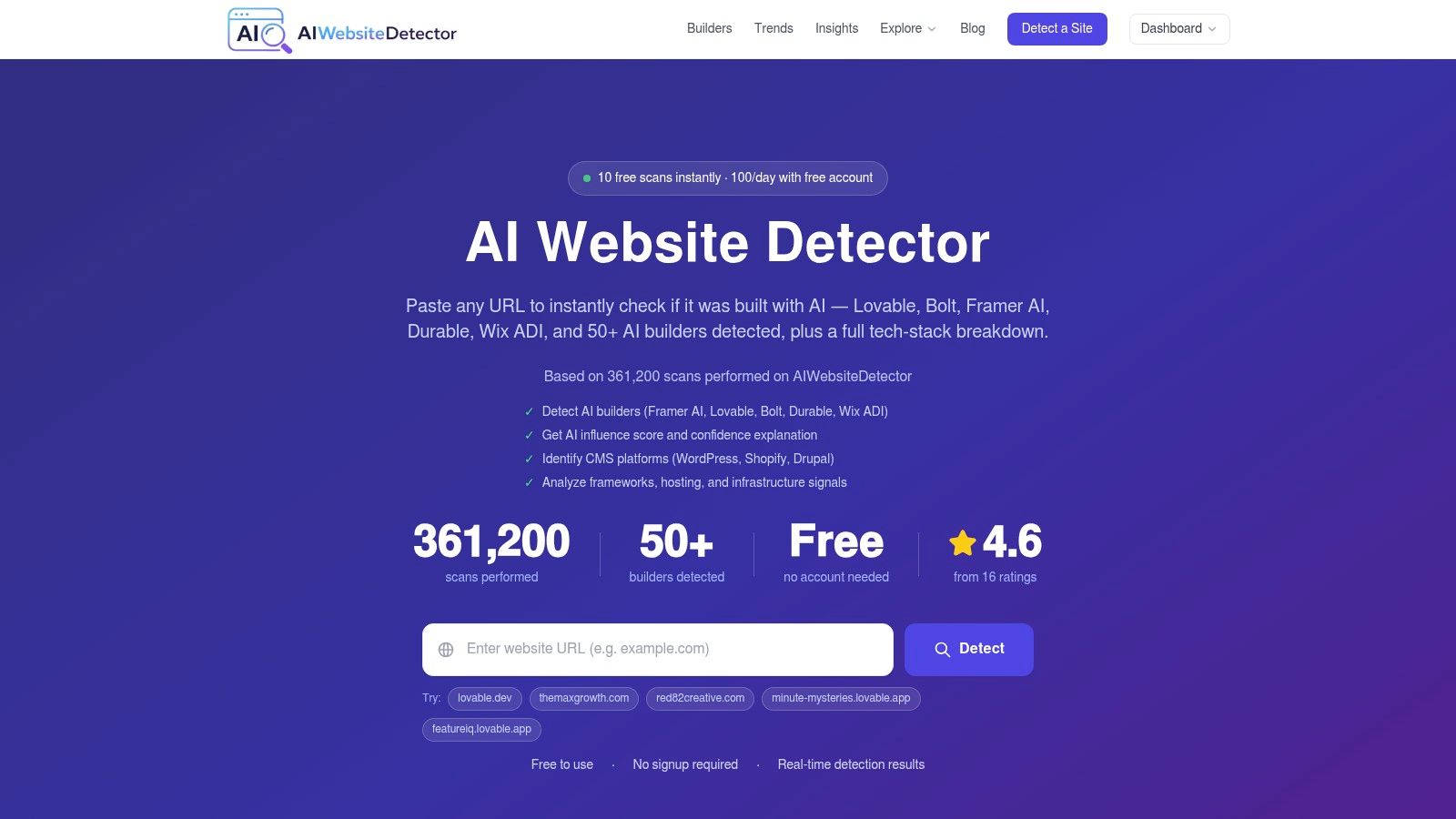
That matters because attribution and risk are different questions. AI Website Detector combines HTML, CSS, script, CDN, header, cookie, and bundle-artifact signals, then adds a screenshot and confidence notes, so the output explains why it leans one way or another. The report is useful for checking whether a “custom” site sits on a familiar AI-first stack, or for comparing competitor builds on the same technical terms. It also publishes 361,172 scans performed and a 4.6/5 rating from 16 ratings, which gives you a public reference point for usage and review activity.
Why this scanner answers the attribution question
The strength here is not simple CMS detection. The site includes WordPress theme and plugin enumeration, broader tech-stack attribution, builder comparison pages, methodology docs, a live scan gallery, and developer tools such as sitemap and robots checks. Those pieces make it easier to test a hypothesis about who built the site and how much of it is templated, while still recognizing that a remote scan cannot prove hidden server logic or post-login behavior.
For research workflows, the free tier is enough for casual checks, and the API matters once scans need to be repeated at scale. Use the report to classify the build, then move to scanners that answer whether the site is compromised, misconfigured, or slow.
2. Sucuri SiteCheck
Sucuri SiteCheck is a fast remote triage tool for public URLs that look compromised or blacklisted. It's useful when a homepage suddenly redirects strangely, a client says their site was hacked, or you need a shareable public report that non-technical stakeholders can understand. The service is best for obvious malware indicators, visible defacements, and reputation problems that show up from the outside.
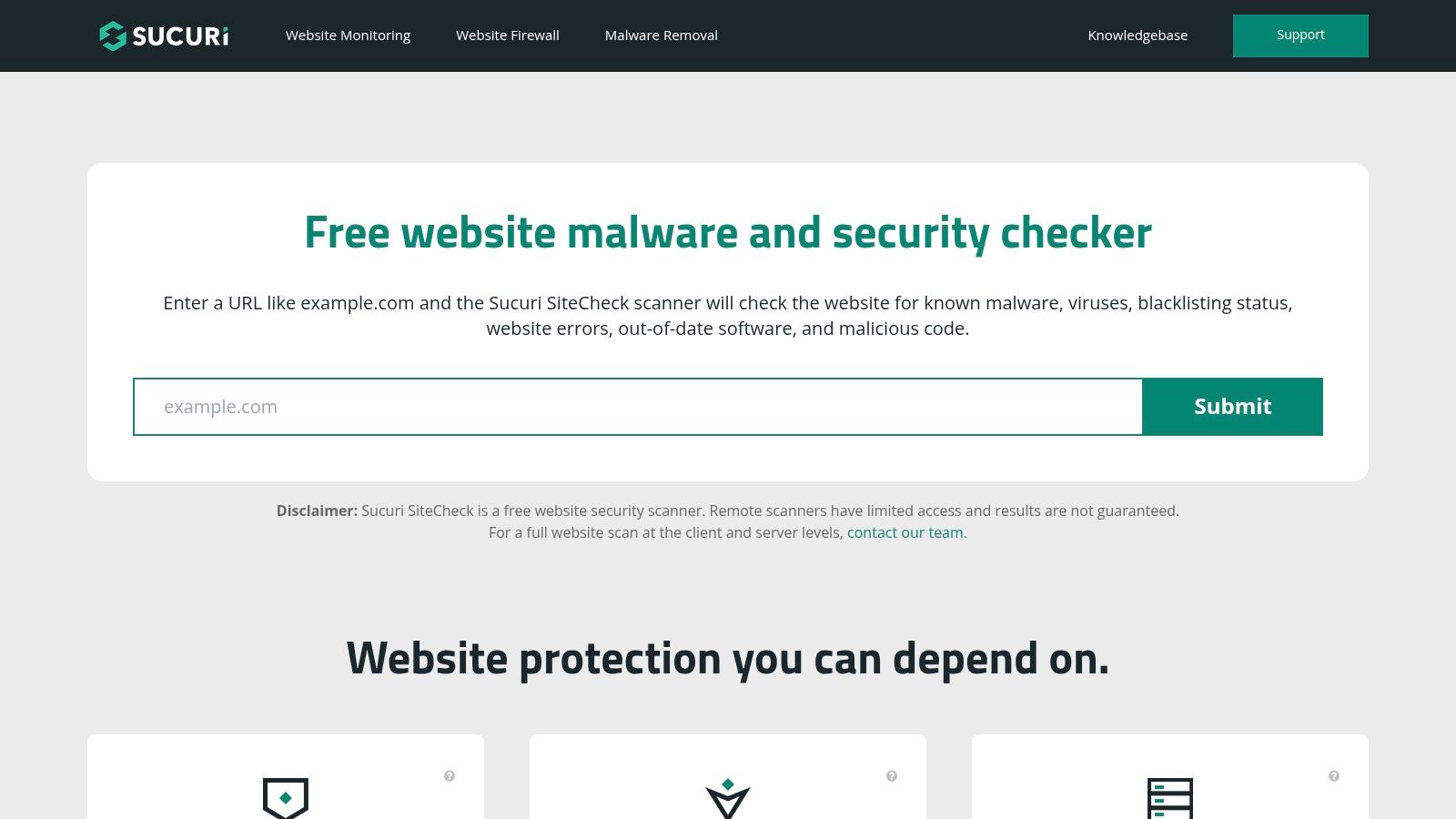
The limit is structural. Because it scans remotely, it can miss malware that lives deeper on the server or only triggers after authentication, and that's exactly why it should never be treated as a clean bill of health. Independent coverage of free scanners notes that these tools are often rate-limited and tuned for exposed or obvious issues, not deep logic flaws, and false positives can happen often enough that every finding still needs manual verification. In practice, Sucuri is a first pass, not an endpoint.
How to use it without overreading the result
Use SiteCheck when the question is, “Does the public web path show signs of compromise?” If the answer is yes, you've got a triage lead, not proof of root cause. If the answer is no, that only tells you the visible layer looks quiet, not that the server is clean.
3. Quttera Online Website Malware Scanner
Quttera sits in the same broad category as Sucuri, but it's better treated as a second opinion than a duplicate. It focuses on malware indicators, blacklist checks, and suspicious code patterns on a public URL, with a free one-off scan path and paid monitoring if you need a longer-term program. That makes it a useful bridge between panic and remediation.
The free scan is handy when a domain is newly registered, recently redirected, or mentioned in suspicious email traffic. It gives you a quick way to separate a visibly dirty site from one that merely feels odd because of a layout issue or a stale cache. The downside is the same one most remote scanners share. If the compromise lives in server files, backend templates, or authenticated sections, the public scan can only infer, not confirm.
When Quttera adds value
Quttera makes the most sense after another tool has already raised concern. If you need to cross-check a result before paying for cleanup, the split between free scans and paid remediation is clear, which helps teams decide whether to escalate. It's also a reminder that a free website scanner can tell you where to look next, but not always what to repair first.
A clean public scan is evidence of a clean public path, not a guarantee of a clean server.
4. VirusTotal URL Scanner
VirusTotal is the reputation heavyweight in this list. Rather than crawl the site for every possible issue, it aggregates detections from many security sources and gives you a fast answer about whether a URL looks risky from a threat-intelligence perspective. That makes it especially valuable for phishing checks, malware triage, and suspicious links shared in chat or email.
Its biggest strength is context. A single vendor flag can be noisy, but a multi-engine view helps you see whether a warning is isolated or part of a broader pattern. The trade-off is privacy. Submissions and some data may be shared with partners or made public, so it's not the right place to paste sensitive internal URLs without thinking first. That privacy caveat matters more than people admit, because reputation tools are often used precisely when the URL is still under investigation.
Reading the output correctly
Treat VirusTotal as a correlation engine. If it flags a link, the next step is to inspect the destination, the chain of redirects, and the surrounding business context. If it doesn't flag anything, don't confuse that with safety, because engine coverage and freshness vary.
5. URLVoid Website Reputation Checker
URLVoid is useful when you want reputation context without a full malware crawl. It queries blocklists and engines, then layers in basic WHOIS, IP, and host information so you can see whether a domain's identity looks suspicious or just unfamiliar. For a quick reputation second opinion, that's enough to change a decision.
The strength of URLVoid is that it complements content scanners instead of competing with them. Malware tools look at what the page appears to be doing, while reputation tools tell you whether the domain itself has a bad history with third-party lists. That separation matters because a website can look normal in one scan and still be blocked elsewhere.
The weakness is also clear. Reputation sources can be noisy, and a list-based warning doesn't always mean an active threat. Use the output to prioritize human review, not to close the case.
Where reputation checks fit in a sequence
If VirusTotal is the broad threat-intelligence cross-check, URLVoid is the lighter-weight reputational lens. Together they help you answer a better question than “Is this site safe?”, namely, “Has this domain already accumulated enough suspicion that I should slow down?”
6. Mozilla Observatory
Mozilla Observatory is useful when you need to answer a narrow question: how well does a site present itself at the HTTP layer? It grades security headers and related hardening signals, then turns that review into concrete fixes. That makes it more informative than a simple pass or fail result, because the output is tied to remediation.
Its value is in scope. Observatory is not trying to detect malware, and it does not claim to prove that a site is safe. It examines the visible configuration that browsers receive, which is useful for judging whether the site is set up with basic web hygiene in place. For developers, that narrower focus often makes the report easier to act on than a broad scanner's mixed findings.
What it measures, and what it doesn't
Observatory is strongest as a header and policy check. It can help you see whether hardening is present, but it cannot tell you whether hidden backend content is served, whether the application has business logic flaws, or whether the site is vulnerable in ways that do not appear in response headers. Use it after reputation and malware triage, not as a substitute for them.
If you are comparing header tools, the related header analysis guide helps explain how to read the output in a more structured way. That makes it easier to separate configuration quality from broader security claims.
Practical rule: if a scanner only sees headers, do not ask it to answer questions about malware, business logic, or authenticated flows.
7. Security Headers
A Security Headers scan answers one focused question: how are a site's browser-facing controls configured? Security Headers inspects response headers such as CSP, HSTS, X-Frame-Options, and Referrer-Policy, then presents missing or weak settings in a readable grade. The report is useful because its findings usually translate into specific configuration changes.
Its purpose differs from malware, reputation, and vulnerability scanners. It cannot inspect hidden server content or prove that an application is safe. It shows what the site sends at the HTTP layer, giving developers and auditors evidence about browser-side protections.
Use it as a configuration lens
Security Headers is most useful after basic reputation and malware triage. A weak result identifies hardening work, while a strong result confirms only that selected response controls are present. It says nothing about application logic, compromised files, authenticated areas, or flaws that do not appear in headers.
Use the grade to prioritize remediation, not to declare the site secure. After reviewing headers, compare the result with a TLS assessment and an application-focused scan. That sequence separates browser configuration from transport security and exploitable software issues, so no single free report carries more certainty than its coverage allows.
8. Qualys SSL Labs SSL Server Test
A TLS report answers a narrow question: is a public HTTPS endpoint configured safely? Qualys SSL Labs SSL Server Test examines the certificate chain, hostname alignment, protocol support, cipher suites, and known TLS weaknesses, then assigns a grade with remediation guidance. Its value comes from inspecting transport security rather than merely confirming that HTTPS is enabled.
The report can reveal configuration problems that affect trust and browser compatibility, including weaknesses in protocol support or certificate handling. Results may take a few minutes, reflecting a more detailed TLS examination than a simple certificate check. For help interpreting the grade and certificate chain, see this SSL certificate checker guide.
Read the grade within its coverage
A high TLS grade confirms that the tested transport settings meet the scanner's criteria. It does not establish that the application is free of malware, vulnerabilities, or unsafe logic. A low grade is more useful as a next-action list, directing the team toward certificate, protocol, or cipher remediation.
Run SSL Labs after initial reputation and compromise checks, then compare its result with application-focused testing. The sequence separates transport configuration from site integrity and software risk, so no single free scan is treated as definitive.
9. Google PageSpeed Insights
Google PageSpeed Insights answers a different question entirely, whether the site is fast enough to feel usable. It combines field data from CrUX with Lighthouse lab metrics, then splits the report into mobile and desktop views with prioritized recommendations. That mix is why SEO and UX teams keep coming back to it.
The tool is strongest when you need performance priorities, not a broad site audit. It can point to what's slowing the page down, but it won't tell you whether the site is hacked, misconfigured, or vulnerable. That sounds obvious, yet many teams still treat speed as if it were a proxy for trust. It isn't.
Reading speed reports without overclaiming
Use PageSpeed Insights at the end of the chain, after you've checked whether the site is safe to inspect in the first place. A slow site can still be secure, and a fast site can still be risky. The report is valuable because it gives you a performance path, not because it pretends to be an all-purpose health score.
10. Pentest-Tools Website Vulnerability Scanner Free Edition
Pentest-Tools website vulnerability scanner addresses the question other free scanners cannot: does the site expose common weaknesses or misconfigurations? Its free edition runs automated checks, making it useful for an initial review before manual testing or a commercial assessment. Coverage is limited, so a clean result does not prove that the site is secure.
The report has a different purpose from reputation, header, or TLS checks. It examines how the site behaves under automated tests rather than relying on blacklist status or visible configuration. It also cannot reliably identify who built the site, confirm that every page is safe, or replace testing designed for the application's specific logic. For context on free versus paid vulnerability-scanning depth, compare options in this website audit tools overview.
Use the scanner only on systems you own or have permission to test. Automated requests can affect a live environment, and testing an unauthorized target can create technical and legal risk.
Where it belongs in the workflow
Run Pentest-Tools after reputation, malware, and configuration checks have established that inspection is appropriate. Treat findings as leads to verify, then use them to decide whether a deeper assessment is justified. The companion discussion of are you at risk online adds useful context for deciding what vulnerability scanning can and cannot establish.
Top 10 Free Website Scanners, Feature Comparison
| Tool | Core features ✨ | Quality ★ | Best for 👥 | Price / Value 💰 |
|---|---|---|---|---|
| 🏆 AI Website Detector | ✨ AI probability score, 80+ builder fingerprints, tech‑stack & WP plugin enumeration, LiveView & API | ★★★★★ (≈85–99% on well‑fingerprinted platforms) | 👥 Marketers / SEOs / Devs / Agencies / Researchers | 💰 Free scans; account limits up to 100/day; API from €12/mo |
| Sucuri SiteCheck | ✨ Remote malware, SEO‑spam & blacklist checks; shareable report | ★★★★ | 👥 Site owners / admins for quick triage | 💰 Free remote scan; paid cleanup/remediation |
| Quttera Online Website Malware Scanner | Remote malware indicators, blacklist checks; paid monitoring & cleanup | ★★★ | 👥 Site owners / responders | 💰 Free one‑off scans; paid monitoring & cleanup |
| VirusTotal URL Scanner | ✨ Multi‑engine aggregation, vendor detections, community notes & API | ★★★★★ | 👥 Security teams / analysts / automation | 💰 Free public use; API quotas; submissions may be shared |
| URLVoid Website Reputation Checker | Aggregated blacklist lookups, basic WHOIS/IP info, historical results | ★★★★ | 👥 Researchers / reputation checks | 💰 Free (reputation second‑opinion) |
| Mozilla Observatory | HTTP security header grading (A+ to F) with remediation guidance | ★★★★ | 👥 Devs & security teams for hardening | 💰 Free; API & private rescan option |
| Security Headers (Scott Helme / Snyk) | Letter grade + per‑header breakdown and inline docs | ★★★★ | 👥 Devs / quick header audits | 💰 Free (simple paste URL → grade) |
| Qualys SSL Labs – SSL Server Test | Deep TLS/SSL chain, cipher/protocol analysis & grading | ★★★★★ | 👥 Infra & security teams evaluating HTTPS posture | 💰 Free (industry standard SSL test) |
| Google PageSpeed Insights | Core Web Vitals (CrUX) + Lighthouse lab metrics with prioritized fixes | ★★★★ | 👥 SEO / UX / frontend devs | 💰 Free; field + lab data |
| Pentest-Tools – Website Vulnerability Scanner (Free Edition) | Automated vulnerability checks (XSS, misconfig), limited free scans | ★★★ | 👥 Pentesters / devs for spot checks | 💰 Free limited scans; paid tiers for depth |
Turn Separate Reports Into a Safer Scanning Routine
The cleanest way to use a free website scanner is to follow a sequence that matches the question you're asking. Start with attribution when the builder matters, because knowing whether a site is AI-built, WordPress-based, or custom changes how you interpret every other result. Then run malware and reputation checks on suspicious domains, since public compromise indicators and blacklist history are the fastest way to separate a risky URL from a harmless one.
After that, move to headers and TLS. Security Headers, Mozilla Observatory, and SSL Labs all measure different parts of the trust layer, and together they tell you far more about hardening than any single scan can. If you need vulnerability testing, do it only on authorized targets, and treat the output as a prompt for manual validation rather than an automated final answer. Finish with PageSpeed Insights, because performance is the easiest layer to improve once you know the site isn't hiding a security problem.
Tracking scan dates matters more than many assume. Free tools change, crawl conditions change, and the site itself changes, so a result from last week can age out quickly. Manual verification matters too, especially when a tool is rate-limited, remote-only, or likely to miss server-side behavior. And if you're using public submission services, think carefully before pasting sensitive URLs, because some reputation platforms share data more broadly than casual users expect.
The bigger lesson is simple. Remote scans are excellent for triage, comparison, and prioritization, but they don't prove safety. They help you decide what deserves deeper attention, which is exactly what a good scanning routine should do.
If you want a scanner that tells you what a site was built with, not just whether it looks broken, try AI Website Detector. It gives you an AI probability score, the detected signals, and the underlying tech stack so you can connect attribution with safer analysis. Use it as the first step in a layered scanning workflow, then pair it with malware, reputation, header, TLS, vulnerability, and performance checks.