Build Guide
Build a Website Like teamastar.netlify.app
We analyzed this website and generated a step-by-step guide so you can recreate a similar website using the same technologies.
Detected stack
Estimated setup time
2–4 hours
Difficulty
Intermediate
Estimated cost
$20–$80 / month
Website Preview
teamastar.netlify.appFramer
99%
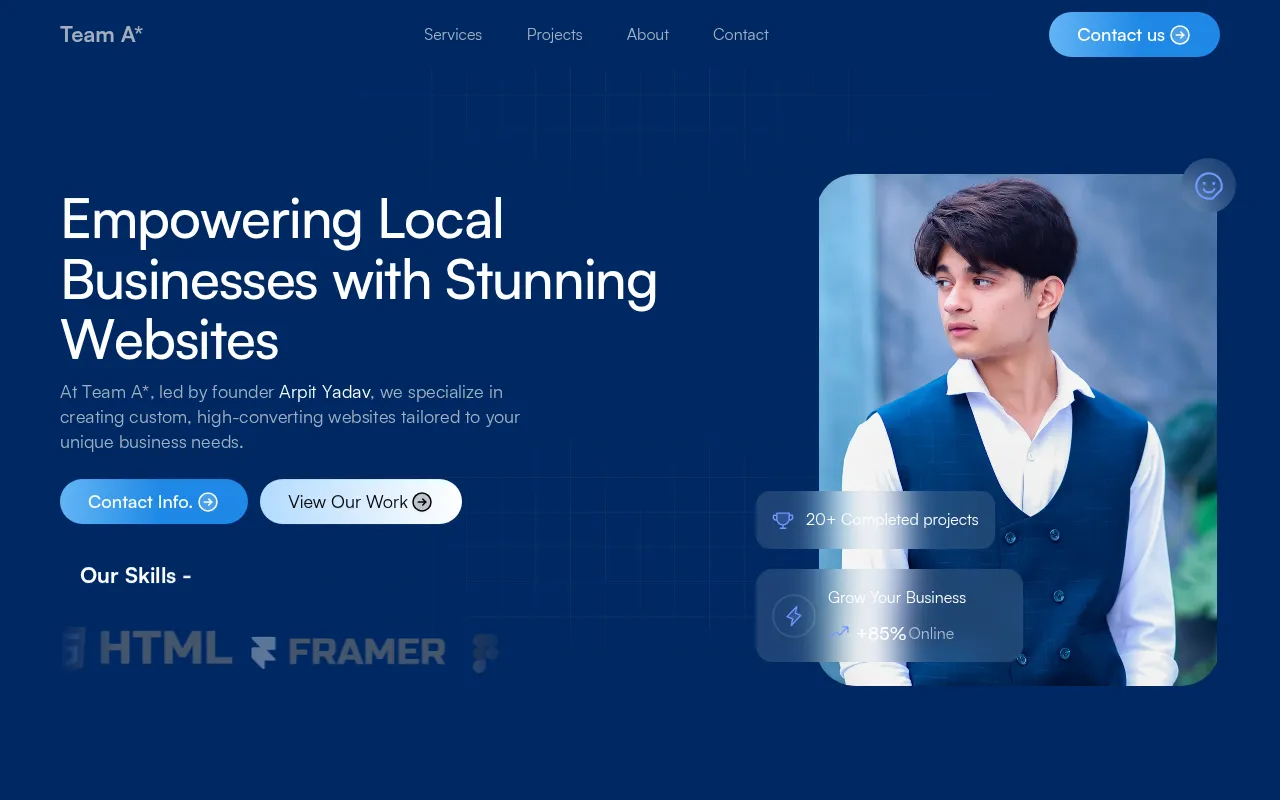
Website analyzed
teamastar.netlify.app
Builder detected
Framer
Hosting detected
Netlify
Detection confidence
99%
Detected Technology Stack
Framework
Not detected
Starting Prompt (Copy & Customize)
This website appears AI-built or AI-assisted. Start with this prompt in your builder/coding assistant, then adapt brand details.
Build a conversion-focused landing page inspired by teamastar.netlify.app.
Use Framer as the main implementation approach.

Requirements:
- Hero Section
- Call to Action
- Keep the design clean, conversion-focused, and mobile-first.
- Include clear CTAs and one trust/proof section.

Output:
- A homepage layout plan
- Suggested copy for hero, features, and CTA
- Recommended components/sections and styling direction
Build this website instantly with AI
Skip the manual setup — these AI builders can recreate a site like this from a prompt in minutes.
Step-by-Step Build Guide
Step 1 — Register a Domain
Choose a domain that matches your product and audience. For projects similar to teamastar.netlify.app, prioritize short, brandable names.
- Recommended domain providers: Namecheap, Cloudflare Domains
- Secure the .com first if available
Step 2 — Create a Framer Account
This website appears to use Framer. Start from a strong prompt, generate a first version quickly, then refine sections and copy.
- Generate the first draft from prompt
- Refine hierarchy, spacing, and conversion sections
Step 3 — Recreate the Page Structure
Build the same section flow to match user journey and conversion intent.
- Hero Section
- Call to Action
Step 4 — Connect Domain and Publish
After layout and content are ready, connect your domain, set analytics, and launch.
- Connect DNS and SSL
- Enable analytics + SEO metadata
- Publish and test mobile performance
Recommended Tools
Grouped tools to recreate and launch a similar website.
Website Builder
Domain Registration
About teamastar.netlify.app
teamastar.netlify.app appears to be a conversion-focused landing page that prioritizes a clear onboarding flow and fast content delivery.
The detected stack suggests this website is built with Framer and optimized for rapid iteration and publishing.
Websites like teamastar.netlify.app typically include: Hero Section, Call to Action.
This contextual profile helps search engines understand why this guide is specific to teamastar.netlify.app rather than a generic website template.
teamastar.netlify.app appears to use Framer. You can also explore other Framer websites here.
Explore More Websites
Discover similar websites and technologies detected by our AI scanner.
Similar Websites Analyzed
View all websites similar to teamastar.netlify.app →Websites Using Framer
Compare Website Builders
Analyze Another Website
Keep exploring: analyze another website and generate a new build guide instantly.