Website Builder Checker: How to Read AI Signals Like a Pro
You've just pasted a competitor's homepage into a website builder checker. The result says Shopify, even though the site looks custom. Or it labels the page AI-generated, while the founder insists the whole thing was hand-coded. The immediate temptation is to accept the badge, copy it into a slide, and move on.
That's the wrong move. A checker output is a technical hypothesis, built from public signals that can be incomplete, stale, masked, or misleading. The useful question isn't only “What builder does this site use?” It's “What evidence supports that answer, how strong is the evidence, and what decision can I safely make from it?”
Table of Contents
- What a Website Builder Checker Actually Does
- The Signals Behind Every Scan
- Reading AI Probability and Stack Verdicts
- Verifying Results Before You Trust Them
- Integrating a Checker Into Your Workflow
- Tips, Troubleshooting, and a Repeatable Playbook
What a Website Builder Checker Actually Does
A website builder checker examines a public URL and tries to identify the technology behind the rendered page. It fingerprints the site's HTML, scripts, stylesheets, headers, asset domains, cookies, and runtime behavior, then compares those observations with known patterns associated with platforms such as WordPress, Wix, Shopify, Framer, or AI-first builders.
The output usually contains three parts:
- A platform or stack verdict, such as Shopify, Wix, WordPress, custom, or an AI-first builder.
- An AI probability score, which indicates how strongly the observed patterns resemble AI-generated or AI-assisted construction.
- An evidence list, showing the signals that influenced the result and, in stronger tools, the confidence assigned to the conclusion.
That last component matters most. A badge without evidence is a shortcut, not intelligence.
The marketer's use case
Marketers use detection to understand how competitors build and maintain their web presence. If a rival's site runs on a hosted builder, its delivery model may be easier to replicate than a heavily customized application. If the checker identifies a custom framework with unusual deployment artifacts, the competitor may have invested in a more specialized technical foundation.
That distinction helps with competitive positioning, but don't confuse platform identification with strategic insight. Knowing that a competitor uses Shopify doesn't reveal its merchandising system, content operations, conversion strategy, or technical budget. It gives you a useful implementation clue, not the whole business model.
Website builders have become mainstream enough to represent a meaningful classification target. One independent roundup estimates that around 18 million websites use DIY website builders, with Wix holding about 45% of the DIY market, Squarespace about 18%, and Shopify about 26% in ecommerce site building (website builder market statistics). That concentration makes platform detection useful, because many sites leave recognizable technical traces.
The developer's use case
Developers and freelancers can use a checker for lead qualification, project scoping, and reference-site analysis. A prospect may describe a site as “custom,” but the scan can reveal a hosted platform, a recognizable CMS, or a framework that changes the likely migration effort.
Use the result to guide your next inspection:
- For scoping: Check whether the detected platform supports the requested functionality before estimating a rebuild.
- For reverse engineering: Compare the visible interface with the scripts, components, and asset structure behind it.
- For portfolio review: Treat a claimed custom build as unverified until the stack evidence supports it.
The procurement use case
Procurement teams can use detection during agency and vendor vetting. If a supplier promises a bespoke application but the public site exposes a standard builder footprint, that mismatch deserves a question. It may be perfectly legitimate. An agency might use a builder for its marketing site while delivering custom software elsewhere. Still, the distinction should be documented before approval.
Practical rule: Use the scan to decide what to investigate next, not to close the investigation.
The strongest operating model is simple. Record the verdict, preserve the screenshot, inspect the evidence, and note any contradictions. A website builder checker earns trust when it makes its reasoning visible and when you use that reasoning responsibly.
The Signals Behind Every Scan
Serious detection doesn't depend on one suspicious class name or a single CDN domain. It combines multiple layers of evidence because modern sites routinely mix hosted services, custom code, caching systems, third-party scripts, and exported builds.
A long-running technology detection ecosystem illustrates why. One provider says it tracks more than 40,000 technologies, packages 6,675 fingerprints into its bundled ruleset, and identifies 41.6% of those fingerprints through a plain HTTP fetch compared with about 96.8% when it renders pages in a real browser (web technology detection methods). The lesson is direct. Browser rendering exposes signals that a basic request can miss.
What the scanner inspects
HTML patterns can reveal generator tags, platform-specific attributes, recognizable body classes, and structural conventions. A WordPress site may expose paths such as /wp-content/, while a Framer or Wix page can leave distinctive class prefixes or embedded configuration objects.
CSS and bundle artifacts often tell a deeper story than the visible design. Hashed stylesheet names, framework utilities, component-library references, and unused classes can survive even after a developer heavily customizes the layout. A page may look original while its build output still carries a recognizable fingerprint.
Scripts, headers, and cookies provide another layer. Response headers can expose server or framework hints. JavaScript bundles may include platform modules, analytics packages, or runtime code associated with a specific builder. Cookie names can connect the site to builder-owned analytics or personalization systems.
CDN and asset domains show where images, scripts, fonts, and styles are served. A builder-owned CDN can be a strong clue. A generic provider such as Cloudflare, Vercel, or Netlify is weaker on its own because many unrelated sites use the same infrastructure.
AI-related heuristics require more caution. Repetitive section structures, templated layouts, generic copy patterns, and framework combinations associated with rapid AI-assisted development can support an AI probability assessment. They can't prove who wrote the code or whether an AI tool was involved.
| Signal Layer | What It Reveals | Example Markers | Standalone Reliability |
|---|---|---|---|
| HTML source | CMS and builder structure | Generator tags, platform paths, body classes | Medium when markers survive |
| CSS classes | Templates and component systems | Builder prefixes, utility classes | Low to medium alone |
| Scripts and bundles | Runtime and platform behavior | Builder modules, framework packages | Medium to high when distinctive |
| HTTP headers | Server and deployment hints | Framework or hosting headers | Medium, unless stripped or proxied |
| Cookies | Analytics and platform services | Builder-specific cookie names | Low alone |
| CDN domains | Asset hosting relationships | Builder-owned asset domains | Low for generic CDNs |
| Bundle artifacts | Exported or custom-hosted traces | Framework libraries, component imports | High when several patterns align |
The practical workflow is to fetch the rendered page, parse headers and HTML, match fingerprints, then cross-check across signal types. The methodology described by AI Website Detector's detection documentation follows that general logic, including attention to runtime artifacts when explicit builder markers are absent.
A single CDN match tells you little. A CDN match combined with platform-specific classes, a recognizable script bundle, and a compatible header is much more persuasive. Conversely, an exported site can lose the builder's obvious markers, while a migration can leave stale scripts behind. Your confidence should reflect that difference.
Reading AI Probability and Stack Verdicts
Treat an AI probability score as a spectrum of evidence, not as a factual percentage about the site's origin. The score describes how closely the observed implementation resembles patterns in the detector's reference set. It doesn't establish whether a human wrote every line, whether an AI generated the first draft, or whether the owner used an assistant for isolated tasks.
A useful verdict has three layers.
Start with the score, then challenge it
The score gives direction. A strong AI signal suggests that the site shares meaningful traits with AI-first or AI-assisted builds. A weak signal means the evidence is limited, conflicting, or too generic to support a confident classification.
The label then compresses the evidence into a category such as Shopify, Wix, custom, or AI-generated. Don't let the label replace the evidence list. A platform verdict may be well supported while the AI classification remains uncertain, because a site can run on Shopify and still contain AI-assisted copy or custom AI-generated components.
Finally, read the confidence notes. Look for:
- Matching signals: Which independent clues point in the same direction?
- Conflicts: Does one marker suggest WordPress while the deployment pattern suggests a custom application?
- Missing evidence: Did the scanner render the page successfully, or did it classify a limited response?
- Scope: Is the result about the homepage only, or does it represent the wider domain?
Tools that explain their scoring model are easier to audit. A practical guide to how AI detection scores work can help you distinguish a probability estimate from a claim of certainty.
Understand hybrid and vibe-coded sites
The difficult cases are AI-augmented and vibe-coded stacks. A developer may use Cursor, Lovable, v0, Claude, or another assistant to generate a foundation, then rewrite components, add business logic, and deploy the result on custom infrastructure. The final site may show Next.js, Tailwind CSS, Shadcn UI, Lucide, or Radix traces without exposing the original builder.
That creates a classification problem, not a simple yes-or-no test. The site may be AI-assisted in its workflow but custom-built in its runtime. A traditional CMS detector can miss it because the page doesn't resemble a Wix or Webflow template. An AI detector can also overstate the case if it treats a popular component combination as proof of AI generation.
Use secondary evidence to disambiguate:
- Repository clues: A public GitHub repository may reveal generated scaffolding, commit history, or framework choices.
- Deployment artifacts: Build paths, hosting metadata, and bundle structure can show whether the site was exported or hosted directly by an AI-first platform.
- Partial fingerprints: A few framework traces may confirm the stack without confirming the authoring process.
- Change history: A recent scan feed can show whether the implementation changed abruptly after a redesign.
For adjacent visibility research, you can also compare technical findings with a tool that helps teams rank in AI search results. That answers a different question, but the contrast is useful. Visibility performance and construction method shouldn't be treated as interchangeable evidence.
Probability is a directional indicator. It should change your next action, not end your investigation.
A checker can tell you that a page resembles an AI-first build. It can't reliably reconstruct the entire human and tool workflow from public output alone.
Verifying Results Before You Trust Them
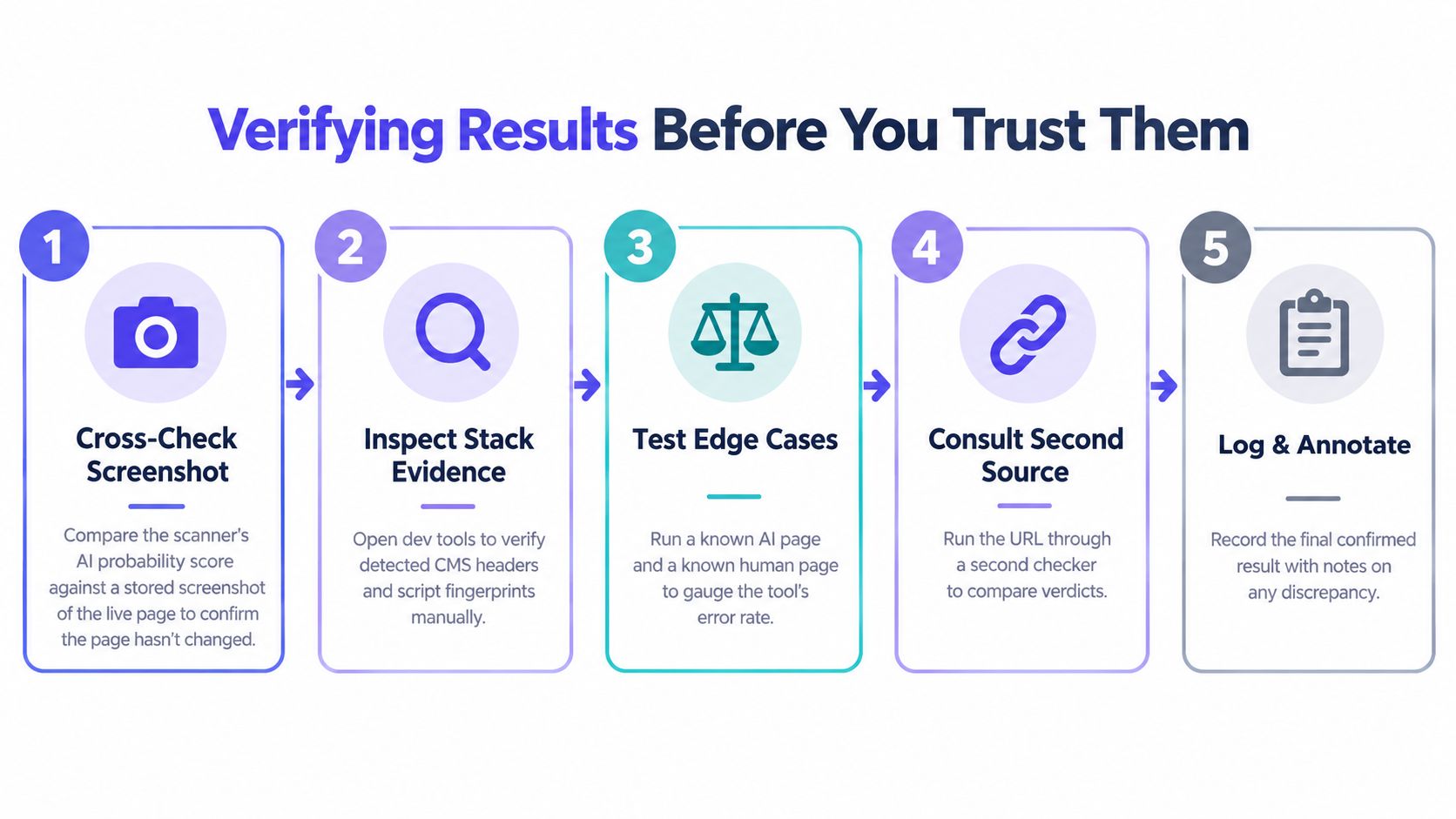
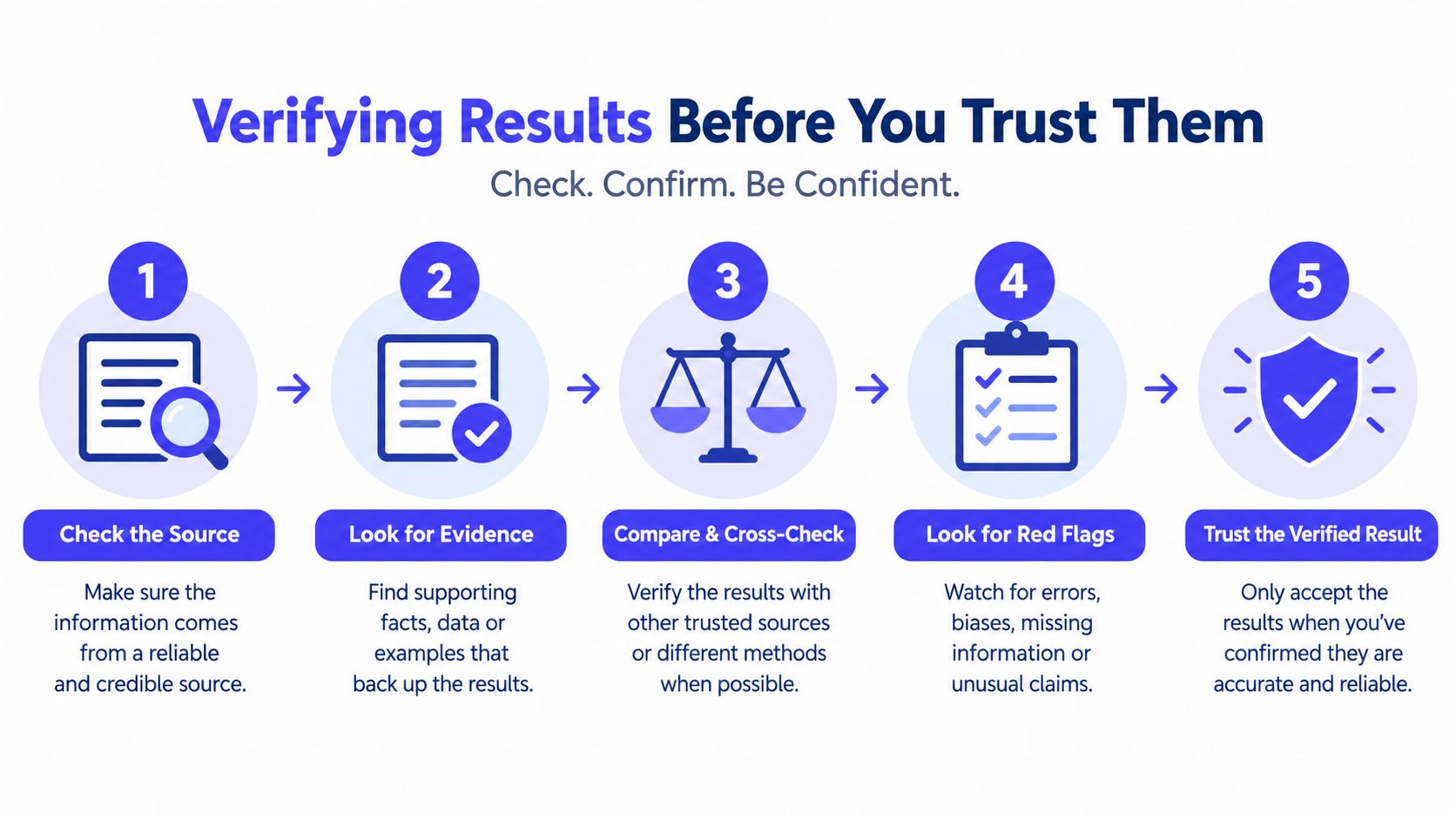
A borderline result deserves a repeatable verification process. Don't respond by running the same scan repeatedly and accepting whichever label appears most often. Instead, preserve the context around each result so you can identify whether the page changed, the scanner saw a different rendering, or an intermediary altered the response.
Begin with the rendered page
First, compare the scan's screenshot with the page you're evaluating. If the screenshot shows a landing page, but your browser now loads a different campaign, the evidence may describe an earlier state. A/B tests, location-based content, consent flows, and staging mistakes can all produce mismatched observations.
Next, use a live inspection view to examine the current DOM, meta tags, scripts, and loaded assets. The visible page is only one layer. A rendered inspection can expose a builder marker that disappeared from the initial HTML or identify a third-party script that caused a misleading match.
Check history and source together
Recent scan history is valuable because it shows whether the verdict is stable. A domain that consistently returns the same platform with similar evidence is easier to trust than one that alternates between custom, WordPress, and AI-generated classifications.
Manual source inspection should focus on the signals most likely to settle the dispute:
- Platform paths: Look for recognizable directories and asset conventions.
- Generator metadata: Check whether the tag is present, absent, or clearly stale.
- Script origins: Separate first-party bundles from third-party analytics.
- Headers and cookies: Note whether a proxy or privacy layer has removed useful information.
- Asset domains: Identify whether the CDN belongs to the builder or is generic infrastructure.
The LLM TXT checker can support a broader technical review, but it shouldn't be used as a substitute for builder evidence. Each utility answers a different question.
Apply decision rules
Accept a verdict when several independent signals agree, the screenshot matches the current page, and recent scans show a stable pattern. Flag it for human review when the score is borderline, the page is heavily JavaScript-dependent, or generic infrastructure accounts for most of the evidence.
Reject the verdict when the core marker is visibly stale, the scan failed to render important content, or a manual inspection contradicts the claimed platform. Record the reason. A short note such as “generic Vercel asset domain, no builder marker, custom Next.js bundle” is more useful than a revised badge with no explanation.
Decision standard: If you can't explain which signals support the verdict and which signals weaken it, you're not ready to cite the result in a client deck, procurement file, or engineering ticket.
Keep one canonical record per domain. Include the URL, scan date, screenshot, verdict, confidence, signal list, and reviewer note. That prevents the same competitor or vendor from being re-litigated every quarter with no institutional memory.
Integrating a Checker Into Your Workflow
The right integration depends on the decision you're making, not on how many features a product offers. A marketer researching one competitor doesn't need the same setup as a developer monitoring a portfolio or a procurement team checking a supplier before signing.
| Tier | Marketer | Developer | Procurement |
|---|---|---|---|
| Free scan | One-off competitor research and an initial hypothesis | Quick feasibility check on a reference URL | Preliminary vendor review |
| Account workflow | Saved domains, recurring scans, screenshots, and notes | Repeated portfolio checks and scan history | Evidence archive for vendor comparisons |
| API integration | Automated competitor lists when research is recurring | Bulk audits, deployment triggers, and internal dashboards | Scheduled checks tied to onboarding or renewal |
| Human review layer | Analyst validates surprising platform changes | Engineer reviews unexpected stack changes | Reviewer confirms claims against contract scope |
Marketers should preserve context
For a one-off competitor teardown, a free scan and saved report may be enough. Save the screenshot and evidence list immediately, because the site can change after your research session.
For recurring analysis, use a tracked competitor list. Log platform changes, redesigns, unusual AI scores, and shifts in detected infrastructure. The signal is often in the change over time, not the initial classification. A competitor moving from a recognizable hosted builder to a custom deployment may indicate a replatforming project, but it doesn't prove a change in marketing performance.
Developers should automate exceptions
Developers gain the most from programmatic access when they're reviewing many domains or need detection inside an existing process. A bulk endpoint can support portfolio audits. A webhook can trigger review when a scan identifies an unexpected stack. Rate-limit guidance matters because aggressive scanning can produce incomplete results or create unnecessary operational noise.
Don't make the API a gate that blocks deployments based on a single label. Use it to flag changes for review. A new framework bundle may reflect a legitimate dependency update, while a new platform fingerprint may indicate an unapproved hosting or ownership change.
Procurement should attach evidence to decisions
Procurement teams usually need fewer scans and better documentation. Scan the vendor's public site before a security or technical review, attach the report to the RFP record, and compare the result with the supplier's stated delivery model. If the vendor promises a custom build, ask which parts are custom and which parts use managed services.
Re-scan after launch or at renewal, then investigate material differences. The purpose isn't to punish a vendor for using a builder. The purpose is to identify a mismatch between the promised architecture, the delivered system, and the organization's operational requirements.
Choose the lightest workflow that preserves enough evidence for the decision. More automation won't fix a weak verification standard.
Tips, Troubleshooting, and a Repeatable Playbook
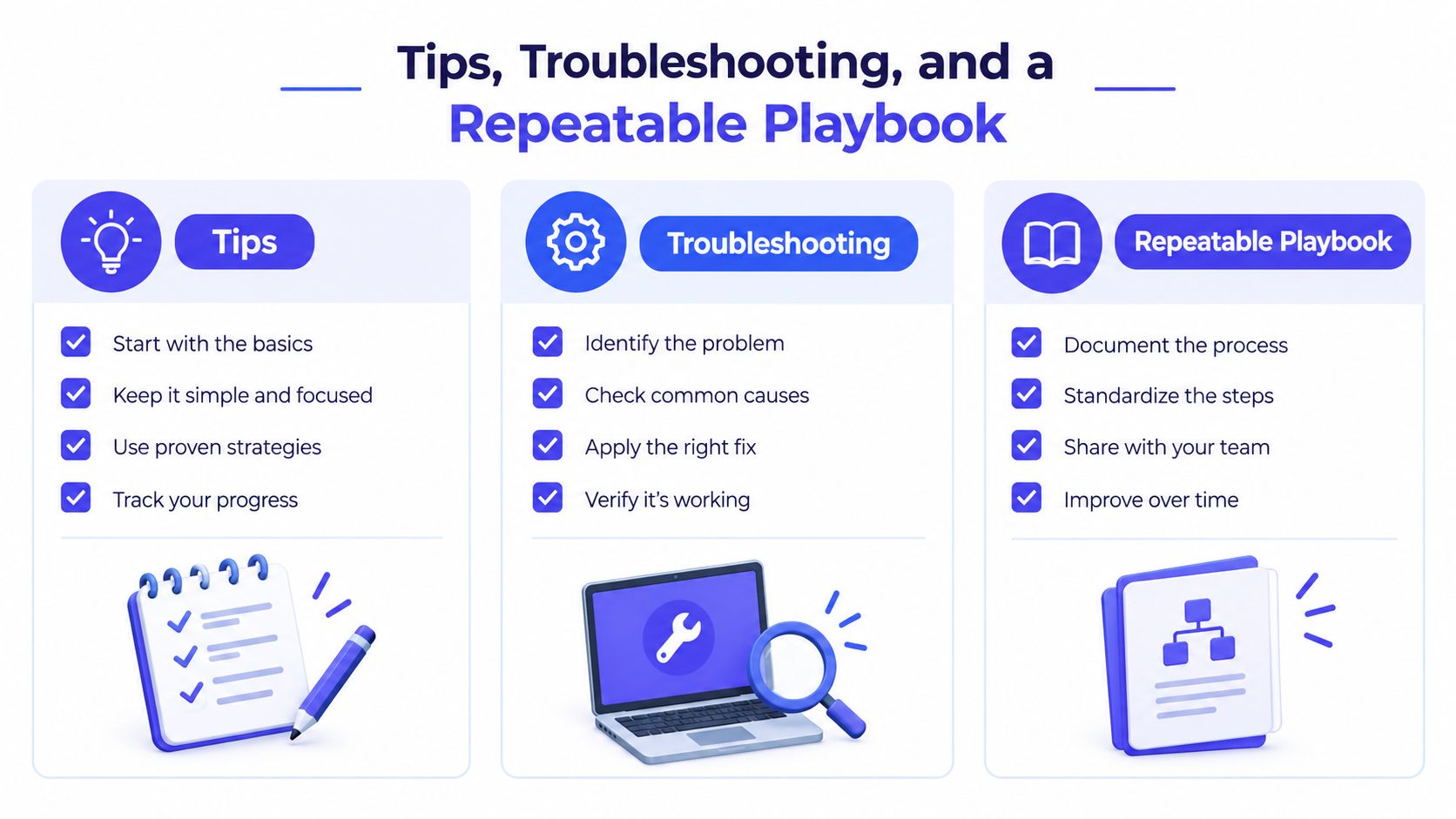
A durable process gives each role a small number of actions to repeat.
For marketers: Keep a saved competitor list, scan it on a consistent cadence, and log anomalies in a shared sheet. Add screenshots and evidence notes whenever a platform or AI classification changes.
For developers: Run stack detection as an advisory check around deployments or portfolio reviews. Escalate unexpected changes, but let an engineer inspect the bundle and hosting context before treating the result as a defect.
For procurement: Scan vendor URLs before contract approval and again at renewal. Ask for clarification when the public site's detected stack conflicts with the supplier's written scope.
Common failures are easier to handle when you name them:
- Unknown on a heavy single-page application: Render the page in a browser-capable workflow and inspect loaded bundles rather than relying on initial HTML.
- False positive from Cloudflare or another generic CDN: Treat the infrastructure match as weak until platform-specific classes, scripts, or headers agree.
- Stale generator tag: Check whether the tag belongs to the current application or an old migrated template.
- Vibe-coded misclassification: Look for framework combinations and deployment artifacts, but label the conclusion as AI-assisted or probable rather than fully AI-built.
- Conflicting recent scans: Compare timestamps, screenshots, routes, and rendering conditions before choosing a verdict.
- Obfuscated or proxied response: Document the missing evidence instead of filling the gap with confidence.
Teams also benefit from separating technology detection from adjacent AI questions. A resource such as this guide to AI chatbots for SaaS may help with product research, but it won't prove how a particular website was authored. Keep each evidence source tied to the question it can actually answer.
The mindset shift is simple: a detection output is a claim to verify, not a fact to repeat. Marketers avoid inaccurate competitor decks, developers avoid bad estimates, and procurement teams avoid preventable architecture surprises when they preserve evidence and investigate edge cases.
AI Website Detector scans public URLs to identify website builders and underlying technology signals, then returns an AI probability score, verdict, and supporting evidence for review. Use the AI Website Detector to test a competitor, validate a vendor claim, or build a repeatable stack-checking workflow before you trust the result.