10 Best Programming Language Detector Tools for 2026
You're staring at a website, a repo, or a pasted snippet and trying to answer one deceptively simple question, what language is this? In practice, that question splits into two very different jobs. Sometimes you need a website tech stack detector that fingerprints frameworks, CMSs, CDNs, and AI builders. Other times you need a code-file detector that can label repository content, even when the input is short, incomplete, or messy.
That split matters because programming language detection is no longer a niche parsing problem. A taxonomy study spanning seven major code corpora, 646 programming languages, and 7.63 trillion tokens found that just 12 high-resource languages accounted for 74.6% of all tokens, while 463 scarce-resource languages contributed only 1.0% taxonomy study. In other words, detectors often have lots of evidence for Python, JavaScript, Java, C#, and C++, but far less for niche or legacy languages.
So the right tool depends on the input and the detection method. Heuristic tools shine in repos and codebases. Machine learning tools help more when the snippet is short or extension-less. Website analyzers solve a different problem altogether, but they're still part of the same practical workflow when you're mapping a product's technology stack.
Table of Contents
- 1. AI Website Detector
- 2. GitHub Linguist
- 3. Enry
- 4. Guesslang
- 5. Pygments
- 6. Highlight.js
- 7. cloc
- 8. scc
- 9. Tokei
- 10. Programming Language Detector Apify Actor
- Top 10 Programming Language Detectors: Feature Comparison
- Choosing Your Detector and a Final Verdict
1. AI Website Detector
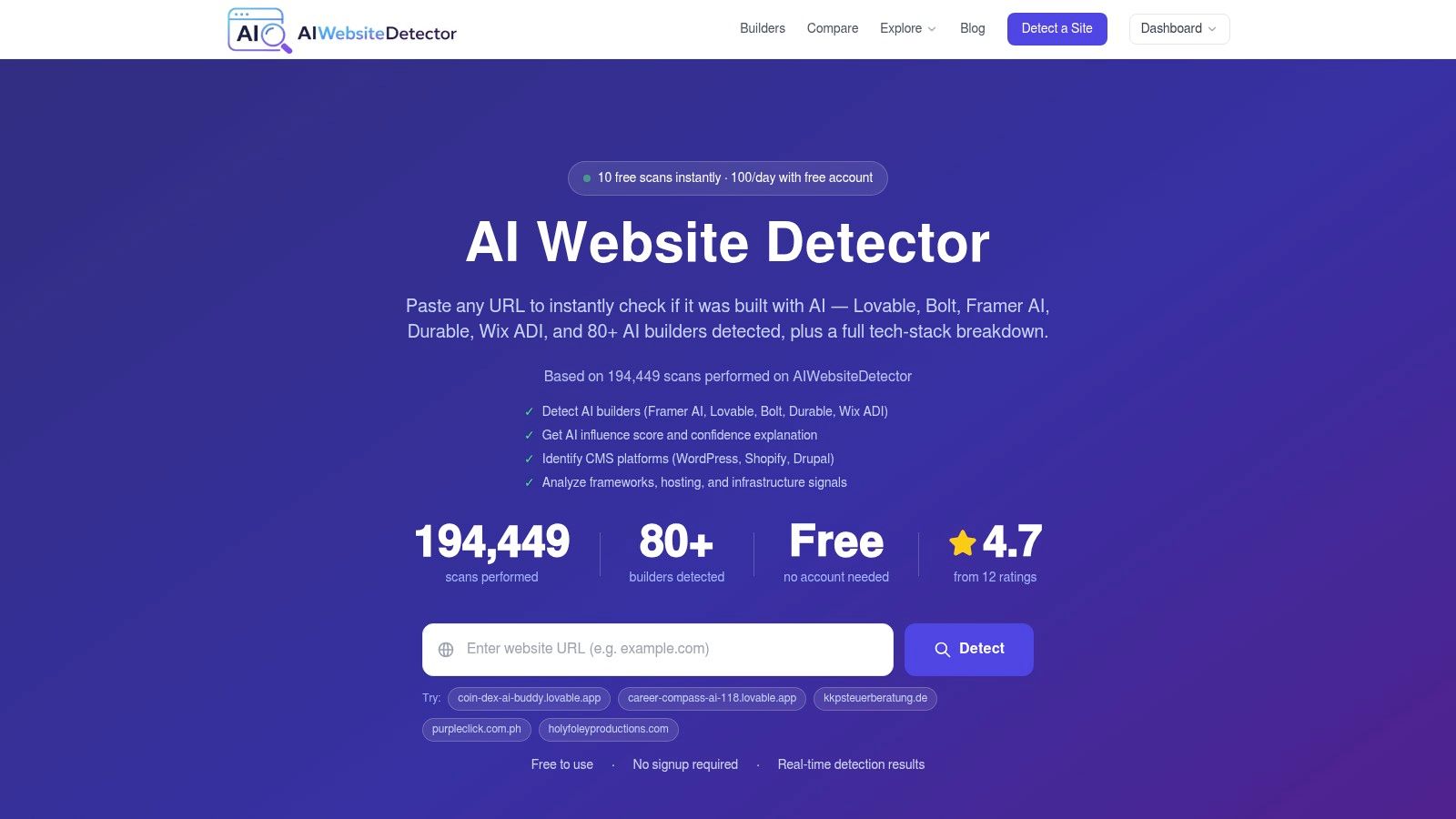
If you need to know what built a site, AI Website Detector is a practical first check. Paste a URL and it returns a live AI probability score, a plain-language verdict such as AI-Native Build, AI-Augmented Development, or Manual/Custom Build, plus a screenshot and the signals behind the result. That evidence-first workflow helps when you are checking a competitor, validating an agency pitch, or separating builder fingerprints from a custom deployment.
It does not stop at a single guess. It fingerprints 80+ AI builders like Framer, Lovable, Bolt, Durable, and Wix ADI, and it also detects mainstream CMSs such as WordPress, Shopify, Webflow, and Drupal. It goes further into frameworks, hosting, CDNs, analytics, payment tools, cookies, script tags, HTML and CSS classes, which is the layer where stack analysis becomes useful in practice. For a related workflow, the website framework detector is a good companion because framework hints often show up alongside builder traces.
Practical rule: if a site sits on a custom domain but still leaks builder artifacts in bundles or front-end traces, a single-signature detector will miss it. AI Website Detector is built to catch those cases with artifact scanning and “vibe-coded” stack recognition.
That matters in a market where many pages are not cleanly labeled. The site also ships with useful companion tools, including a tech-stack detector, sitemap and robots checks, AI.txt and LLM.txt checkers, a badge generator, and EnvTools. If you want a a deeper walkthrough of website stack analysis, the process is worth studying before you start relying on manual guesses. For code-side comparisons and examples, the Captapi guide to code examples is a useful reference point when you are matching detector output against source snippets.
The free tier is generous for casual use, with 10 scans per 30 minutes and 100 scans per day for free accounts, while the API starts at €12/month for higher-volume workflows AI Website Detector.
Pros
- Transparent signals: You see why the detector reached a verdict, not just the verdict itself.
- Broad coverage: It handles AI builders, CMSs, frameworks, hosting, CDNs, and plugins in one pass.
- Useful for research: Recent scans, leaderboards, and builder profiles make it practical for market analysis.
- Good for due diligence: It helps verify whether a site is AI-built or custom.
Cons
- Probabilistic results: Obfuscated or heavily customized stacks can still lower confidence.
- Usage caps: Free scanning is limited, and deeper history or volume needs an account or API plan.
2. GitHub Linguist
GitHub Linguist is the reference point for repository-level language detection. If you've ever looked at GitHub's language bar and assumed it came from a simple extension map, it didn't. Linguist combines file extensions, heuristics, shebangs, vendored and binary ignores, and it exposes its reasoning through a CLI so you can see how a file was classified GitHub Linguist.
That makes it a strong baseline for teams that want a transparent ruleset instead of a black box. It works best when you're analyzing whole repositories, because the tool is designed to count and classify files across a project rather than infer from tiny fragments. If you need to inspect local code or generate per-language breakdowns, Linguist's command-line workflow is straightforward and well understood.
The reason many practitioners trust it is not just popularity, it's the detection model behind GitHub's own stats. Repository language shares can be altered by metadata too, which means the tool operates where .gitattributes can influence what the project reports. Forgejo documents flags such as linguist-language, linguist-documentation, linguist-generated, linguist-vendored, and linguist-detectable, so the same repository can surface different language shares depending on configuration Forgejo language detection docs. That's a reminder that repo language isn't always just syntax, it can also be policy.
For repo work, Linguist is a strong default because it shows its logic. For ambiguous one-line snippets, it's not the first tool I'd reach for.
Pros
- Transparent rules: You can inspect the detection strategy used on files.
- Battle-tested: It's the de-facto standard behind GitHub's repo language stats.
- Good CLI support: Useful for local analysis and automation.
Cons
- Ruby-based: That can be awkward to embed in non-Ruby stacks.
- Repo-oriented: It's not the best fit for isolated snippets or fragment-level inference.
3. Enry
Enry is what you reach for when you want Linguist-style detection but don't want to pay the Go-to-Ruby integration tax. It's a Go port of Linguist's logic, built for performance and native embedding in Go services. For teams already running Go microservices, that alone can make the choice obvious.
The trade-off is simple. You get a fast, resource-efficient detector that handles file and repository analysis well, but you're still in the world of heuristic rules and metadata-aware classification rather than snippet-level machine learning. Enry is a sensible fit for services that need to scan many repos, identify vendored or binary files, and keep the implementation close to the rest of the codebase.
Its best use case is operational. If your platform team wants a language detector that behaves predictably inside a Go worker, Enry is easier to ship than a cross-language dependency stack. It's also useful when you need a CLI for ad hoc analysis but don't want to stand up a heavier runtime.
The practical downside is maintenance drift. Any port of a mature upstream ruleset can lag a bit behind the parent project, so you should treat it as a fast, embedded implementation of the same style of logic rather than a completely independent oracle.
Pros
- Native Go integration: Easy to embed in Go services and tooling.
- Efficient at scale: Good for large repositories and batch jobs.
- Good detection hygiene: Includes vendored and binary ignore logic.
Cons
- Depends on upstream parity: Ports can trail the source ruleset.
- Not snippet-first: It's better for files and repos than for one-line guesses.
4. Guesslang
Guesslang is the first tool on this list that is built around machine learning. It fits situations where the input is raw text and simple heuristics start to fail, especially with short snippets or code that has no useful file extension. Instead of guessing from file metadata, it returns per-language probability scores, which is a better fit when you need confidence levels instead of a hard label.
That probability output is useful in QA pipelines and moderation workflows. If the top result only barely beats the runner-up, you can send the snippet to review instead of forcing an automated decision that may be wrong. The model is also retrainable, so teams can tune it for their own code mix or content patterns.
Guesslang's main advantage is also its main cost. ML models add weight, and TensorFlow brings a dependency footprint that many lightweight stacks would rather avoid. If your workflow mostly deals with clean repositories and stable extensions, a heuristic detector is usually simpler to run and easier to maintain. If you are classifying pasted fragments, logs, or text extracted from docs, Guesslang starts to make more sense, especially in workflows that sit between content extraction and downstream classification, like the ones covered in this guide to web scraping APIs.
The practical split is clear. Heuristic detectors tell you what a repository appears to be. ML detectors help when the repository context is gone and the snippet itself is all you have.
Pros
- Strong on ambiguous snippets: Good when extensions and repo context are missing.
- Probability scores: Helpful for confidence gating and review queues.
- Python-friendly: Easy to script in existing Python workflows.
Cons
- Heavier runtime: TensorFlow is more work than a small CLI.
- Narrower catalog: It does not aim to cover every niche language equally.
5. Pygments
Pygments is primarily a syntax highlighter, but its guessing utilities make it a useful lightweight detector in Python-heavy stacks. If your pipeline already uses Pygments for docs, rendered snippets, or preview generation, the guess_lexer and guess_lexer_for_filename helpers can infer a language without introducing another dependency.
That makes it a practical choice for documentation systems and server-side renderers. It's not trying to be a deep provenance engine, and that's fine. In many workflows, you just need a reasonable guess before you highlight code, generate previews, or choose a formatter.
Pygments also benefits from a broad lexer ecosystem. If your team works across a lot of languages, its coverage can be surprisingly convenient. The trade-off is that the guessing remains heuristic, so very short snippets can still confuse it. I would not use Pygments as the sole source of truth for governance or repo inventory, but I would absolutely use it as a low-friction utility in content pipelines.
If the job is “guess enough to render this snippet correctly,” Pygments is often good enough. If the job is “classify this codebase accurately,” you probably want something else.
Pros
- Huge lexer coverage: Good for broad language support.
- Easy Python integration: Fits naturally into docs and rendering pipelines.
- Flexible usage: Works as a library or via CLI.
Cons
- Heuristic guessing: Short or generic code can still be ambiguous.
- Highlighting-first design: It's not a provenance or repo statistics tool.
6. Highlight.js
Highlight.js is a front-end staple, and its automatic language detection is useful when users paste code into the browser. The main win here is simple, zero server overhead. You can detect and highlight snippets client-side in docs sites, forums, wikis, and product UIs without sending text back to your backend.
That makes it a better fit for interface work than for analysis work. If your app needs to show a pasted snippet, auto-highlight it, and let the user correct the result if needed, Highlight.js is convenient. It also lets you restrict autodetection to a subset of languages, which is a smart way to reduce misclassification and keep browser-side work fast.
The limitation is the usual one for front-end detectors. Generic or very short snippets can be misleading, and the system is optimized for highlighting rather than for deeper analysis. If you need a language label to drive security policy, analytics, or repository reporting, a browser detector shouldn't be the final authority.
Still, for product teams, that client-side workflow is hard to beat. You avoid round trips, keep the UI responsive, and let the user see a result instantly.
Pros
- Runs in the browser: No server cost for autodetection.
- Easy UI integration: Good for docs, forums, and snippet previews.
- Language subsets: You can narrow the detection space for better results.
Cons
- Short snippets can misfire: Generic code is hard to classify.
- Mostly a presentation tool: It's not built for deep analysis.
7. cloc
cloc has stayed relevant because it solves a boring but important problem, counting code by language. It's useful when you care about detection and metrics together, especially across directories, archives, and diffs. That makes it a favorite for reports, audits, and engineering comparisons where people want counts by language rather than a single label.
The strongest part of cloc is its versatility. It supports broad language coverage, handles overrides and extension-based logic, and gives you output that can slot into CI or reporting jobs. If you're comparing codebases over time, its diff mode is especially handy because it lets you measure change in a way that feels operational, not theoretical.
The downside is that it is not built for one-line snippet inference. It's a metrics tool first. If you're trying to classify pasted text from a ticket, a chat thread, or a notebook cell, cloc will feel heavier than necessary. But if you're auditing an entire repository or comparing how much of a monorepo belongs to each language, it's still one of the most practical tools around.
Pros
- Excellent for audits: Good for repo and directory-wide summaries.
- Useful diff mode: Helpful for historical comparisons.
- Mature and familiar: Many engineering teams already know it.
Cons
- Not snippet-focused: Better for files and trees than fragments.
- Perl dependency: Not ideal for every environment.
8. scc
scc is the speed-first alternative to cloc. It's written in Go, and it's designed for fast language detection plus richer metrics, including complexity estimates and multiple output formats. If you need a detector that can run in CI without becoming the slowest step in the pipeline, scc is a very attractive option.
It fits well in automation-heavy teams because it's easy to install, cross-platform, and flexible in its outputs. CSV, JSON, HTML, and Prometheus all show up in the same project, which makes it easier to feed the results into dashboards or monitoring systems. That's a real advantage when language detection is part of a broader engineering reporting stack.
The trade-off is the same one you get with other heuristics-heavy repo tools. It's built for file and repository analysis, not for tiny fragments. In edge cases, you may still need an override or a manual review step. But for large codebases, the performance profile makes a difference.
Pros
- Very fast: Good for large repositories and CI/CD.
- Broad output support: Easy to plug into reporting systems.
- Low-friction installation: Practical across operating systems.
Cons
- Not a snippet classifier: It's aimed at files and repos.
- Edge cases may need overrides: Heuristic detection isn't perfect.
9. Tokei
Tokei is another strong choice when the job is fast code statistics by language. Written in Rust, it offers a performant CLI and a library path for teams that want to embed language summaries into their own tools. If you're building performance-sensitive infrastructure, that Rust crate option is a real advantage.
What stands out about Tokei is how cleanly it maps into large-repo workflows. It gives per-language and per-file breakdowns, supports many languages, and stays focused on speed. That makes it useful in monorepos, CI jobs, and internal dashboards where you want quick summaries rather than rich semantic interpretation.
The downside is similar to other statistics-first tools. It is not trying to behave like a machine-learning snippet detector. If your input is a single incomplete line, Tokei can still help in some workflows, but it's not the best fit for that problem. Custom language tweaks also require editing language definitions, so teams with unusual syntax sometimes need extra maintenance.
Pros
- Fast and efficient: Well suited to large repositories.
- Embeddable Rust crate: Useful in performance-sensitive tooling.
- Clear breakdowns: Good for per-file and per-language summaries.
Cons
- Statistics-first design: Not aimed at ML-style inference.
- Custom definitions need upkeep: Unusual languages may require manual work.
10. Programming Language Detector Apify Actor
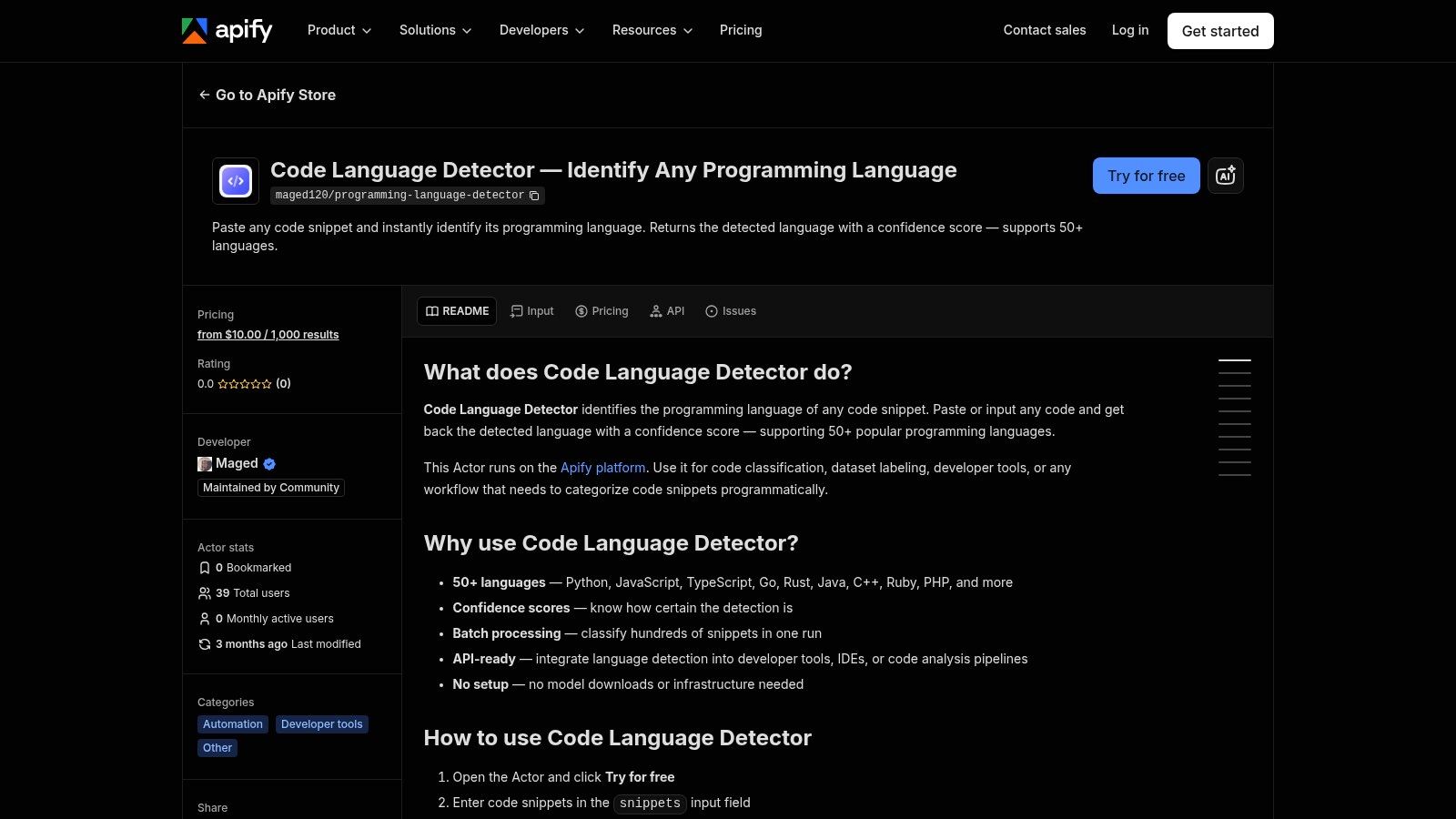
The Programming Language Detector on Apify is the most managed option here. If you want a hosted service that takes a snippet and returns a detected language without running CLIs or hosting models yourself, this is the easiest path. You get an API, logs, history, scheduling, webhooks, and datasets inside the Apify platform, which makes it suitable for automation-heavy teams that prefer managed workflows.
That convenience is the reason to use it. You can wire detection into pipelines quickly, avoid local runtime maintenance, and let Apify handle the operational side. For teams that need a drop-in endpoint more than they need source-level transparency, that's a reasonable trade.
The limitation is visibility. Managed actors are often less transparent than open-source libraries, so you may not know exactly which heuristics are making the call. That's fine when the output is a convenience signal, not fine when the result controls policy or audit decisions. If you want to compare a website detector workflow alongside code analysis, the same platform-style thinking applies to AI Website Detector's framework analysis, where surface signals and stack context can be more useful than a blind guess.
Pros
- Minimal setup: No model hosting or binaries to maintain.
- Managed workflows: Scheduling, webhooks, and datasets fit automation.
- REST-friendly: Easy to plug into internal tools.
Cons
- Platform dependence: Ongoing usage costs and plan limits apply.
- Less transparent: Internal logic is harder to inspect than open-source tools.
Top 10 Programming Language Detectors: Feature Comparison
| Tool | Core detection / features | Quality ★ | Value / Pricing 💰 | Target audience 👥 | Unique selling point ✨ |
|---|---|---|---|---|---|
| AI Website Detector 🏆 | Real-time URL scans: AI probability + verdict labels; fingerprints 80+ AI builders, CMS, frameworks, hosting; signal-by-signal evidence & screenshot | ★★★★★ | 💰 Free tier (10 scans/30min; 100/day with account); API from €12/mo | 👥 Founders, PMs, devs, marketers, agencies, researchers | ✨ Bundle-artifact & "vibe-coded" detection; transparent explanations; dev utilities & market insights |
| GitHub Linguist | Repo-level language detection via extensions, heuristics, shebangs; per-file strategy reporting | ★★★★☆ | 💰 Free / OSS | 👥 Developers, repo/tooling authors, analysts | ✨ Proven GitHub-scale ruleset; transparent per-file reasoning |
| Enry | Go port of Linguist: native Go library + CLI for fast repo analysis | ★★★★☆ | 💰 Free / OSS | 👥 Go services, infra engineers, CI | ✨ High-performance Go integration; easy embedding |
| Guesslang | TensorFlow ML model trained on 1M+ files; raw-text probabilities; Python API | ★★★☆☆ | 💰 Free (ML footprint) | 👥 Python devs, ML workflows, QA | ✨ ML-based detection for short/extension-less snippets; retrainable |
| Pygments | Syntax highlighter with guess_lexer utilities; hundreds of lexers; CLI/library | ★★★★☆ | 💰 Free / OSS | 👥 Docs teams, backend apps, static site generators | ✨ Very broad language coverage; easy extensibility |
| Highlight.js | Client-side auto-detect for code blocks (browser/Node); restrictable language set | ★★★☆☆ | 💰 Free / OSS | 👥 Front-end apps, forums, wikis, docs | ✨ Zero-server overhead; runs in-browser for instant UX |
| cloc | Counts lines by language; directory/archive/diff modes; rich outputs | ★★★★☆ | 💰 Free / OSS | 👥 Researchers, reporting, CI pipelines | ✨ Diff mode and detailed per-language metrics |
| scc | Go-based fast language detection + metrics and complexity estimates; multiple outputs | ★★★★☆ | 💰 Free / OSS | 👥 CI/CD, large-repo analysts, tooling teams | ✨ Extremely fast on large repos; many output formats |
| Tokei | Rust CLI/crate for per-language code stats; embeddable and high-performance | ★★★★☆ | 💰 Free / OSS | 👥 Performance-sensitive tooling, Rust devs | ✨ Rust crate for tight, fast integration |
| Programming Language Detector (Apify Actor) | Hosted snippet detector via REST API; integrates with Apify scheduling/webhooks | ★★★☆☆ | 💰 Paid usage on Apify (platform costs) | 👥 Teams wanting hosted API without infra | ✨ Managed serverless endpoint with platform tooling |
Choosing Your Detector and a Final Verdict
The right programming language detector depends on what you're trying to identify. If the task is a live website, a tool like AI Website Detector is the right starting point because it's built for website tech stack analysis, not just code labeling. If the task is a repository, file tree, or monorepo summary, GitHub Linguist, Enry, cloc, scc, and Tokei are the tools that fit the work.
For ambiguous snippets, the choice shifts again. A machine-learning tool like Guesslang is a better fit when you have short, incomplete, or extension-less code and need probability scores instead of a single brittle guess. That's the exact kind of input where heuristic tools can look confident and still be wrong. Modern research backs that up, since one system reported 95.07% accuracy and macro-F1 on single-line code using a bidirectional recurrent neural network, with training on 113.3 GB and 8.5 million source files across 21 programming-language categories PLangRec paper.
There's also a bigger practical lesson here. The best detector is not the one with the most features, it's the one that matches the shape of the input. Website stack analysis needs evidence across scripts, headers, CDNs, and builder artifacts. Repo analysis needs stable rules, overrides, and file-level context. Snippet classification needs confidence scores and graceful fallback logic, especially because language ecosystems are so uneven taxonomy study.
If you're building a product or doing competitive research, start by separating the problem into website stack, code repo, or snippet. That simple split will save you from choosing a tool that feels impressive but solves the wrong job. Once you know the input type, the detector choice gets much easier, and so do the implementation trade-offs.
If you're comparing websites, stacks, or builder fingerprints, AI Website Detector gives you a fast, explainable starting point with real evidence behind each verdict. Visit AI Website Detector to scan a site, inspect the signals, and see how its stack analysis can help you identify what's really powering a project.