
How to Identify a Hosting Provider: Developer’s Guide
The fastest way to identify a hosting provider is to run a DNS lookup on the target domain, grab the IP address, then query that IP through WHOIS to find the organization that owns the address block. That three-step sequence works for most sites. Here is a quick breakdown of the core techniques:
- DNS lookup: Use
nslookupordigto resolve the domain to an IP address and check name server (NS) records for hosting clues. - WHOIS lookup: Query the domain registrar data and, separately, the IP block owner via IP WHOIS to surface the actual hosting organization.
- Online detection tools: Services like Who-Hosts-This.com combine DNS, WHOIS, and proprietary databases to return a hosting provider name in seconds.
- Traceroute analysis: Running
traceroutereveals the network path to the server, often exposing data center infrastructure along the way. - Hosting type interpretation: Knowing whether a site runs on shared, VPS, dedicated, or cloud infrastructure tells you a lot about its scale and budget.
No single method is foolproof. CDNs, privacy protections, and overlapping infrastructure mean you almost always need two or three signals to confirm what you are seeing.
Table of Contents
- What tools actually help you find a website’s hosting provider?
- Why hosting detection is harder than it looks
- How hosting data sharpens your competitor analysis
- Aiwebsitedetector gives you hosting and tech stack data in one scan
- Key Takeaways
- FAQ
What tools actually help you find a website’s hosting provider?
The most reliable approach combines automated tools with manual record inspection. Each method surfaces a different layer of the infrastructure.
Free online lookup tools are the obvious starting point. AccuWebHosting’s hosting checker cross-references DNS, WHOIS, and IP data to return a hosting provider name without any setup. HostingChecker.net and similar services add server location, nameserver details, and uptime indicators on top of the basic provider name.
Manual DNS and IP WHOIS lookups give you more control. Once you have the IP address from a DNS query, running an IP WHOIS lookup through a service like Network Solutions reveals the organization that owns the IP block, which is often the hosting provider itself or a parent company. This matters because the domain WHOIS and the IP WHOIS frequently point to different entities.
Browser developer tools are underused for this purpose. Opening the Network tab in Chrome DevTools and inspecting response headers can expose server software, CDN signatures, and sometimes the hosting platform directly in the Server or X-Powered-By headers.
SSL certificate inspection adds another angle. The certificate issuer and the Subject Alternative Names listed on a cert sometimes reveal the hosting environment, particularly for managed WordPress or platform-specific hosts.
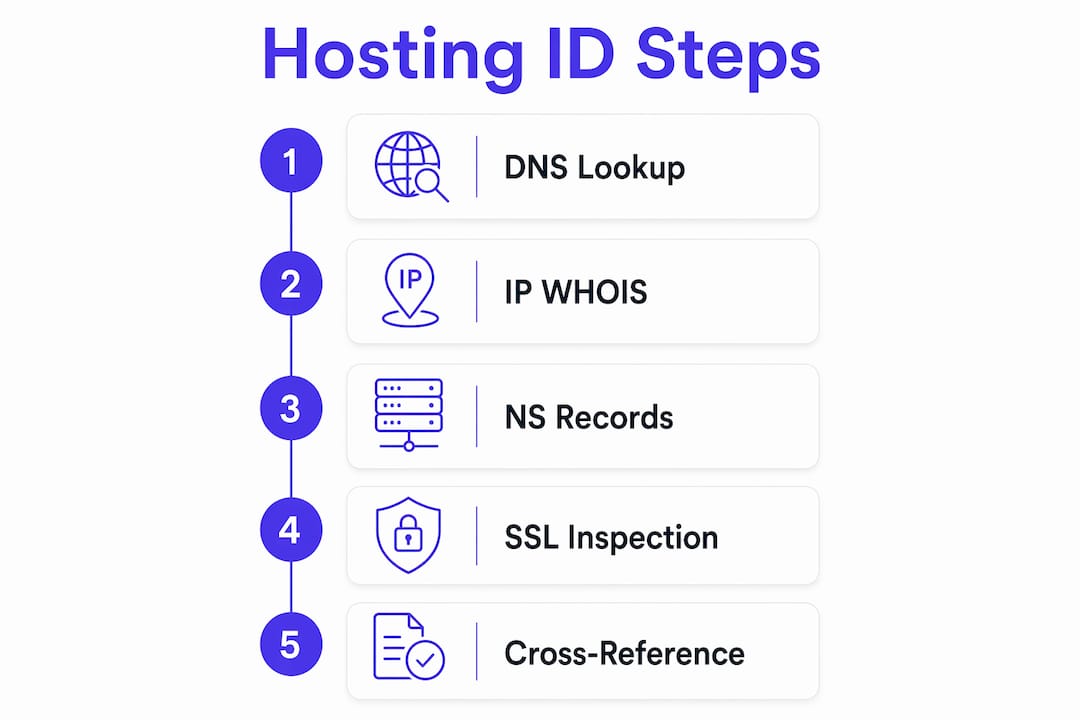
Pro Tip: Cross-reference at least three data points before committing to a conclusion. A tool returning “Cloudflare” as the host usually means the site uses Cloudflare as a CDN proxy, not that Cloudflare is the origin host. Check NS records and SSL certificate details to dig past the proxy layer.
You can also use Aiwebsitedetector’s tech stack detection tools to pull hosting, CMS, and framework data in one scan, which saves the manual cross-referencing step for most sites.
Why hosting detection is harder than it looks
CDN masking is the single biggest obstacle. When a site routes traffic through Cloudflare, Fastly, or a similar network, every DNS query returns the CDN’s IP addresses, not the origin server’s. The hosting provider becomes invisible to standard lookups.

The workaround is to inspect NS records rather than A records. NS records often point to the actual DNS provider, which frequently correlates with the hosting environment. A site using AWS Route 53 nameservers is almost certainly hosted on AWS infrastructure, even if Cloudflare sits in front of it.
Private WHOIS registration creates a second wall. Many domain owners use privacy protection services that replace registrant contact data with proxy information. Network Solutions notes that when WHOIS data is obscured this way, DNS record analysis becomes the primary fallback, with direct owner outreach as a last resort.
Overlapping hosting types add confusion too. A site might run on a VPS from one provider while using a managed database from another and a CDN from a third. The lines between managed and unmanaged hosting blur further when platforms bundle server management, backups, and security into a single product.
Best practices for navigating these challenges:
- Layer your sources: Never rely on a single tool. Combine IP WHOIS, NS record inspection, and header analysis.
- Check for CDN signatures first: If the IP resolves to a known CDN range, pivot immediately to NS records and SSL data.
- Use historical DNS data: Services that cache past DNS records can reveal the origin IP before a CDN was added.
- Stay within legal and ethical limits: Hosting lookups using public DNS and WHOIS data are entirely legal. Attempting to bypass security controls or access non-public server data is not. Stick to publicly available signals.
How hosting data sharpens your competitor analysis
Knowing who hosts a competitor’s site is not just a technical curiosity. It tells you something real about their infrastructure strategy, budget, and growth trajectory.
Hosting type signals scale. A competitor running on shared hosting is likely early-stage or cost-constrained. One on AWS, Google Cloud, or Azure with dedicated resources is investing seriously in performance and reliability. That gap in infrastructure spending often reflects a gap in traffic and revenue.
Server location affects SEO. Data center proximity to target users reduces latency, and page speed is a confirmed ranking factor. If a competitor’s servers are geographically closer to your shared audience, that is a concrete performance advantage worth understanding and potentially matching.
Hosting choices reveal tech stack compatibility. A site on WP Engine or Kinsta is almost certainly running WordPress. A site on Netlify or Vercel is likely a Jamstack build. These inferences let you map the full technology stack from a single data point.
Integrating hosting data with CMS and AI builder detection is where the real competitive intelligence comes together. When you combine hosting provider, CMS platform, and framework data, you get a complete picture of how a competitor built their site, what it costs them to run it, and what their technical constraints are. Aiwebsitedetector’s website tech stack detector does exactly this, pulling hosting, CMS, and AI builder signals into one report.
Key competitive intelligence gains from hosting analysis:
- Identify whether a competitor uses managed or unmanaged infrastructure, which signals their internal technical capacity.
- Spot CDN usage patterns that explain their global performance strategy.
- Infer budget ranges based on hosting tier and provider pricing structures.
- Detect technology migrations when DNS records change, which often signals a platform rebuild.
Aiwebsitedetector gives you hosting and tech stack data in one scan
Most developers and marketers piece together hosting data from four or five separate tools. Aiwebsitedetector collapses that into a single real-time scan, no account required.
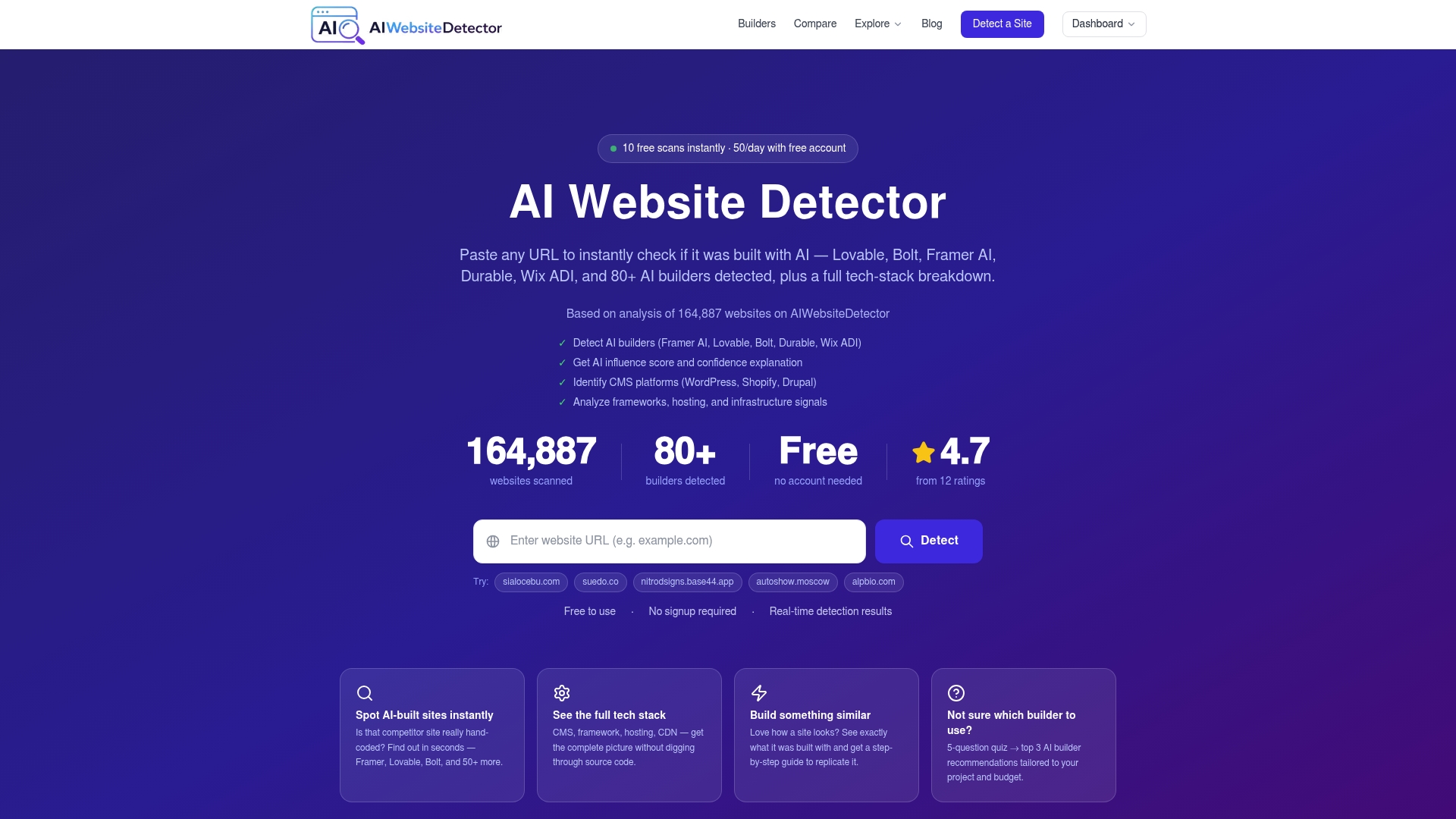
The platform has analyzed a large number of websites, building detection patterns across hosting providers, CMS platforms, frameworks, and many AI website builders. When you scan a competitor’s URL, you get the hosting provider alongside the full tech stack: CMS, JavaScript frameworks, plugins, and an AI influence score that flags whether the site was built with a tool like Framer, Lovable, or Wix ADI. That combination is what separates it from a standalone WHOIS lookup tool.
Scanning is free for a limited number of queries, with paid subscription and API plans available for teams running regular competitive monitoring. Run your first scan at aiwebsitedetector.com and see the full infrastructure picture in seconds.
Key Takeaways
Combining DNS, IP WHOIS, and NS record analysis gives you the most reliable path to identify a hosting provider, especially when CDNs or privacy protections obscure the obvious signals.
| Point | Details |
|---|---|
| Start with DNS and IP WHOIS | Resolve the domain to an IP, then query IP WHOIS to find the organization owning the address block. |
| CDNs mask origin servers | When tools return a CDN like Cloudflare, inspect NS records and SSL certificates to find the actual host. |
| Layer multiple sources | No single tool is definitive; cross-referencing three or more signals produces reliable results. |
| Hosting type reveals strategy | Shared, VPS, cloud, or dedicated infrastructure signals a competitor’s scale, budget, and technical capacity. |
| Aiwebsitedetector combines signals | One scan returns hosting provider, CMS, framework, and AI builder data across 164,864 analyzed sites. |
FAQ
How do I identify a hosting provider for any website?
Run a DNS lookup to get the site’s IP address, then perform an IP WHOIS query to find the organization that owns that IP block. Online tools like Who-Hosts-This.com automate both steps and return a provider name in seconds.
What if a CDN is hiding the real hosting provider?
When a CDN like Cloudflare masks the origin IP, shift your focus to NS records, which often point to the actual DNS and hosting infrastructure. SSL certificate details and historical DNS records can also surface the origin host.
Is looking up a website’s hosting provider legal?
Yes. DNS and WHOIS data are publicly available by design, and querying them is entirely legal. The ethical line is using only public signals and not attempting to access private server data or bypass security controls.
How does hosting type affect my competitive analysis?
Hosting type signals a competitor’s scale and investment level. A site on cloud infrastructure like AWS or Google Cloud indicates serious traffic capacity, while shared hosting suggests an early-stage or budget-constrained operation.
Can Aiwebsitedetector detect hosting providers alongside CMS and AI builders?
Yes. Aiwebsitedetector scans sites in real time and returns hosting provider data as part of a full tech stack breakdown, including CMS, frameworks, and AI builder detection across many supported platforms.
Recommended
- Website Builder – AI Website Detector Blog
- Vendor Lock-in – AI Website Detector Blog
- WCAG Compliance – AI Website Detector Blog
- Platform Selection – AI Website Detector Blog