Ecommerce Platform Detector: How to Identify Store Tech
You're staring at a competitor's product page, and the question comes up fast. Is this a familiar Shopify build with custom theme work, or is it a more layered stack with AI-assisted tooling, headless pieces, and a checkout flow hiding the plumbing? A good ecommerce platform detector answers that with public evidence, not guesswork, and the difference matters when you're mapping competitors, vetting vendors, or deciding how much of a store is conventional versus AI-augmented.
Table of Contents
- Why Store Platform Detection Matters Now
- Detect a Store with Three Practical Signals
- Confirm SaaS Platforms via Headers and DNS
- Find Platform Clues in Source Code
- What Automated Detectors Reveal Beyond Label
- Avoid False Negatives on Custom Stores
- Build a Reliable Verification Routine
Why Store Platform Detection Matters Now
A store can look polished and still tell you very little at first glance. The value comes from knowing whether the site is running on a hosted SaaS platform, a heavily customized build, or a stack that mixes traditional commerce with AI-first tools. That distinction changes how you judge agility, vendor lock-in, checkout control, and how much of the storefront is standard versus bespoke.
The modern ecommerce platform detector has become more than a curiosity tool. The broader commerce ecosystem has standardized enough that public signals often reveal infrastructure, which is the same logic used by detectors that inspect DOM patterns, meta tags, CDN sources, cookies, and JavaScript variables to identify platforms like Shopify, Magento, and WooCommerce. The 2021 Web Almanac notes that the HTTP Archive used Wappalyzer to detect technologies across websites, including CMSs and ecommerce platforms, and it defines ecommerce usage through known platform signals or technologies that imply an online store, such as Google Analytics Enhanced Ecommerce. Web Almanac ecommerce coverage
The gap most basic tutorials miss is the rise of AI-assisted commerce stack detection. A store may still sit on Shopify or WooCommerce, but the build process, page composition, or frontend layer may involve AI-native tools, AI website builders, or AI-augmented development workflows. That's no longer a vanity detail. It changes how quickly a team can launch, iterate, and ship new storefront variants.
Practical rule: treat platform identification as stack intelligence, not label hunting.
If you're comparing storefronts, even workflow tools aimed at catalog and storefront operations can be useful context. A resource like shopify integration for product upload becomes relevant when you're tracing how product data moves into a store and how tightly the frontend is coupled to Shopify-specific operations. That kind of evidence helps you separate a simple theme from a more operationally integrated commerce stack.
The mindset matters. Don't ask only, “What platform is this on?” Ask, “What public signals show how this store is built, what parts are hosted, and what parts were likely assembled with automation or AI help?” That's the question that produces useful competitive research.
Detect a Store with Three Practical Signals
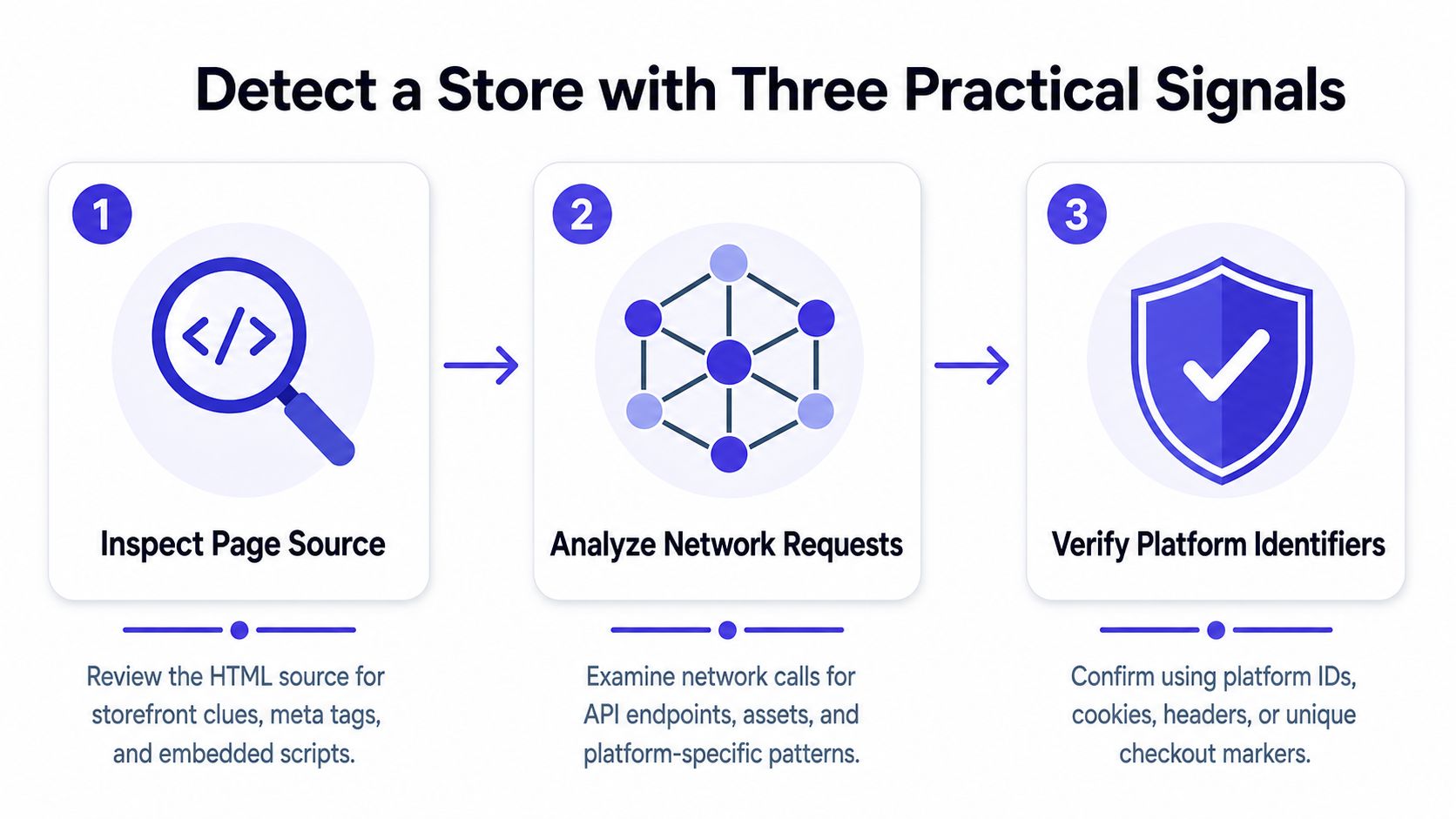
The most dependable workflow is still simple, and it's not magic. Start with the page source, then move to network and headers, then check URL patterns. That order works because each layer gives you a different kind of witness, and the strongest verdict comes from agreement between them.
Start with source before you overthink it
Open the page, view the source, and search for obvious signatures. On Shopify stores, common clues include cdn.shopify.com, Shopify.theme, and other Shopify globals. The same workflow often works for other carts because source code tends to expose filenames, theme wrappers, and platform-specific variables before a designer finishes hiding them. Shopify detection methods
A useful habit is to check more than the homepage. Product pages and collection pages often preserve platform artifacts that the landing page hides behind a custom design layer. I've seen stores where the homepage looked fully bespoke, but a single asset domain or checkout reference gave away the underlying platform immediately.
Use headers and URL behavior as your second witness
If source is inconclusive, inspect the main document request in DevTools. Response headers, checkout redirects, and resource domains often reveal a hosted SaaS platform even when the HTML is cleaned up. This is especially useful on Shopify, where checkout behavior and asset delivery can remain recognizable even after major theme customization. Shopify vs BigCommerce for B2B is a helpful contextual read when you're comparing hosted commerce options and want to understand why platform-specific checkout behavior matters.
Trust patterns, not isolated strings
A lone string can mislead you. One asset URL or one class name is not enough to call the stack. Document the page, the request headers, and any URL pattern that repeats across product, cart, and checkout flows, then compare those clues before you decide.
If one signal points to a platform and the others stay silent, keep digging.
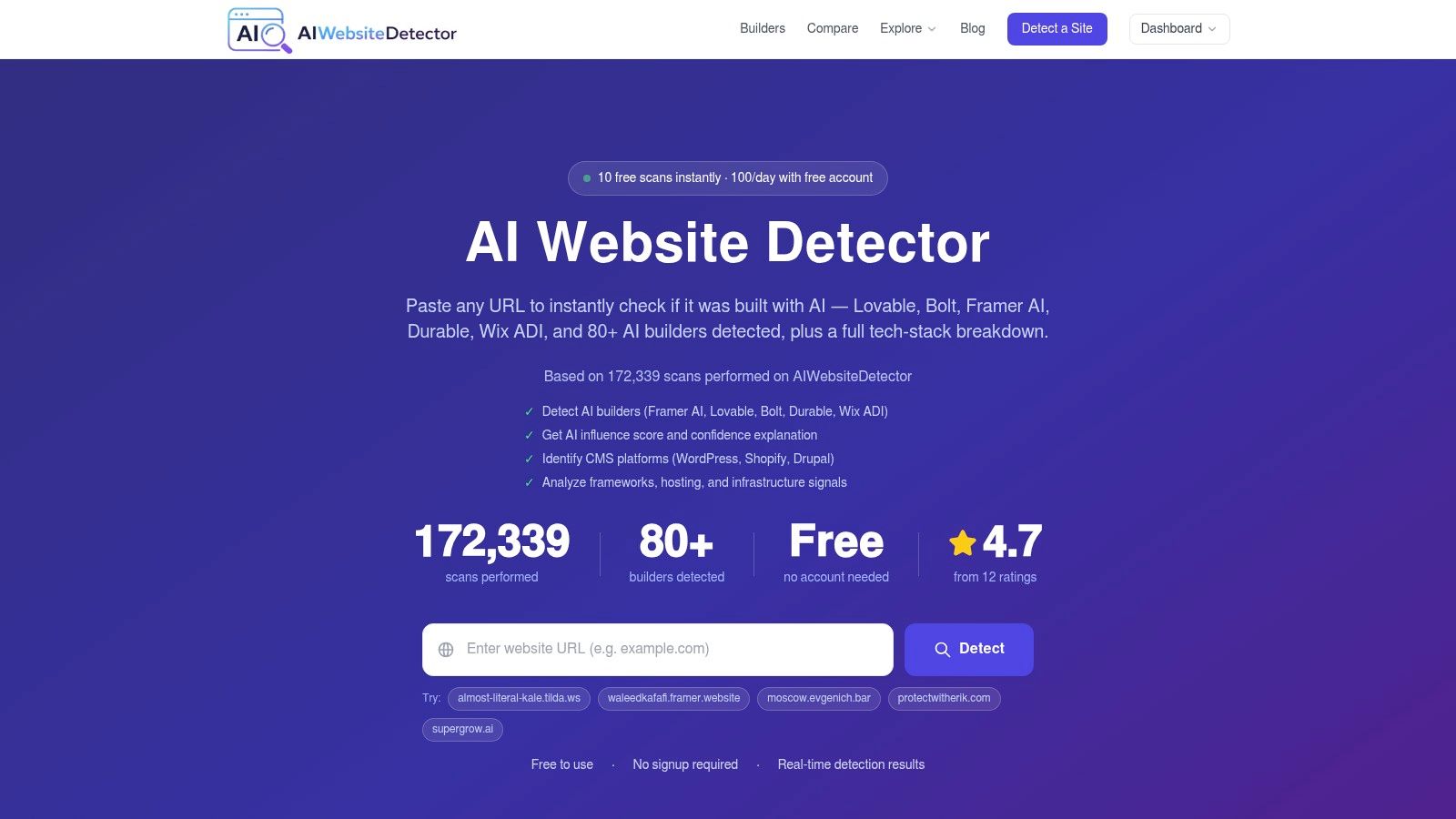
For quick triage, the internal tech stack view at AI Website Detector's tools page is one of the places people use to cross-check a domain against broader website fingerprints. The value isn't the label alone, it's seeing whether the same site shows consistent signals across source and network paths.
Confirm SaaS Platforms via Headers and DNS
Headers and DNS are where a lot of false confidence gets corrected. A store can be visually stripped down, the theme can be rebuilt, and source code can be minified, but server-side signals still have to resolve somewhere. That's why hosted SaaS platforms often give themselves away through response headers, checkout behavior, and DNS resolution.
Read the main document response, not just the HTML
Open browser DevTools, switch to the Network tab, refresh the page, and click the main document request. The response headers can confirm a Shopify store when they expose Shopify-specific markers, and a Shopify checkout redirect can do the same when the store sends shoppers into the expected hosted flow. DNS resolution can also point to a Shopify host, which is useful when source code has been heavily cleaned up. Atlantic BT's ecommerce platform FAQ covers the basic idea of using headers, DNS, and hosting data to identify a SaaS platform.
The reason this works is simple. Server-side infrastructure tends to be less decorative than frontend design. A developer can rewrite a template, but they can't easily erase the hosting relationship that powers checkout, asset delivery, and platform-managed routing.
Correlate evidence instead of chasing a single clue
One header on its own is rarely enough. The stronger move is to line up the document response, the checkout path, and the domain resolution picture, then see whether they all point to the same conclusion. That is how you avoid reporting a false positive from a cached asset or an old reference left behind during a migration.
A practical analyst's note is to separate “confirmed hosted platform” from “probably hosted platform.” The first is a verdict, the second is a working hypothesis. When you hand findings to a stakeholder, that distinction keeps the conversation honest.
Use DNS as a quiet confirmation layer
DNS is often overlooked because it feels less visible than the browser. In practice, it's one of the calmest ways to confirm that a storefront is anchored to a SaaS platform rather than a fully self-hosted stack. If the asset layer, checkout path, and host relationship all converge, the site is usually telling you exactly what it is.
Find Platform Clues in Source Code
Source code still gives you the clearest fingerprints when you know what to search for. The trick is to stop looking for “the platform” in abstract terms and start looking for repeated platform-specific artifacts that survive routine customization.
Search the page source for platform signatures
On Shopify, obvious markers include Shopify.theme, cdn.shopify.com, and /cart.js. For Magento, paths like skin/frontend and app/design/frontend are strong indicators. Ecwid can surface through script references or network requests to ecwid.com, and OpenCart commonly leaves behind paths like /catalog/view/theme/. StackCrawler's ecommerce detector references are useful because they line up these signatures in one place.
The point isn't memorization. The point is pattern recognition. Once you've seen these enough times, you stop treating every store like a mystery and start reading the source the way a mechanic listens to an engine.
Keep a compact reference for fast checks
| Platform | Signature Example |
|---|---|
| Shopify | Shopify.theme, cdn.shopify.com, /cart.js |
| Magento | skin/frontend, app/design/frontend |
| Ecwid | ecwid.com script or request |
| OpenCart | /catalog/view/theme/ |
Read repeated artifacts across multiple pages
A single page can lie by omission. Product pages, cart pages, and checkout-adjacent paths usually tell the cleaner story, especially when the theme code is customized but the underlying platform still ships its standard assets or object names. That's why source inspection works best when it's repeated, not one-and-done.
Practical rule: if the same platform artifact appears across multiple page types, the signal gets much stronger.
The fastest way to build confidence is to check more than one source location. I look for a platform variable, an asset domain, and a path pattern. When two or three of those line up, the verdict usually stops being arguable.
What Automated Detectors Reveal Beyond Label
Automated scanners are useful because they collapse a lot of work into one lookup. They're not just naming the cart, they're profiling the surrounding stack, which is why they can be so useful for market mapping and vendor due diligence.
Look for stack context, not just a platform name
Modern detectors often inspect HTML, script sources, body classes, inline JavaScript variables, and CDN patterns, then return a combined view of the storefront and its adjacent infrastructure. That matters because a store's platform label alone doesn't tell you what analytics, payment, or delivery layers sit around it. The Chrome Web Store listing for an ecommerce platform detector notes coverage of 40+ popular platforms or 80+ platform and builder fingerprints, with confidence-based results in seconds from a single URL, which shows how far these tools have moved beyond a basic yes-or-no answer. Chrome Web Store listing
For comparison, BuiltWith-style profiling is broader than storefront detection. It can surface the ecommerce platform along with widgets, analytics tags, CDNs, payment processors, and other infrastructure in one pass. That kind of output is valuable when you're studying how a merchant assembles its full web stack, not just what cart it uses. Pixel Union's BuiltWith overview
Use the output as a hypothesis engine
A good automated scan tells you where to look next. If the tool flags a platform but also shows a mismatch in scripts, theme artifacts, or CDN patterns, that's a cue to verify manually before you write the result into a report. Confidence labels are helpful, but they're not substitutes for the underlying evidence.
Modern scanners help with speed and consistency. They can surface the same kinds of clues a human would gather by hand, only faster and with a cleaner readout. That makes them useful for batch research, especially when you're reviewing many competitor stores or auditing portfolio claims.
Don't ignore the AI-stack gap
Most current detector output still centers on traditional CMS and cart technologies. The missing layer is explainable attribution for AI-assisted builds, the kind where a storefront might be conventional at the commerce layer but AI-native in the build workflow. That gap matters because the question is no longer only, “What platform powers the shop?” It's also, “Was this storefront assembled with AI tools, vibe-coded components, or a conventional theme pipeline?”
The browser extension and toolset from AI Website Detector's tech stack detector fit into that broader observation because they surface website technology evidence rather than pretending every stack can be understood from one label alone. That makes them useful for comparative research when the platform clue is only part of the story.
Avoid False Negatives on Custom Stores
The biggest mistake is assuming a quiet page means a custom platform. In reality, quiet often means the store is heavily modified, the theme is stripped down, or the obvious fingerprints have been removed from the frontend.
Why simple searches miss
Keyword searches work only when the platform leaves obvious markers in HTML, scripts, or URLs. Once those artifacts are minimized, renamed, or buried in asynchronous requests, the obvious strings stop showing up. That's when a detector can return a false negative even though the underlying commerce platform is still there.
The correction is disciplined repetition. Test several known sites, compare how the same platform behaves across multiple pages, and build rules from repeated artifacts rather than one brittle string match. The logic is practical, not mystical. If a pattern appears consistently across many stores, it's probably a real fingerprint.
Treat custom and proprietary stores differently
Some stores are custom, and you should be willing to say that. Others only look custom because the team removed the easy clues. BuiltWith-style tools are often described as broadly reliable on non-custom stacks because they surface the platform plus the surrounding tags, processors, and CDN data in one pass. That broad view is exactly why a tool can outperform a single manual search when a store has been aggressively refactored. StackOverflow discussion on ecommerce detection
Verify against known behavior, not assumptions
A useful internal check is to compare a suspicious store against known examples of the same platform family. If the checkout behavior, asset domain pattern, and source artifacts all diverge, you may be looking at a proprietary build. If two signals line up and one is missing, you're probably dealing with customization, not a different cart altogether.
Practical rule: one missing clue doesn't erase a platform, but three missing clues usually mean you need a fresh hypothesis.
For WooCommerce-specific confirmation work, the AI Website Detector WooCommerce builder page is the kind of reference people use when they want to compare a suspected WooCommerce build against known evidence patterns without confusing it with a generic WordPress site.
Build a Reliable Verification Routine
A professional routine is more useful than any single trick. The best analysts I know don't rely on one detector, one page, or one kind of clue. They combine manual inspection with automated scanning, then write down why the verdict is justified.
Use a repeatable sequence
Start with source, move to headers, then check DNS and checkout behavior. If a scanner agrees with the manual read, the verdict gets stronger. If it doesn't, stop and verify before you publish or brief anyone on the result.
That sequence works because it balances speed with proof. Manual checks tell you what the store is exposing publicly, while automated detectors give you breadth across the surrounding stack. Together, they reduce the chance that a single missing artifact will send you in the wrong direction.
Document the evidence, not just the label
A good record includes the platform verdict, the specific source string, the header or redirect clue, and any DNS confirmation you used. If you later revisit the store and the theme has changed, your earlier evidence still holds up. That matters in competitor research, vendor due diligence, and migration tracking.
Emerging AI-assisted storefront detection belongs in that same workflow. As more teams use AI to build and modify storefronts, the question expands from “Which cart?” to “Which build pattern?” Conventional platform detection still matters, but the next layer is identifying whether a site was assembled with AI-native or AI-augmented tooling.
Keep the conclusion narrow and defensible
If the evidence supports Shopify, say Shopify. If the evidence only supports “hosted SaaS commerce stack,” say that instead. The most useful findings are the ones you can defend under follow-up questions.
That's why an ecommerce platform detector is really a discipline, not a button. The tools help, but the analyst decides what the evidence proves.
If you need a faster way to compare storefront evidence across manual checks and stack fingerprints, visit AI Website Detector. It identifies whether a site was built with AI website builders and exposes the technology stack behind it, which makes it a practical companion when you're tracing ecommerce platforms, AI-assisted builds, or both.