10 Vibe Coding Tools for Faster Web Builds
Most advice about vibe coding tools starts with the wrong question: “Which product writes the best prompt-to-app code?” Vibe coding isn't one workflow, and these products aren't interchangeable. The right choice depends on whether you need to inspect an existing AI-built site, generate a marketing page, prototype a full-stack app, modify a real repository, or translate a design system into production code.
The practical comparison is about output ownership, framework fit, deployment model, verification, pricing uncertainty, and post-generation maintenance. A polished preview isn't the same as a dependable application. You need to know where the code lives, who owns deployment, how integrations work, and how you'll diagnose a feature that appears to work while applying the wrong business rule.
Before committing to a builder, AI Website Detector can help identify how comparable sites were built. Its scans can reveal an AI-first builder, an AI-augmented stack, and related technologies, giving you a reference point before you choose your own workflow.
Table of Contents
- 1. AI Website Detector
- 2. v0 by Vercel
- 3. Lovable
- 4. Bolt.new
- 5. Framer AI
- 6. Cursor
- 7. Replit Agent
- 8. GitHub Copilot
- 9. Windsurf
- 10. Builder.io Visual Copilot
- Top 10 Vibe Coding Tools: Feature Comparison
- Build a Workflow, Not Just a Tool Stack
1. AI Website Detector
AI Website Detector fits the discovery and validation stage of a vibe-coded workflow. Before choosing a builder, use it to examine how a comparable site was assembled and identify which parts of its stack may be worth reproducing.
The service fingerprints more than 80 AI-first platforms, including Framer, Lovable, Bolt, Durable, Wix ADI, and 10Web. Its report includes an AI probability score, verdict label, detected signals, confidence notes, and a screenshot. Those details provide more context than a platform name alone, because they show which evidence influenced the result.
What it reveals before you build
The scan checks HTML and CSS patterns, script tags, CDN domains, headers, cookies, metadata, and bundle artifacts. If a site lacks a recognizable builder fingerprint, heuristic analysis can still identify AI-augmented combinations such as Next.js, Tailwind CSS, Shadcn UI, Lucide, and Radix UI.
For major, well-fingerprinted platforms, the publisher reports 85% to 99% accuracy on its methodology page. That range does not guarantee a correct result for every site. Custom deployments, obscure platforms, and deliberately obfuscated implementations require manual validation. Public Recent Scans, LiveView feeds, and a detection leaderboard let you compare results with visible examples instead of treating the output as an unexplained verdict.
Practical rule: Use detection to narrow your options, then verify the result against the source, deployment model, and repository ownership before selecting a tool or vendor.
The service also identifies CMSs, frameworks, hosting, CDNs, analytics, payments, and marketing technologies. WordPress analysis can include theme and plugin details, while ecommerce and infrastructure utilities help explain the operational stack behind the interface.
Where it fits in the handoff
Marketers can use the results for competitor research. Developers can validate a portfolio build or investigate an unfamiliar implementation, while agencies can compare a delivered site with the promised stack. Founders can use the builder-recommendation quiz and comparison material to reduce early stack uncertainty.
Single lookups are available through instant free scans. Larger research workflows can use accounts and a documented developer API, but automation still requires review of the current portal and pricing. Treat the output as explainable evidence that guides investigation, not as a replacement for source inspection, repository access, or code review.
2. v0 by Vercel
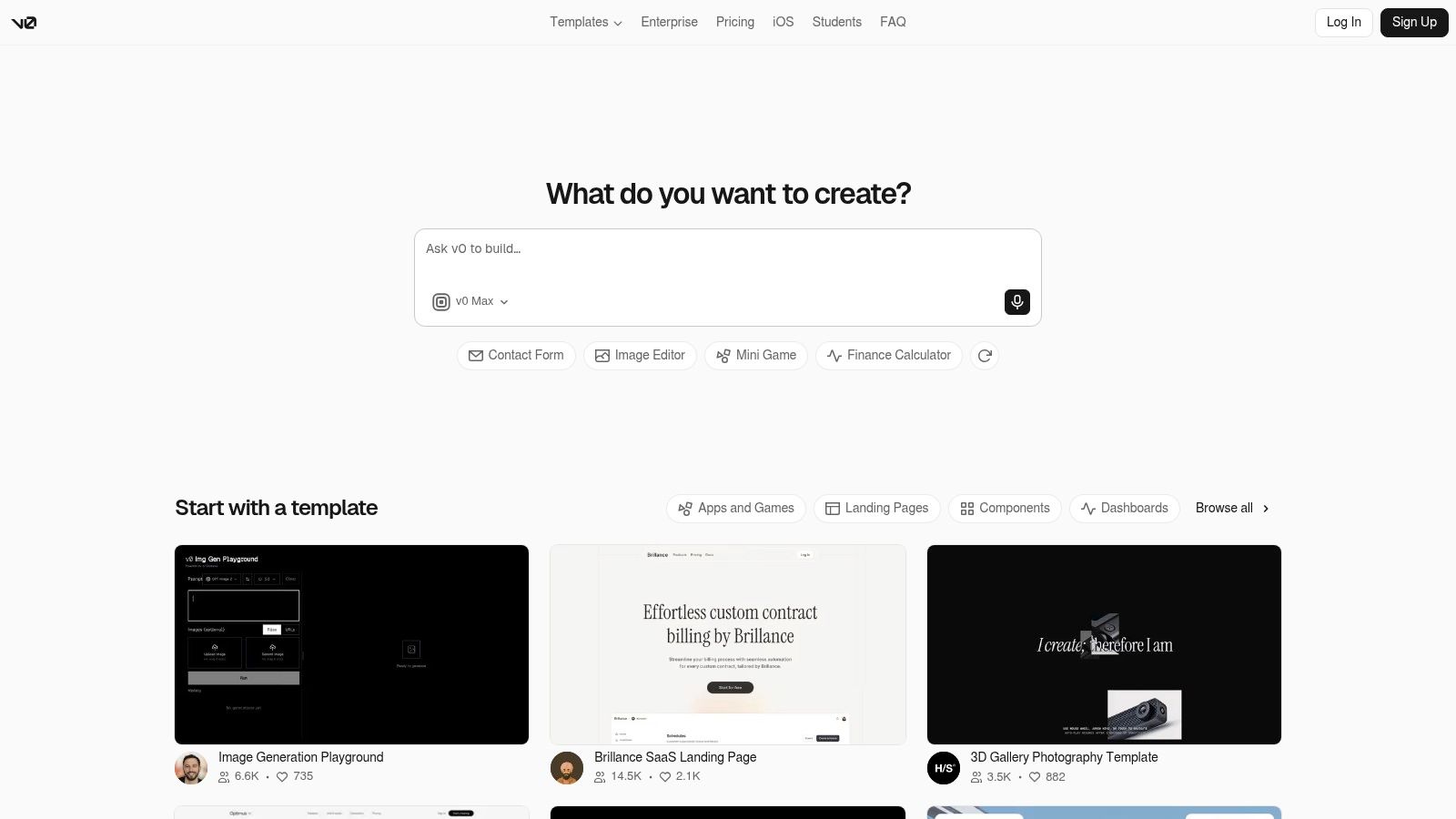
v0 by Vercel is strongest when the deliverable is an interface that needs to move quickly into a modern React repository. Describe a dashboard, pricing page, onboarding flow, or component state, and it produces editable React and Next.js code using conventions such as Tailwind, shadcn/ui, Radix, and Lucide.
That stack alignment matters. If your team already works in Next.js and deploys through Vercel, v0 reduces the translation work between generated UI and the application code. You can adjust the result, extract components, and continue development in a repository rather than treating the preview as the finished product.
The useful boundary
v0 excels at front-end shaping. It can turn a rough product brief into a credible screen quickly, and its agentic features can look up web or documentation material during generation. API and model access also make it relevant to teams that want to incorporate interface generation into a broader internal workflow.
It doesn't remove the work of defining data contracts, authentication, permissions, error states, or integration behavior. A generated form still needs server-side validation. A dashboard still needs reliable loading, empty, and failure states. The visual result can be ready before the underlying product decisions are.
Where teams lose time
The main trade-off is ecosystem dependence. Teams outside the Next.js and Vercel conventions may spend more time adapting generated code than they save. Usage and credit telemetry also deserve attention because the pricing model has evolved toward credits and usage, which can make experimentation harder to forecast.
Use v0 when the source of truth should become editable React code and a developer will own the next handoff. Don't choose it only because the first screen looks polished. Evaluate the generated component boundaries, accessibility behavior, responsive states, and how cleanly the result enters your existing design system.
3. Lovable
Lovable is a strong choice when the prompt needs to become a working web app, not just a set of screens. You can describe a product, let the agent plan a multi-step implementation, inspect the result in the browser, and keep iterating through the same conversational workflow.
That loop suits MVPs and internal tools where speed matters more than architectural elegance on the first pass. The managed cloud lowers the setup burden, while GitHub synchronization and deployment flows provide a route out of the builder when the application needs more deliberate engineering.
Why the prototype loop works
Lovable's planning and agent workflow is useful because it can break a broad brief into implementation steps before changing the application. That makes it easier to spot missing requirements around authentication, data, or user roles before the interface grows around an incomplete assumption.
The weak point appears later. Generated applications often need refactoring, componentization, and clearer separation between presentation, application logic, and data access. A successful demo can still contain duplicated patterns or fragile assumptions that make the next feature harder than the first one.
A working preview proves that a path exists. It doesn't prove that the path is secure, maintainable, or correct for every state.
GitHub sync is therefore more than a convenience. It creates a handoff point where a developer can review dependencies, establish branches, add tests, and decide which parts of the managed cloud should remain in place. If the product depends on specialized infrastructure, confirm that the generated architecture can leave the platform without a costly rewrite.
Lovable's credit model is documented, but pricing and included capabilities can change. Check the current terms before moving from experimentation to a sustained build. Choose it when you want rapid app formation with a visible route to repository ownership, not when you expect one prompt to establish a production architecture.
4. Bolt.new
Bolt.new puts the development environment in the browser. Its agent can chat, edit, run, preview, and deploy a full-stack project through WebContainers, so a new contributor can start without configuring a local runtime first.
That makes Bolt particularly effective for proofs, demos, hackathon projects, and small-team experiments. Plan mode gives the agent a place to scope work before implementation, while templates and quickstart material reduce the friction between an idea and a shareable URL.
The browser is the feature
The browser-based model changes who can participate. A designer or product manager can review a live result without waiting for a local setup, and a developer can still inspect or modify the generated code. One-click deployment keeps the early loop short.
The trade-off is capacity and control. A larger application may outgrow the practical limits of an in-browser WebContainer workflow, especially when local tooling, background processes, specialized services, or complex environment configuration become important. Model choice and verification details can also feel opaque to power users who need to understand exactly how an agent reached a change.
Treat the first deployment as a transferable prototype, not automatically as the permanent operating environment. Export or synchronize the project, document environment variables, inspect package choices, and confirm that the chosen database, authentication provider, and hosting path belong to the team rather than to an unexplained default.
Bolt works best when the handoff is planned early. If the project is likely to become a serious application, test repository export and deployment ownership before adding extensive business logic. The convenience of zero setup is valuable, but it shouldn't become a reason to postpone decisions about source control and maintenance.
5. Framer AI
Framer AI is built for the marketing surface, where visual polish, responsive layout, CMS content, and publishing speed matter more than a complex application backend. Prompt-driven page and section generation happens on a visual canvas, so a marketer or designer can revise the result directly instead of translating every adjustment into code.
That makes Framer a practical option for landing pages, campaign sites, product launches, and brand-led websites. Built-in hosting, CMS features, SEO controls, and translations keep much of the publishing workflow inside the same product.
A better fit for pages than product logic
Framer's advantage is the short distance between intent and a polished page. Visual editing makes brand corrections easy, and a developer can take over when custom behavior or deeper integration is required. The platform doesn't ask a non-developer to manage a complete front-end build just to change spacing or content.
Its limits become clear when the project needs application-grade state, complex permissions, or a substantial backend. You can connect a marketing site to external systems, but Framer isn't the natural center of gravity for a product whose core value lives in authenticated workflows and data mutations.
AI actions consume credits, and heavy iteration requires a plan that matches the work. Framer also supports connecting your own large-language-model billing in some workflows, so teams should clarify how usage is charged before inviting many collaborators to experiment.
Handoff test: If the site needs a developer, define the exact boundary. Keep Framer as the publishing layer, or move the interface into a repository. Don't leave ownership ambiguous.
Choose Framer when the job is to make a credible, maintainable marketing site quickly. Choose an app builder or repository-based editor when the page is only the front door to a system with demanding backend behavior.
6. Cursor
Cursor is for vibe coding inside an existing repository, where the hard work is rarely generating the first file. Its VS Code-derived editor adds chat, code actions, agentic refactors, bug-fixing workflows, codebase context, and team controls to the place where developers already inspect and change source code.
That distinction separates Cursor from hosted app builders. The repository remains the center of the workflow. The agent can trace references across files, modify several parts of a feature, and help diagnose a bug without forcing the team to rebuild the project in a separate platform.
Why repository context changes the decision
Cursor suits sustained iteration. You can ask it to understand an unfamiliar module, propose a refactor, update a test, and explain the effect of a dependency change. Its model routing and multi-model support provide flexibility, while SSO, usage dashboards, spend limits, and administrative controls help larger teams introduce guardrails.
The editor still needs a disciplined operator. An agent with broad repository access can make a broad change that appears coherent while missing a stateful business rule. It can also preserve an existing architectural mistake because the surrounding code suggests that pattern. Review the diff, run tests, and inspect behavior outside the happy path.
Pricing is usage-based and can sit on top of underlying model costs, so teams should establish caps and monitoring before enabling unrestricted agent runs. As a VS Code fork, Cursor may also require separate approval, installation, and governance in organizations that standardize their development environment.
Use Cursor when ownership of the code matters more than convenience of the first deployment. It won't replace release discipline, dependency review, accessibility testing, or a person who understands the product's rules. It can, however, put AI assistance directly into the workflow where those decisions already happen.
7. Replit Agent
Replit combines an in-browser IDE, an AI agent, runtime, collaboration, and hosting. The agent can scaffold a multi-file app, modify it, run it, and show the result without requiring every participant to reproduce the environment locally.
This all-in-one design is valuable when onboarding matters. A founder, educator, designer, or non-developer teammate can enter the project quickly, while multiplayer collaboration makes review and pairing part of the same workspace. Replit can support a path from a basic demonstration to a small production workload, provided the runtime and data requirements remain compatible with the platform.
The convenience and the constraint
Replit is less about generating a single page and more about keeping the entire build loop together. That can remove the integration work that slows down early experiments. It also makes it easy to share a working URL while requirements are still changing.
The cost is less control than a fully local development stack. Container and runtime limits may matter once the application needs specialized services, complex background jobs, or infrastructure that doesn't map neatly to the platform. Moving later can also require careful documentation of environment variables, databases, scheduled tasks, and deployment assumptions.
Agent usage follows an effort-based billing model. Heavy or highly iterative runs can consume more than a casual experiment, so set spending expectations and monitor activity before a team treats the agent as an always-on implementer.
Replit is a sensible choice when speed of access and shared context matter more than infrastructure independence. Before calling an app production-ready, test backup and export procedures, establish version-control habits, and verify who owns the deployed application and its data.
8. GitHub Copilot
GitHub Copilot fits teams whose source of truth already lives in GitHub. It combines inline completions, chat, code review, and agent features across supported development environments, allowing assistance to follow the repository from implementation through pull request review.
The practical benefit isn't novelty. It's continuity. A team using GitHub repositories, Actions, issues, and pull requests can introduce AI assistance without moving the project into a separate builder or asking developers to learn a new deployment model.
The repository is the handoff
Copilot works well for incremental tasks: explain a module, draft a test, propose a change, review a pull request, or help resolve a narrowly defined issue. Its broad language support also makes it useful across a mixed codebase rather than only in a single front-end stack.
The agent still needs a bounded task and a clear acceptance test. If you ask for a vague feature across a complicated repository, the result may touch more files than expected and leave business logic under-specified. Review the pull request as you would any other contribution, with particular attention to permissions, data handling, dependencies, and failure states.
Plans, model options, AI credits, and usage-based features can affect cost. Some agent and review workflows may also interact with Actions minutes or additional credits, so administrators should monitor consumption rather than assume that repository access makes usage predictable.
Copilot is a strong default for a GitHub-centric team that wants AI inside established engineering controls. It isn't the best answer for someone who wants a managed app from a sentence, and it won't make a weak test strategy strong by itself. Its value rises when issues, branches, reviews, and deployment checks already form a reliable operating system for the project.
9. Windsurf
Windsurf takes an editor-first approach with its Cascade agent, code actions, and deeper codebase context. It aims to keep developers in flow while the agent handles multi-file changes, explanations, and iterative corrections inside the development environment.
The product is best evaluated against the actual rhythm of a repository. Can Cascade understand the conventions, find the right implementation boundary, and make a small change without creating unrelated churn? Can the team review, test, and revert its work using the same practices it applies to human contributions?
An alternative AI-native editor
Windsurf is a credible alternative for developers who want an agentic IDE rather than a browser builder. The VS Code plugin path can reduce the transition for some workflows, while the dedicated IDE offers a more integrated experience. Education and enterprise options may also matter for different audiences.
The trade-off is operational familiarity. Pricing and feature tiers have changed over time, so verify current specifics before standardizing on the product. A forked editor can require separate installation, security review, device management, and governance, even when its interface feels familiar.
Windsurf won't remove the need to understand the project. Agentic editing is most useful when the user can state what must remain unchanged, identify the acceptance criteria, and recognize when a plausible fix has merely moved the failure elsewhere. Stateful business rules and error handling deserve explicit tests rather than confidence based on a successful preview.
Choose Windsurf when your team wants an editor-based alternative with strong agent interaction. Run a representative repository task before adoption, then compare the resulting diff quality, context handling, review experience, and cost controls against the editor your team already uses.
10. Builder.io Visual Copilot
Builder.io Visual Copilot addresses a different handoff problem: the source of truth is a Figma design system, and the team needs to turn that design intent into code without manually rebuilding every screen.
It can convert Figma designs into framework-specific output, map designs to existing components and tokens, and integrate the result into repositories. Support for React, Vue, and Angular makes it relevant to teams whose front-end framework isn't predetermined by the generation tool.
Design consistency determines code quality
Visual Copilot saves the most time when the Figma file is disciplined. Consistent components, meaningful variants, usable token names, and coherent responsive rules give the conversion process a stable structure. A visually impressive but inconsistent design file creates ambiguous mappings and leaves developers with more cleanup.
The output still needs engineering review. Component parity may require extra setup, and unusual framework patterns can produce code that technically renders while failing to match the application's conventions. Developers should inspect generated imports, token usage, responsiveness, accessibility, and whether the result uses the team's real component library rather than creating near-duplicates.
Builder.io's AI features and design-token support make it a good fit for organizations where designers and developers already share a Figma-centered process. It isn't a replacement for product specification or front-end architecture. It shortens the distance between approved design and implementation, but the repository remains responsible for behavior, testing, and long-term maintenance.
Design-to-code rule: Fix the design system before asking the generator to fix the output. Repeated visual inconsistencies usually begin upstream.
Use Visual Copilot when Figma is the source of truth and the team wants production-oriented code mapped to existing components. If the design is still exploratory, a visual builder may be faster. If the application already has a mature repository, compare the generated output against a manually implemented reference feature before scaling the workflow.
Top 10 Vibe Coding Tools: Feature Comparison
| Tool | Core Focus | Unique Features ✨ | Target Audience 👥 | Price / Value 💰 | Quality ★ |
|---|---|---|---|---|---|
| AI Website Detector 🏆 | AI-builder & tech-stack detection (80+ fingerprints) | Multi-signal fingerprinting, explainable scores & screenshots, API, LiveView | Marketers, analysts, devs, PMs, agencies | 💰 Free instant scans; paid API/accounts (volume-based) | ★★★★☆ (85–99% on major platforms) |
| v0 by Vercel | Prompt → editable React/Next.js UI | Agentic web/docs lookups, Next.js/Tailwind/shadcn alignment | Frontend teams already on Next.js/Vercel | 💰 Credit/usage-based (can be confusing) | ★★★★☆ |
| Lovable | Prompt-to-app (React/Next.js/Tailwind) | Multi-step planning/subagents, GitHub sync, managed cloud deploys | Startups, prototyping teams, PMs | 💰 Credit system; docs explain pricing | ★★★☆☆ |
| Bolt.new (StackBlitz) | In-browser full‑stack dev + deploy (WebContainers) | Agentic Plan mode, live preview, one-click deploy | Hackathons, demos, small teams | 💰 Free/paid tiers; browser limits apply | ★★★★☆ |
| Framer AI | Visual prompt-driven website builder | On-canvas AI page generation, hosting, built‑in CMS & SEO | Designers, marketing sites, landing pages | 💰 Credits across plans; BYO LLM billing option | ★★★★☆ |
| Cursor | AI-native code editor (VS Code–derived) | Multi-model routing, agentic refactors, team governance & SSO | Dev teams, enterprises improving dev flow | 💰 Usage-based + model costs; needs spend caps | ★★★★☆ |
| Replit Agent | Agentic in-browser IDE with hosting | Multiplayer, scaffold/run/manage apps, agent assistance | Educators, collaborators, small prod apps | 💰 Effort-based billing; can spike with heavy use | ★★★★☆ |
| GitHub Copilot | AI pair-programmer across IDEs | Inline completions, chat, code reviews, GitHub integration | Individual devs, teams using GitHub workflows | 💰 Subscription/usage (monitor token spend) | ★★★★☆ |
| Windsurf (Codeium) | Agentic IDE / VS Code plugin | In-IDE Cascade agent, code actions, education & enterprise options | Developers seeking in-flow assistance | 💰 Varies by tier; verify current terms | ★★★☆☆ |
| Builder.io Visual Copilot | Design-to-code (Figma → production code) | Component/token mapping, framework-specific outputs | Design-driven teams, component-library adopters | 💰 Tiered plans with AI features | ★★★★☆ |
Build a Workflow, Not Just a Tool Stack
The best choice starts with the job, not the brand. If you don't know how a comparable site was built, inspect it first with AI Website Detector and use the detected builder or component signals as research input. That doesn't tell you which product to buy, but it can reveal whether you're comparing a hosted visual site, a generated React surface, or an AI-augmented repository workflow.
For a marketing page, Framer AI may provide the shortest path to a polished, editable site. For an interface that should enter a Next.js codebase, v0 is more natural. Lovable, Bolt.new, and Replit Agent are better suited to different versions of the app prototype problem, with different trade-offs around managed infrastructure, browser execution, collaboration, and future portability.
Once the codebase needs sustained iteration, move toward an AI-native editor or repository-integrated assistant. Cursor and Windsurf put agentic work beside the source code, while GitHub Copilot fits teams that already organize delivery around GitHub repositories and pull requests. If the design file is the authority, Builder.io Visual Copilot can shorten the design-to-code handoff, provided the Figma system is consistent enough to map reliably.
Use a small, representative feature as the evaluation unit. Don't judge a tool only on its landing-page output. Ask it to build a feature that includes a real loading state, an empty state, an error state, validation, a permission boundary, and a data change. Then inspect both the behavior and the generated implementation.
A practical evaluation sequence looks like this:
- Test the handoff: Confirm where source code, assets, environment variables, and deployment configuration live.
- Check the repository: Review dependencies, component boundaries, naming, generated duplication, and framework compatibility.
- Verify behavior: Test unhappy paths, state transitions, authorization, accessibility, and responsive layouts.
- Control usage: Set spending limits and monitor credits, agent effort, model usage, or Actions consumption before scaling.
- Confirm ownership: Document who controls hosting, domains, databases, accounts, backups, and production access.
- Plan maintenance: Decide who will handle dependency updates, bug diagnosis, security fixes, content changes, and rollback.
The most serious failures in vibe-coded software are often quiet. A page can render while error handling remains incomplete, a state transition can produce the wrong result, and an agent can report a fix without making the underlying logic correct. Columbia DAPLab's discussion of vibe coding failures highlights error handling and business logic as recurring problem areas, along with limited visibility into what went wrong. That is why execution visibility and independent review should shape the stack from the beginning, not appear after launch.
Adoption doesn't eliminate the need for governance. The Stack Overflow 2025 AI survey reported that 84% of respondents were using or planning to use AI tools in development, while 72% said they weren't vibe coding. The gap is useful: many developers use AI assistance without handing the whole build to a prompt. A durable workflow combines generated output with repository ownership, tests, review, and explicit decisions about what the agent may change.
The right vibe-coded stack is the one whose outputs remain understandable, testable, and maintainable after the initial prompt. Choose the tool that fits the next handoff, then make that handoff visible before the project becomes expensive to change.
AI Website Detector scans sites for AI-first builders, AI-augmented stacks, and the underlying technologies that shape comparable web builds. Use its explainable signals, probability verdicts, screenshots, and tech-stack attribution to research the tools behind a site before you commit to your own workflow. Visit AI Website Detector to run a free scan and evaluate your next vibe-coded stack with better evidence.