
Guide: How to Detect if a Website Built with Ai in 2026
Based on 5 reports covering 20,739 websites in 2026, 39% of sites were AI-built or assisted, with Next.js emerging as the #1 most detected builder in those scans YouTube scan dataset. That number changes the question from “can you spot an AI-made site by eye?” to “can you prove what’s underneath the polish?” For practical site review, that shift matters because modern builds can look clean, credible, and human while still leaving clear technical residue. A useful companion read on the content side is Generating website content with ChatGPT, which helps separate page copy generation from broader site construction.
Table of Contents
- The Rising Tide of AI-Built Websites
- Your First Step an Instant Automated Scan
- Manual Forensics Inspecting the Digital Fingerprints
- Decoding the Spectrum of AI Involvement
- Putting Your Findings into Action
- Adopting an Evidence-Led Mindset
The Rising Tide of AI-Built Websites
39% of websites in the 2026 scan dataset were AI-built or assisted, and Next.js ranked as the most detected builder in those reports. That level of adoption changes how I approach site audits. A polished interface no longer tells you much by itself.
The practical implication is straightforward. The old habit of using visual polish as a proxy for quality, or for human authorship, falls apart once AI-assisted build tools can assemble production-ready pages quickly. A site can look deliberate and still leave a clear technical trail.
Why visual judgment breaks down
AI-first builders now produce layouts that look intentionally designed, not obviously machine-made. A hero section, a pricing block, a testimonial grid, and a footer can all feel normal even when they were assembled from generated components. The easiest visual cues, weird copy, broken spacing, awkward imagery, carry less weight than they used to.
I treat the page as the first clue, then move to the source and runtime signals. That workflow is stronger because builder fingerprints often show up in HTML structure, script loading patterns, and hosting artifacts long before they show up in the visuals.
Practical rule: if a site looks polished, assume the visuals are the weakest signal and move quickly to the technical layer.
Content generation and site assembly also get mixed together in real projects. A team may use AI only for copy, then pair that copy with a conventional stack, or they may use an AI-native builder that shapes both layout and implementation. The detection process has to separate what looks generated from what is technically generated. For a concrete example of copy-only workflows, see Generating website content with ChatGPT.
The scoring model behind AI Website Detector’s scoring method reflects that same distinction. A useful detector does not claim to identify authorship with certainty. It estimates how strongly a page matches known AI-associated patterns, then pairs that estimate with evidence you can inspect.
What changed for analysts and buyers
The rise of AI-assisted builds affects competitor research, vendor due diligence, and agency validation. A founder reviewing a rival’s slick landing page should not assume a large engineering team built it. An agency portfolio also deserves scrutiny if the site claims fully custom work but exposes a builder signature in the markup.
I compare the visible experience with the underlying build trail. If the visuals feel handcrafted but the source shows builder artifacts, the site is probably not a pure manual build. That distinction matters more than aesthetic quality, because it tells you something concrete about the production process and the level of manual control involved.
Your First Step an Instant Automated Scan
A fast scanner gives you an early read before you spend time on manual review. Enter the URL, run the scan, and wait for the report. That first pass is useful because it separates sites that merely look polished from sites that also carry technical signals of AI involvement.
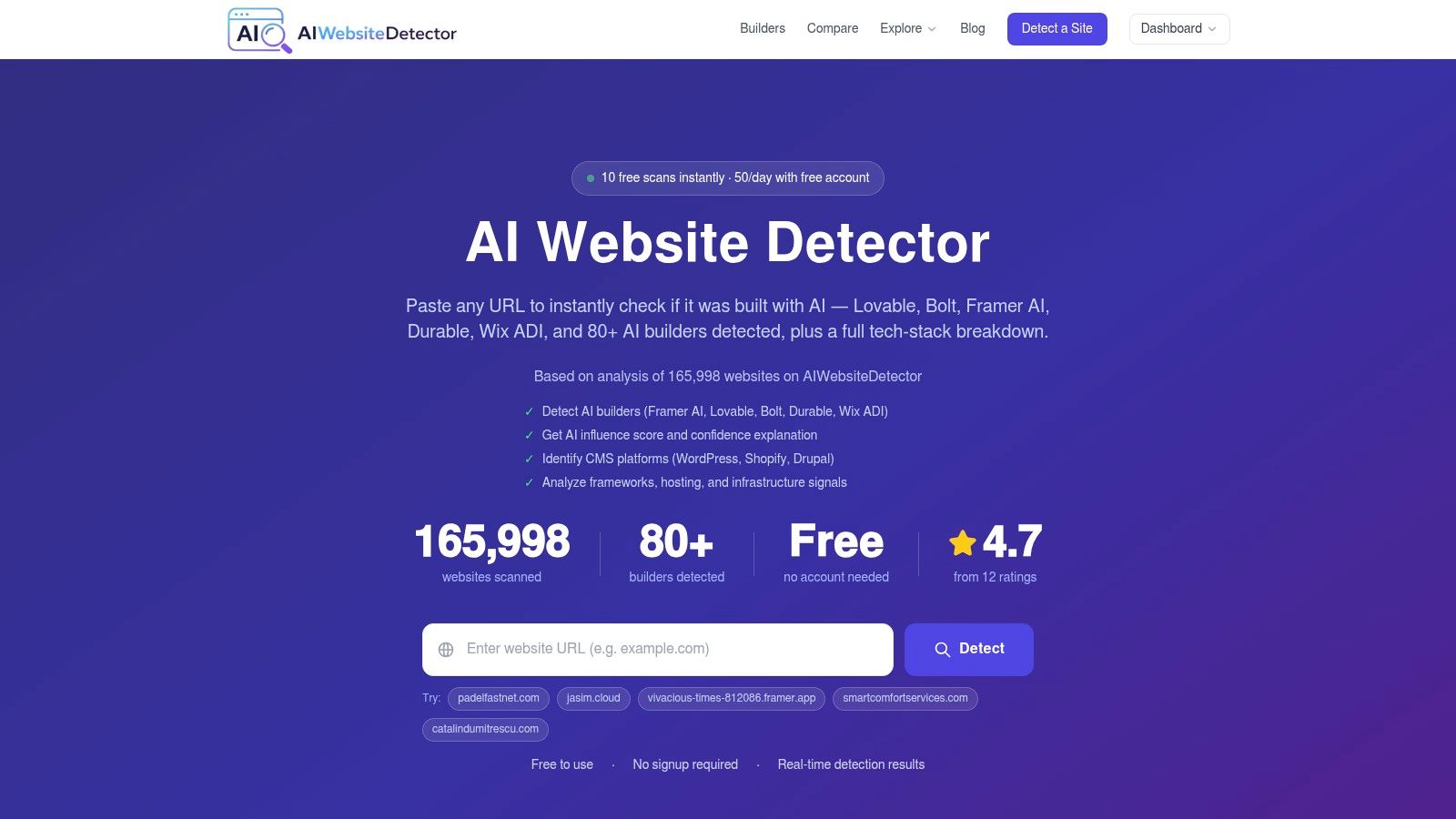
Modern detectors do not rely on one clue. They combine page copy, HTML, screenshots, scripts, class names, and hosting artifacts, then return a confidence band instead of pretending to know the author with certainty probabilistic scoring overview. That is the right frame for an analyst. You are not hunting for a perfect answer, you are building a probability-backed starting point.
Reading the score without overreacting
A scanner that returns a 0 to 100 confidence score is showing how closely the page matches AI-associated patterns, not making a legal claim about authorship probabilistic scoring overview. Read the evidence before you focus on the score itself. The evidence shows whether the signal comes from layout repetition, code artifacts, or runtime requests.
The most useful output combines a verdict label with supporting signals. Labels such as AI-Native Build, AI-Augmented Development, or Manual/Custom Build are shorthand for a broader pattern, not absolute truth. A site can score high because it uses a recognized builder, or it can score moderately because it sits on a modern stack that overlaps with AI-assisted workflows.
For a broader explanation of detection methods, compare the scanner’s logic with AI content detection. That keeps the line clear between generated copy, generated structure, and generated runtime behavior.
A score is a clue. The evidence behind it is the part that survives review.
When the fast pass is enough
Sometimes the first scan answers the business question. If you are comparing vendors, validating a portfolio, or triaging a competitor, a visible builder fingerprint plus a strong score may be enough. If the decision is sensitive, move straight to source inspection and network review.
The scoring explanation at how scores work is useful because it frames the output as layered evidence rather than a binary verdict. That matches how analysts should read modern sites.
A quick automated pass tells you where to spend time. It does not prove authorship by itself, but it narrows the field fast enough to keep the rest of the workflow efficient.
Manual Forensics Inspecting the Digital Fingerprints
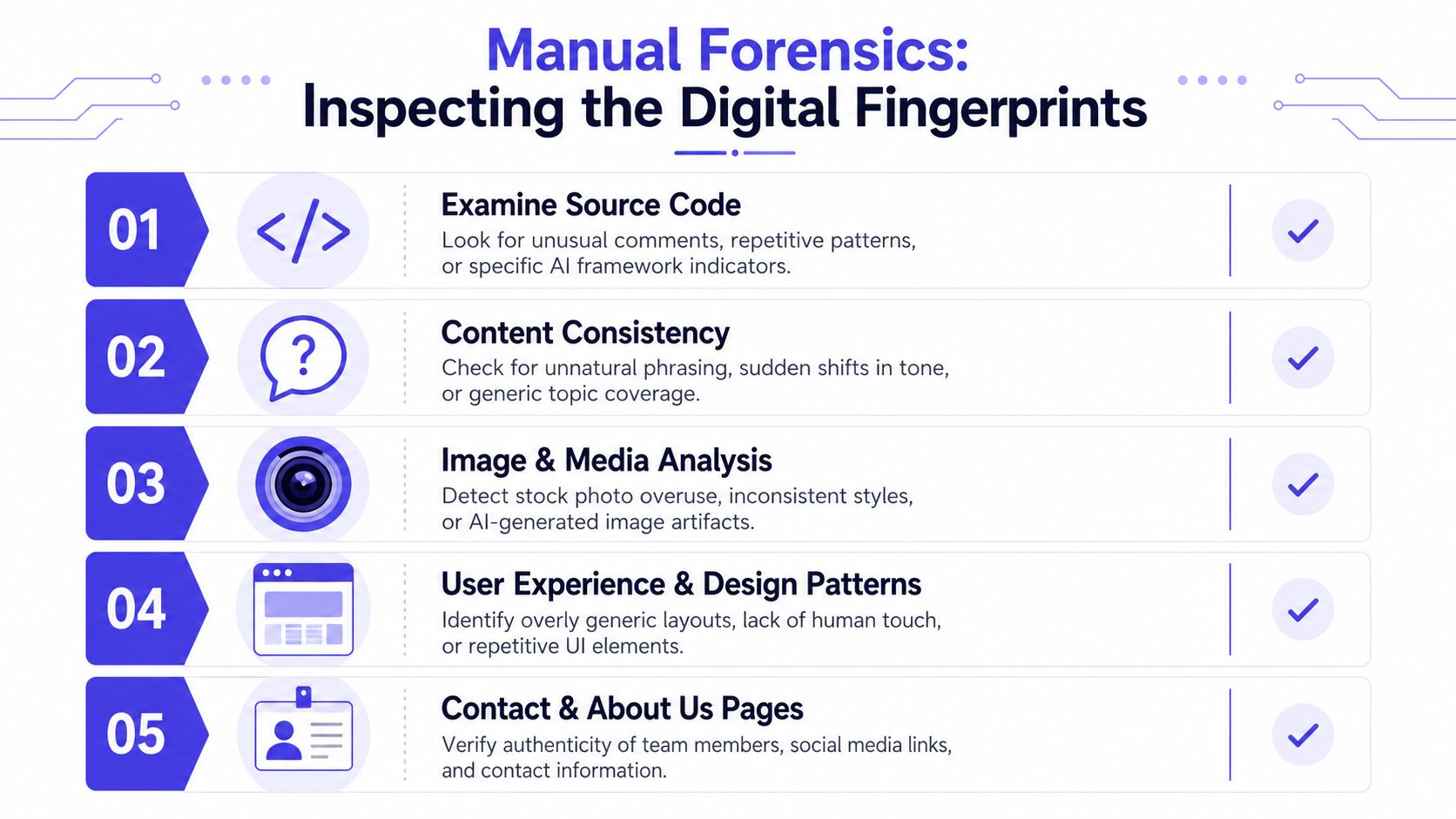
A quick scan gives you the lead, but the source code is where attribution usually survives. At that point, stop reading the page like a visitor and inspect it like a forensic analyst. The cleanest-looking sites still leave artifacts in metadata, scripts, and runtime requests.
Source tags that give the game away
Start with <meta name="generator">, then read the HTML comments, CDN names, script references, and bundle filenames. Those markers can directly point to platforms such as Framer, Wix, Squarespace, Bolt, Lovable, or Vercel v0 when the builder leaves them in place technical marker guidance. A visible generator tag usually carries more weight than a polished interface.
Then check class names and asset paths. Repeated utility classes, builder-specific bundle names, or framework fingerprints show how the site was assembled. A modern site can still be custom, but these artifacts give you a technical trail instead of a guess.
I also inspect the network tab, because runtime behavior can differ from the page source. Requests to services such as openai.com can show AI involvement during page execution, not just during authoring. That matters if you need to separate a site that was edited with AI from one that was generated through AI tooling.
The browser workflow I actually use
Open developer tools, reload the page, and watch traffic from the first request onward. If the site loads from a familiar app shell, note the framework clues, then move through script bundles and API calls. After that, inspect the source for comments, hidden metadata, and builder references.
The page structure matters too. Repeated hero, card, pricing, FAQ, and footer sections often appear in AI-generated or AI-assisted layouts because builders can assemble those patterns quickly layout pattern guidance. That does not prove AI authorship by itself, but it is a useful lead when the source and network data point in the same direction.
Useful habit: if the visuals look clean, assume the strongest signal will be in the source, not in the design.
For a focused check on whether a site matches a known builder, the website builder detector is useful after you have already reviewed the source. I use it when the stack looks modern and the ownership story still needs confirmation.
The point of manual forensics is simple. The source has to explain itself, even when the design tries to hide the trail.
Decoding the Spectrum of AI Involvement
A site can be shaped by AI in different ways, and the distinction matters. Some sites are AI-native, built inside a platform that determines much of the page structure. Others are AI-augmented, where a developer used tools like Cursor or v0 to speed up a custom build. If you treat those cases as the same, the evidence gets muddled fast.

AI-native versus AI-augmented
An AI-native site often leaves platform fingerprints that point directly to the builder. Hosted subdomains, recognizable comments, and platform-specific metadata are common examples of that residue. Attribution is usually easier here because the toolchain is visible in the structure.
An AI-augmented site is harder to separate from a conventional build. It can sit on a modern custom stack and still show signs of AI-assisted development through bundle patterns, component reuse, or architecture choices that resemble generated workflows. That overlap with popular frameworks is the part analysts need to handle carefully.
Recent forensic guidance highlights residue from builders like Lovable and Bolt, along with patterns from v0, as especially useful on polished sites forensic workflow guidance. The design may look hand-built, but the implementation can still carry clear fingerprints.
Reading the modern stack without jumping to conclusions
A stack built with Next.js, Tailwind CSS, Shadcn UI, Lucide, and Radix can be either a normal modern frontend or an AI-assisted one. Stack recognition gives you context, not a verdict. You still need the surrounding evidence to decide whether you are seeing a deliberate human build or a fast AI-assisted workflow.
False positives are the main risk. A disciplined team can use the same stack without involving AI in the build process. The difference usually shows up when the stack appears alongside builder artifacts, repeated section templates, or runtime evidence that does not line up with a conventional custom workflow.
There is also a hard limit here, there is not a guaranteed systematic way to prove a site was produced by AI in every case evidence limitations discussion. That is why strong analysts avoid absolute language and build the case from several signals.
Practical rule: treat modern frameworks as context, not confession.
If you need a quick mapping of builder signatures across platforms, the detect website builder workflow is a fast way to narrow the field. Use it first, then confirm the result with source and network evidence.
The skill is knowing when a polished stack is just a polished stack, and when it carries the residue of AI assistance.
Putting Your Findings into Action
A detection pass only matters if it changes a decision. For founders, the practical use is competitor analysis. A rival’s polished site can look like a custom engineering effort, but the evidence may point to a fast AI-assisted build with a standard stack and limited customization.
For agencies and freelancers, the main use is vendor due diligence. If a portfolio promises bespoke engineering but the site exposes builder artifacts, that mismatch deserves a follow-up. The goal is not to embarrass anyone, it is to understand the actual level of work behind the presentation.
Where the evidence changes the decision
Vendor sites call for a check on whether the build process matches the pitch. If the source code says one thing and the sales materials say another, ask for clarification before you sign. A site that is mostly AI-augmented may still be acceptable, but you should know what you are buying.
For marketers and researchers, the same workflow becomes market tracking. Repeated scans show how often AI-first builders appear, which helps when you compare tools or watch adoption patterns. That kind of evidence belongs in trend work, as noted earlier, because it separates broad movement from one-off impressions.
A simple decision framework
- If the source is clean but the visual design feels templated, keep digging into the scripts and network calls.
- If the builder fingerprint is explicit, treat the site as AI-native or strongly AI-assisted unless there is a clear reason not to.
- If the stack looks modern but the evidence is mixed, classify it as likely AI-augmented and note the uncertainty.
- If no strong artifacts appear, do not force an AI conclusion just because the site looks polished.
The broader workflow uses multi-signal analysis of HTML comments, meta tags, scripts, and network evidence. Some tools finish that pass quickly, which makes it easier to screen more sites without losing rigor multi-signal scan guidance.
The payoff is clarity. You stop reacting to surface polish and start basing decisions on what the site exposes.
Adopting an Evidence-Led Mindset
The most reliable way to detect if a website built with ai is to stop looking for one magic clue. A single visual tell can mislead you, but a stack of signals rarely lies in the same direction for long. The best analysis combines the speed of an automated scan with the precision of manual verification.
What works in practice is a repeatable sequence. Scan the URL, read the confidence and evidence, inspect the source, check the network, then decide whether the site is AI-native, AI-augmented, or merely a modern custom build. That order keeps you from overcalling AI just because a site looks sleek.
A good analyst also respects ambiguity. Some sites will remain hard to classify because the builder cleaned up the artifacts or because the stack overlaps with common modern development choices. In those cases, the right answer is a qualified one, not a forced verdict.
Bottom line: build the case from artifacts, not aesthetics.
If you want a practical place to keep training that workflow, use AI Website Detector on a few real sites you already know well, then compare the results with the source and network behavior. The more often you run that loop, the faster you’ll recognize the difference between generated polish and real technical evidence.
A CTA for AI Website Detector.