
Robots.txt Analyzer: Your Guide to SEO & AI Crawl Control
You're staring at a site launch that should've been routine, but something's off. New pages aren't surfacing, important sections look invisible, and the first suspect is usually the same small file sitting at the root of the site. A robots.txt analyzer is the fastest way to find out whether the problem is a harmless typo, a broad block, or a rule that's instructing crawlers to stay away.
Table of Contents
- Why Your Robots.txt File Needs a Health Check
- Decoding the Directives How an Analyzer Works
- Red Flags Common Issues Flagged by Analyzers
- Putting Theory into Practice An SEO Site Audit
- The New Frontier Managing AI Crawlers
- Your Robots.txt Questions Answered
Why Your Robots.txt File Needs a Health Check
A single line in robots.txt can make a whole section of a website disappear from crawler attention. That's how teams end up launching with strong content, solid internal links, and nothing to show for it because a rule in the root file told bots to back off. A robots.txt analyzer exists for exactly that kind of failure, because manual spot-checking misses edge cases and bot-specific behavior.
The file is older, bigger, and more operational than many teams assume
This isn't a niche file that only matters during migrations. In 2008, the BotSeer system analyzed 2.2 million robots.txt files from 13.5 million websites, one of the earliest large-scale datasets for studying robots.txt usage and web-robot policy at Internet scale (BotSeer ICWE 2008 paper). That scale matters because it shows robots.txt had already become a machine-readable governance layer long before today's AI crawler debates.
Practical rule: if the file controls access for search crawlers, it also deserves the same discipline you'd give to login flows, redirects, or canonical tags.
A health check isn't just about “is the file there.” It's about whether the file is doing what the business thinks it's doing, across different bots, different URL patterns, and different content types. On larger sites, one mistaken wildcard or one over-broad block can affect product pages, category hubs, or content libraries in ways that don't show up immediately in analytics.
A good analyzer gives you the quick answer that a launch checklist rarely does. It tells you whether the file is readable, whether the directives make sense, and whether the outcome matches the intent. That's the difference between hoping crawlers interpret the file correctly and knowing they will.
Decoding the Directives How an Analyzer Works
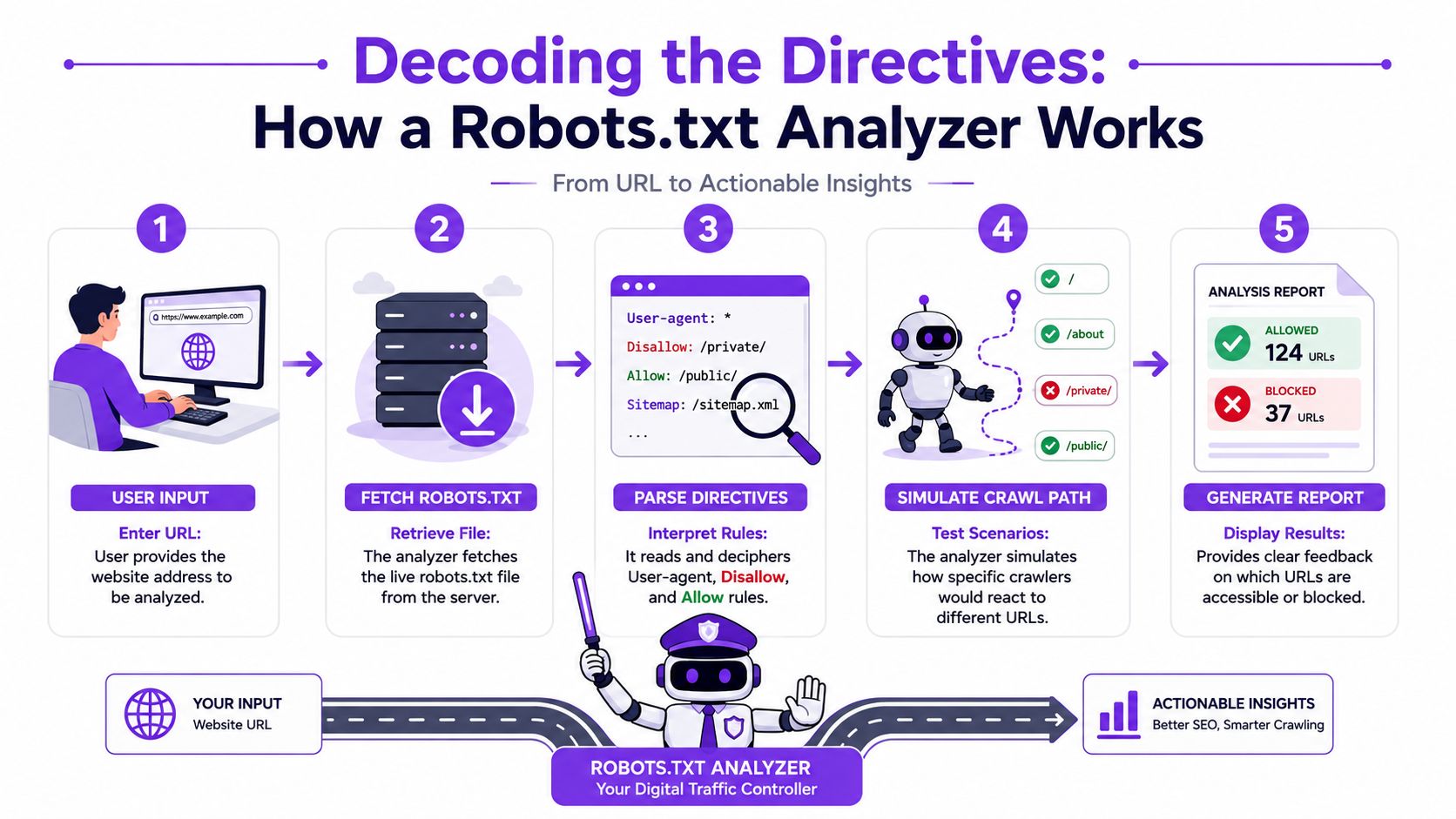
A robots.txt file works like a club bouncer with a clipboard. The User-agent line names which guest list the rule applies to, while Disallow and Allow decide which doors stay open or closed for that bot. A robots.txt analyzer reads that clipboard the way a careful proofreader reads a contract, then checks whether the rules line up with the crawl outcome you want.
What the tool parses and why it matters
The analyzer doesn't just scan for words. It groups directives by user-agent, interprets rule precedence, and tests how a crawler would behave against specific URLs. That's why the best tools surface crawl-impact signals like blocked paths and sitemap URLs, and can also test pages against Googlebot or Bingbot rules to catch mistakes such as an accidental global block like Disallow: / before it hits indexing (Apify robots.txt analyzer).
How to read the output without overthinking it
The most useful output is usually simple. It tells you which bot sees which rule, which paths are blocked, and whether the sitemap is discoverable. That's the point where a technical check becomes a business decision, because the file is no longer abstract policy, it's live crawl control.
For teams that want a focused crawlability check, Outrank's tool for improve site crawlability for search engines is a useful reference point for comparing outputs. If you're validating a new build or a redesign, the internal robots.txt checker can help you inspect how the file behaves before a mistake ships.
A strong analyzer doesn't just say “valid” or “invalid.” It shows which bot, which rule, and which URL path will actually be affected.
Red Flags Common Issues Flagged by Analyzers
The worst robots.txt problems usually aren't exotic. They're the boring ones, like a malformed file, a block that's broader than intended, or a sitemap reference that doesn't resolve cleanly. Google's parser requires a UTF-8 plain-text file and enforces a maximum size of 500 KiB, so oversize or malformed files can be ignored or only partially interpreted, which changes how crawlers reach the site (Google robots.txt specification).
The issues that matter most in real audits
A file that can't be parsed correctly isn't a harmless formatting issue. It can turn into unintended crawl access, or the opposite, a section that should be visible but stays hidden from crawlers. That's why analyzers should flag encoding problems, size problems, and conflicting directive patterns before you start debugging rankings.
| Error Type | Example | Potential Impact | How to Fix |
|---|---|---|---|
| Invalid encoding | File saved in a non-UTF-8 format | Crawlers may ignore the file or misread directives | Save as UTF-8 plain text |
| Oversized file | File exceeds the parser limit | Rules can be ignored or partially interpreted | Reduce unnecessary rules and simplify groups |
| Over-broad disallow | Disallow: / |
Entire site or major sections may be blocked | Narrow the rule to the intended path |
| Conflicting rules | Allow and Disallow for the same path without clear intent |
Bot behavior becomes harder to predict | Rework rule order and test specific URLs |
| Missing or broken sitemap reference | Sitemap line points to an invalid location | Discovery signals weaken and maintenance gets messy | Update the sitemap URL and verify it resolves |
A practical analyzer also needs to surface blocked assets, not just HTML pages. If CSS or JavaScript is hidden by mistake, crawlers may see a broken version of the page, which hurts rendering and makes technical diagnosis harder. That’s a common trap on sites where someone copied a staging rule into production and never rechecked it.
Bottom line: if the analyzer flags a rule that looks “safe” but touches core assets, treat it as a production issue, not a housekeeping note.
Putting Theory into Practice An SEO Site Audit
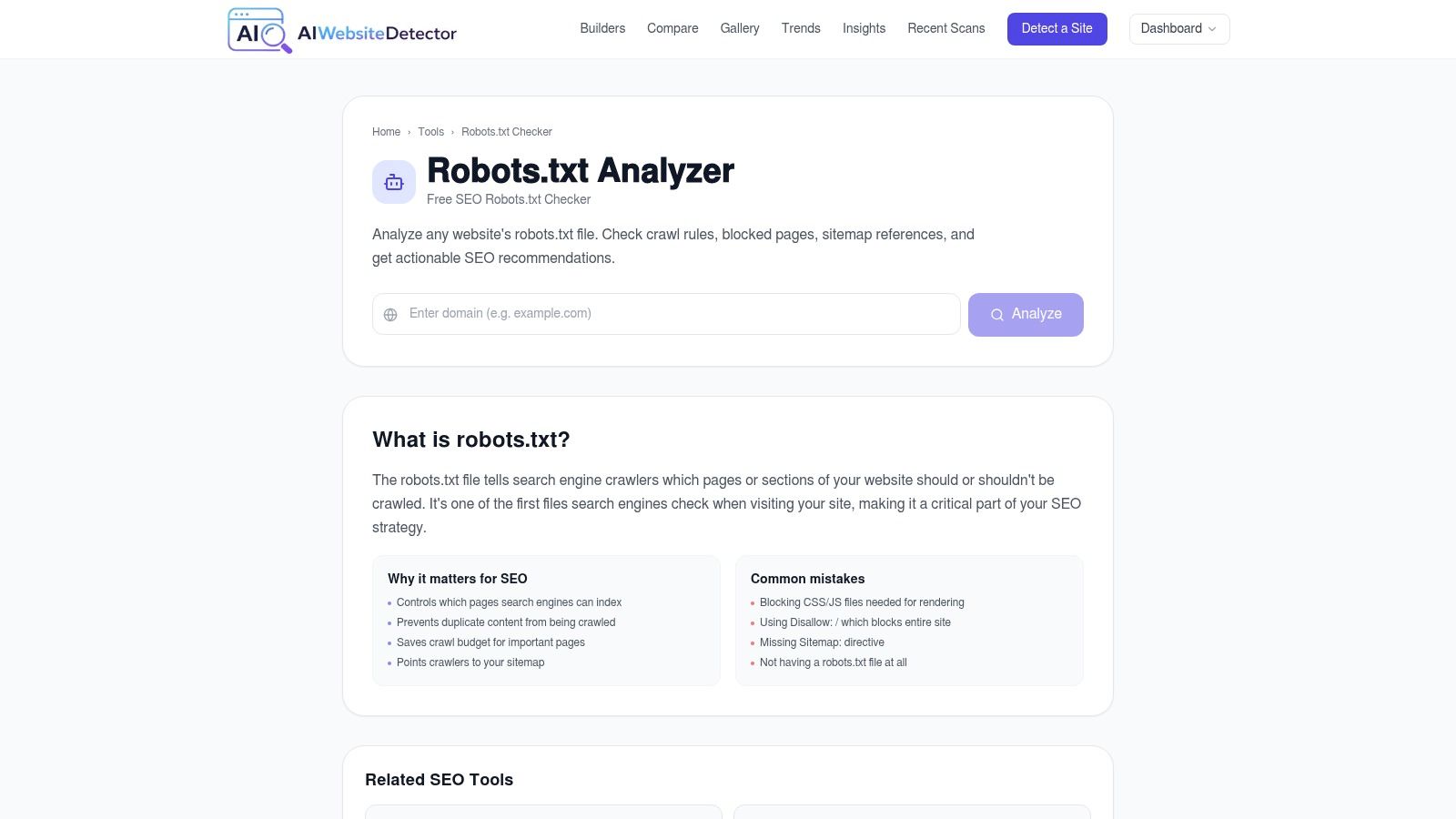
A clean audit starts with one domain and one goal, then moves outward. Pull up the file, check whether the live version matches what the team thinks is deployed, then test a few URLs that matter most, especially pages that should be accessible to crawlers but are often vulnerable to accidental blocks. Search Console’s robots.txt report gives you the top 20 hosts, their last crawl time, and any warnings or errors, with a 30-day fetch history that makes it clear robots.txt belongs in regular monitoring, not in a forgotten text file.
A simple audit sequence that catches most failures
Start with the live file, then test a path that should crawl, then test a path that should stay blocked. That sequence exposes the most common mismatch between policy and reality. If the file says one thing but crawler behavior says another, the analyzer has done its job.
- Check the domain root first: confirm the file exists where crawlers expect it and that it’s readable as plain text.
- Test a priority URL: verify that a page meant for indexing is not being blocked by a broad rule.
- Inspect sitemap placement: confirm the XML sitemap is referenced cleanly and reachable, since discovery depends on it being accurate.
- Compare bot behavior: test at least one search bot rule so you can see whether Googlebot and Bingbot would receive the same outcome.
- Review crawl history: use the recent fetch data to spot whether the problem is new or has been lingering.
A careful audit also needs clean measurement around the rest of the site. If analytics are noisy, you can waste time diagnosing the wrong issue, so Trackingplan’s guide to ensure web analytics data quality is a useful companion when crawl issues and tracking issues start to overlap. The internal sitemap checker is handy when you want to verify that the URLs you expect to be discovered are present in the sitemap layer.
What to do with the result
If a key URL is blocked, fix the rule before you chase content or link issues. If the file is valid but the sitemap is missing or stale, correct the discovery layer next. The analyzer is most valuable when it shortens the path from symptom to root cause, not when it adds another dashboard to ignore.
The New Frontier Managing AI Crawlers
Robots.txt used to be framed almost entirely as a search engine control file. That framing is too narrow now, because site owners increasingly need to decide how AI crawlers interact with their content, not just whether Googlebot can reach it. Guidance is still lagging behind the problem, and the practical question has shifted from “is Google allowed?” to “which machines are allowed to train on my content?” (Seories robots dashboard).

Why AI crawler policy changes the job
The old workflow focused on crawlability and indexing. The new one also includes policy, consent, and content reuse. That means an analyzer has to tell you whether user-agent groups for bots like GPTBot, ClaudeBot, or PerplexityBot are present, whether they’re handled consistently, and whether the file expresses the access posture you intend.
Practical rule: if a crawler is named in your robots.txt file, treat that rule like a policy decision, not a technical afterthought.
A lot of sites still rely on generic User-agent: * blocks and assume that covers everything. It doesn’t, at least not in a way that gives you clear control over named AI crawlers. A modern analyzer helps you check whether those agents are explicitly addressed, which matters if you want to restrict training access, preserve bandwidth, or to document your access preferences more clearly.
The internal AI.txt checker is useful here if you’re comparing how your site’s AI-facing instructions line up with your robots.txt strategy. Even when the policy stays unchanged, the review process should expand, because a file that only worked as an SEO control surface can now become part of your content governance.
What “good” looks like now
Good AI crawler handling is explicit. The file should reflect who gets access, who doesn’t, and whether the decision is deliberate. A robots.txt analyzer won’t solve licensing or enforcement by itself, but it will show whether the policy is written down in a way crawlers can parse.
Your Robots.txt Questions Answered
Is robots.txt the same as noindex? No. Robots.txt controls crawling, while noindex controls indexing. If you need a page out of search results, use the right indexing directive on a page search engines can crawl, rather than relying on a disallow rule alone.
How often should I check robots.txt? Check it any time you launch, migrate, change CMS templates, or add new bot rules. Leaving it untouched for long periods is risky because crawl behavior changes over time, and a small rule change can create a larger visibility problem than teams expect.
Can a robots.txt analyzer fix the file for me? Not usually. It can identify the problem, show which rule is causing it, and verify the result after you change the file. The actual fix still belongs in your repository, CMS, or deployment workflow.
Should I block AI crawlers by default? That depends on your content policy. If you care about controlling training use or access behavior, review named AI bots directly instead of assuming legacy SEO rules cover them.
A good analyzer does not replace judgment. It makes judgment safer, especially before releases, after major content changes, and any time your crawl logic starts to feel uncertain.
If you are comparing SEO crawl control with AI crawler policy, use AI Website Detector to review the live signals and catch robots.txt mistakes that block visibility without being immediately apparent.